
What Is Mobile Data? How It Works on Your Phone
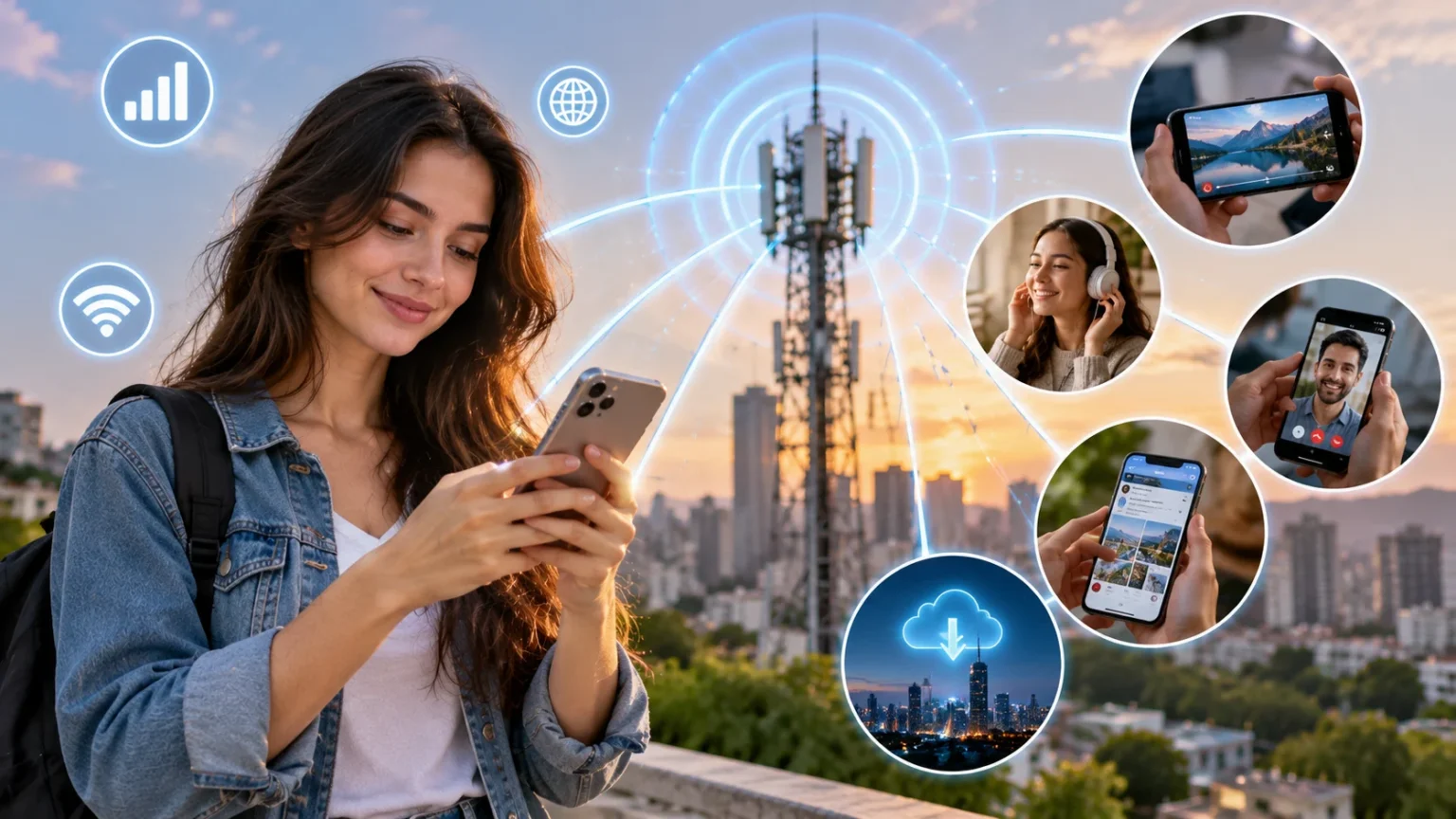
Mobile data is the internet connection your smartphone receives through a cellular network when Wi-Fi is unavailable or turned off. It allows your phone to browse websites, stream videos, use social media, send messages, navigate with maps, download files, and access online services almost anywhere your carrier has coverage. Instead of connecting to a home router, your phone communicates with nearby cell towers operated by a mobile network provider. The data then travels through the carrier’s infrastructure to the wider internet. Depending on your device and coverage, that connection may use technologies such as 4G LTE or 5G. In simple terms, mobile data is what keeps your phone online while you are away from Wi-Fi.
Every time you open an app that needs the internet, your phone sends and receives small packets of digital information. A weather app may download current conditions, a messaging app may send photos, and a streaming platform may continuously deliver video data. These activities consume part of your mobile data allowance if they happen over your cellular connection. Some plans provide a fixed amount of data each month, while others advertise unlimited data with certain speed or usage conditions. Understanding what counts as data can help you avoid unexpected charges or slower speeds. It can also make it easier to choose a phone plan that matches how you actually use your device.
Mobile data works through a combination of your smartphone, SIM or eSIM, mobile carrier, radio signals, cell towers, and network infrastructure. Your SIM identifies your subscription and allows the carrier to authenticate your device on its network. When your phone needs internet access, it communicates wirelessly with a nearby tower using available cellular frequencies. The carrier then routes that traffic through its network and toward the online service you are trying to reach. Responses travel back through the same general network path to your phone. Although the process sounds complicated, it usually happens within fractions of a second during normal browsing and app use.
The quality of a mobile data connection can change significantly from one location to another. Signal strength, network congestion, building materials, distance from a tower, available spectrum, weather-related conditions, and the type of cellular technology all influence performance. A 5G icon on the screen does not automatically guarantee the fastest possible connection, because different forms of 5G use different frequencies and network configurations. Similarly, a strong signal indicator does not always mean fast internet if too many people are using the same local network resources. Mobile data performance is therefore the result of several factors working together rather than just the number of signal bars displayed on your phone.
For most users, there is no need to understand every engineering detail behind cellular networks to use mobile data effectively. What matters is knowing when your phone is using cellular data, how that usage affects your plan, and what settings can help you control it. You should also understand the difference between mobile data and Wi-Fi, especially when streaming, downloading large files, or traveling internationally. Features such as data saver, personal hotspot, roaming controls, and per-app permissions can give you more control. This guide explains how mobile data works in everyday language so you can use your smartphone more confidently, efficiently, and securely.
What Is Mobile Data?
Mobile data, also called cellular data, is digital information transmitted between your phone and the internet through a mobile carrier’s wireless network. It does not depend on a traditional Wi-Fi router in your home, office, café, or hotel. Instead, your smartphone connects to nearby cellular infrastructure using radio frequencies assigned to services such as LTE and 5G. This connection allows internet-based apps and services to continue working while you are traveling, commuting, shopping, walking outdoors, or otherwise outside Wi-Fi coverage. Mobile data is one of the main reasons smartphones can function as portable internet devices rather than simply phones used for calls and text messages.
When mobile data is enabled, your phone can automatically use the cellular network whenever a suitable Wi-Fi connection is unavailable. You might notice icons such as 4G, LTE, 5G, or variations of 5G beside the signal bars at the top of the screen. These icons indicate the general type of network connection currently available. The exact symbols differ by phone manufacturer, operating system, and carrier. If mobile data is disabled, internet-dependent apps usually stop working unless the phone is connected to Wi-Fi. Calls and traditional SMS messages may still work because they can use separate carrier services, although modern voice and messaging technologies increasingly interact with data-based network systems.
The amount of mobile data you use is typically measured in megabytes and gigabytes. A megabyte, often abbreviated MB, is smaller than a gigabyte, commonly written as GB. Simple activities such as checking email or loading text-heavy webpages generally use relatively small amounts of data. Video streaming, large app downloads, cloud backups, video calls, and high-resolution social media content can use substantially more. Mobile carriers often structure plans around monthly data allowances such as 5 GB, 20 GB, 50 GB, or unlimited usage. Understanding these measurements helps you estimate whether a particular data plan is likely to meet your normal needs.
Mobile data should not be confused with the physical information stored on your phone. Photos, contacts, downloaded music, and offline documents occupy device storage but do not continuously consume cellular data simply by existing on the phone. Data is generally used when your device transfers information through the mobile network. Uploading a photo to cloud storage, for example, uses data, while viewing the same photo already saved locally may not. Apps can also use mobile data in the background to refresh feeds, synchronize information, download notifications, or update content. This background activity explains why data consumption can sometimes increase even when you are not actively browsing.
Mobile data has become essential because so many everyday services now depend on constant connectivity. Navigation apps need location-related map information, banking apps communicate with secure servers, social networks constantly refresh content, and cloud-based productivity tools synchronize files across devices. Ride-hailing, food delivery, online payments, authentication services, and smart-home apps can also require internet access while you are away from Wi-Fi. For many people, cellular connectivity is therefore part of daily life rather than an optional feature. Knowing how it works can help you troubleshoot connection problems, understand your phone bill, and make better decisions about data usage.
How Does Mobile Data Work on Your Phone?
When your phone connects to mobile data, it first establishes communication with a nearby cell tower or cellular radio site operated by your carrier or one of its network partners. Smartphones contain specialized radios and antennas designed to communicate using licensed cellular frequencies. The device searches for an available network it is authorized to use and then registers with that network. Your SIM or eSIM helps confirm your subscription and identity as a valid customer. After authentication, the network can provide internet connectivity according to your service plan and the technologies supported by your phone. This process normally happens automatically whenever you switch on your device or move between coverage areas.
Cellular networks divide geographic areas into smaller zones commonly described as cells. Each cell is served by radio equipment that communicates with devices within its coverage range. As you move through a city or travel along a highway, your phone may switch from one cell site to another without interrupting your internet session. This process is known as a handover or handoff. Modern cellular systems are designed to perform these transitions quickly so streaming, voice calls, navigation, and messaging can continue while you are moving. The system constantly evaluates available signals and network conditions to determine which connection can best serve your device.
Once connected, your phone sends internet traffic as packets of digital data over the radio link. Those packets travel from the phone to cellular network equipment and then through the carrier’s core network. The carrier routes them toward the destination on the internet, such as a website, cloud platform, messaging server, or streaming service. Information returned by that service travels back through the network and reaches your device. This constant exchange happens whenever an app loads information from the internet. A single webpage can involve many separate requests for text, images, scripts, advertisements, fonts, and other resources before the page finishes loading.
Your phone does not necessarily stay connected to the same frequency, band, or network technology at all times. Modern devices can select among available LTE and 5G connections according to signal strength, network design, battery considerations, and carrier configuration. Some network deployments may use 4G and 5G components together, while more advanced 5G networks can operate with a 5G core. Your device may also aggregate multiple frequency channels to increase capacity and speed when supported. All of these decisions happen automatically. Users usually experience the result simply as faster or slower internet, even though several complex network processes are occurring behind the scenes.
Cellular data communication is also managed carefully to make efficient use of limited wireless spectrum. Thousands of users may share network resources in a busy area, so the system allocates capacity dynamically according to demand and available radio conditions. During a major event or rush hour, speeds may decrease because many phones are competing for the same local resources. At quieter times, the same location may provide much faster performance. Carriers continuously upgrade towers, add spectrum, deploy new technologies, and adjust network capacity to handle increasing demand. This shared-resource design explains why mobile data speeds can vary even when your phone remains in exactly the same place.
Mobile Data vs Wi-Fi: What Is the Difference?
The biggest difference between mobile data and Wi-Fi is the network your phone uses to reach the internet. Mobile data connects through your cellular provider’s network using 4G, LTE, or 5G signals. Wi-Fi connects your device to a nearby wireless router or access point that normally reaches the internet through a broadband connection such as fiber, cable, DSL, or fixed wireless service. Both ultimately provide internet access, but the path is different. Mobile data is designed for mobility across large geographic areas, while Wi-Fi normally covers a smaller location such as a home, office, café, airport, or hotel.
Wi-Fi often allows larger downloads without affecting a limited mobile data allowance because usage is billed through a separate internet service. This is why phones commonly prefer Wi-Fi when a known network is available. Large software updates, cloud photo backups, high-resolution streaming, and game downloads may be configured to occur only over Wi-Fi. However, Wi-Fi is not automatically faster than mobile data. A congested or slow home internet connection can perform worse than a strong 5G connection. Similarly, a weak mobile signal may be much slower than a modern fiber-backed Wi-Fi network, so performance depends on the specific connection rather than the technology name alone.
Mobility is where cellular data has a major advantage. You can remain connected while walking outdoors, traveling in a car, using public transportation, or moving between neighborhoods without having to join a new Wi-Fi network each time. The carrier network handles handoffs between cell sites as you move. Wi-Fi generally requires you to stay within range of a particular access point. Once you travel too far from that router, the connection weakens and eventually disappears. Smartphones switch between these technologies automatically in many situations, which gives users the convenience of Wi-Fi indoors and cellular coverage when they leave the area.
Security also differs depending on the type of Wi-Fi network involved. Mobile data uses carrier-managed authentication and encrypted radio communication, whereas Wi-Fi security depends partly on how the wireless network is configured. A properly secured home or business Wi-Fi network can be safe for normal use, while an unknown public network may deserve greater caution. Modern websites and apps also use encrypted HTTPS connections, which adds protection regardless of whether you connect through Wi-Fi or cellular data. Still, users should avoid assuming that every public hotspot is trustworthy. Sensitive activities should be conducted through networks and services that use appropriate security protections.
From a practical perspective, most smartphone users benefit from using both Wi-Fi and mobile data. Wi-Fi is useful for large downloads, streaming at home, cloud backups, and other high-volume activities. Cellular data provides connectivity when Wi-Fi is unavailable or unreliable. Your phone can usually switch between them automatically according to your settings. If you have a limited mobile plan, enabling Wi-Fi for data-intensive tasks can help conserve your allowance. If your plan offers large or unlimited data usage, you may depend more heavily on cellular connectivity, but network speed, battery consumption, and hotspot limits can still influence how you choose between the two.
How Do 4G LTE and 5G Mobile Data Work?
4G LTE became the foundation of modern mobile broadband by providing much faster internet connectivity than earlier cellular technologies. LTE stands for Long-Term Evolution and is designed to efficiently transmit digital data for browsing, streaming, apps, messaging, and voice services. A good LTE connection can support video streaming, video calls, cloud applications, navigation, and most everyday smartphone activities without difficulty. Carriers continue to operate extensive LTE networks because they provide broad coverage and remain important even where 5G has been deployed. Many phones automatically move between LTE and 5G depending on which network offers suitable coverage and performance in the current location.
5G is the newer generation of mobile network technology and is designed to provide greater capacity, lower latency, improved efficiency, and potentially much faster speeds. However, 5G is not a single uniform experience. Networks can use low-band, mid-band, or high-frequency spectrum, each offering different trade-offs between coverage and performance. Lower-frequency 5G can cover larger areas but may deliver speeds closer to strong LTE in some situations. Mid-band networks often provide a useful combination of coverage and higher capacity. Very high-frequency 5G can achieve impressive speeds but has shorter range and is more easily blocked by walls and other obstacles.
Latency is another important difference between cellular generations. Latency refers to how long it takes data to travel from your device to another network point and return. Lower latency can make online games, video calls, remote applications, and interactive services feel more responsive. 5G networks are designed to reduce latency compared with previous technologies, although real-world results depend on network architecture and congestion. Download speed often receives more attention because it is easy to measure, but latency and consistency can matter just as much during everyday use. A connection that responds quickly can feel smooth even if its maximum download speed is not exceptionally high.
Some 5G networks initially relied partly on existing 4G infrastructure, a setup commonly described as non-standalone 5G. More advanced deployments can use a dedicated 5G core, known as standalone 5G. Standalone architecture can enable additional network capabilities and more fully realize features associated with the newer standard. However, users do not need to understand these technical distinctions to benefit from the network. Their experience is determined by device support, local coverage, carrier configuration, spectrum availability, and current network demand. Two users with different carriers standing in the same location can therefore experience very different 5G speeds and reliability.
For most consumers, the important point is that both 4G LTE and 5G are forms of cellular mobile data. Your smartphone automatically selects available network technologies rather than requiring you to manually choose one each time you move. Having a newer 5G phone does not mean LTE becomes useless, because 4G remains important for coverage and network fallback. Similarly, seeing 5G on the screen does not guarantee a dramatic speed difference in every location. The practical benefit of newer networks is greater overall capacity and improved performance as infrastructure develops. What matters most is whether your carrier provides reliable service where you actually live, work, and travel.
What Uses Mobile Data on Your Phone?
Almost any app that communicates with the internet can use mobile data when Wi-Fi is unavailable. Web browsers consume data whenever they load pages, images, advertisements, videos, or downloadable files. Social media applications may use considerably more because feeds frequently contain high-resolution photographs, autoplay videos, stories, and live content. Messaging apps normally use relatively little data for text, but sending photographs, voice notes, videos, and documents increases consumption. Email can also use more data when messages contain large attachments. Because most modern apps connect to online servers, even simple smartphone activity can generate some cellular traffic throughout the day.
Video streaming is generally one of the largest sources of mobile data usage. The amount consumed depends heavily on video quality and how long you watch. Standard-definition video uses significantly less data than HD or 4K streaming because higher-resolution images require more information to be transmitted every second. Many streaming services allow users to select lower mobile video quality specifically to conserve data. Short-form social media videos can also add up quickly because users may watch dozens or hundreds without noticing how much content has been downloaded. If you have a limited plan, reducing video quality is one of the most effective ways to lower monthly cellular usage.
Music streaming usually consumes less data than video because audio files contain much less information. However, listening for many hours each day can still contribute significantly to monthly usage. Streaming services often offer different audio-quality settings, with higher-quality formats requiring more data. Downloading playlists over Wi-Fi for offline listening can reduce cellular consumption during commuting or travel. Podcasts work similarly because episodes can be downloaded before leaving home. Navigation applications also use mobile data for maps, traffic information, location searches, and route updates, although their consumption is generally lower than continuous video streaming unless extensive map data is being downloaded.
Cloud services can quietly use significant amounts of data in the background. Photo backup applications may upload every new photo and video recorded on your phone, while file-syncing services can transfer documents automatically. Operating system updates and app updates can also involve large downloads. Most smartphones allow users to restrict these activities to Wi-Fi, which is particularly useful on limited plans. Background app refresh can create smaller but frequent transfers as apps check for new content even when they are not open on the screen. Reviewing background permissions can therefore reveal why your phone is consuming more data than expected.
Using your phone as a mobile hotspot can increase data usage quickly because another device may behave as though it is connected to ordinary Wi-Fi. A laptop connected through your phone might automatically download system updates, synchronize cloud files, stream high-resolution video, or load full desktop webpages. All of that traffic counts against the phone’s cellular connection. Some carriers also place separate limits on hotspot usage even when the main smartphone plan is marketed as unlimited. If you regularly tether a laptop or tablet, checking your plan’s hotspot rules is important. Monitoring connected devices can also prevent unauthorized users from consuming your mobile data.
What Affects Mobile Data Speed?
Signal strength is one of the most obvious factors affecting mobile data speed, but it is not the only one. Your phone needs a sufficiently strong and clean radio connection to communicate efficiently with the cellular network. When you are far from a tower or inside a building with thick walls, underground parking, metal structures, or coated windows, the signal may weaken. The phone may then use more robust but slower transmission methods to maintain the connection. Moving closer to a window or outdoors can sometimes improve performance. However, a strong signal does not guarantee high speed if the local network is heavily congested.
Network congestion occurs when many users compete for limited cellular capacity in the same area. Stadiums, concerts, shopping districts, airports, and busy city centers can place heavy demand on nearby cell sites. During these periods, you may have full signal bars but still experience slow browsing or buffering. Carriers try to manage congestion by adding spectrum, upgrading equipment, deploying additional small cells, and improving network efficiency. Some mobile plans may also receive different levels of priority during congestion depending on carrier policies. This means two customers using the same network in the same location may occasionally experience different performance.
Your smartphone itself can influence data speed. Older devices may not support newer 5G bands, advanced LTE features, carrier aggregation, or the latest modem technologies. Newer phones can often combine multiple frequency channels and use more sophisticated antennas to improve throughput. However, buying the newest phone does not guarantee better service if the carrier has limited coverage in your area. Device software can also affect connectivity, which is why operating system and carrier-setting updates sometimes include network improvements. A damaged antenna, poorly fitted case, or hardware fault can occasionally cause weaker performance as well.
Your mobile plan can also affect speed. Some carriers offer different service tiers, and certain plans may limit maximum speeds or reduce priority after a specific amount of high-speed data has been used. Plans described as unlimited may still contain fair-use policies, hotspot restrictions, video-resolution limits, or congestion management rules. These conditions are usually explained in the plan details, although they may not be obvious from the headline marketing language. Understanding the distinction between unlimited quantity and unlimited maximum speed can prevent confusion. If performance changes after heavy monthly use, checking your carrier’s policy may explain why.
The online service you are accessing can also become the bottleneck. A slow website, overloaded game server, distant cloud service, or streaming platform experiencing problems can make the connection feel slow even when your cellular network is performing well. VPNs can sometimes reduce speed because traffic travels through an additional server and encryption process. Background downloads on your own phone may also compete with the app you are actively using. For troubleshooting, it helps to compare several websites or apps rather than judging the entire mobile network based on one slow service. Restarting the connection or phone can sometimes clear temporary network problems as well.
What Are Mobile Data Roaming and Hotspot Features?
Data roaming allows your phone to use a mobile network other than your primary carrier’s network when you are outside its normal coverage area. This is especially common during international travel, when your home carrier may have agreements with foreign network operators. Your phone connects to one of those partner networks and continues providing mobile data. The visited network records your usage and communicates that information back to your provider. Depending on your plan, roaming may be included, charged at a daily rate, purchased as an add-on, or billed according to usage. Understanding the pricing before travel can prevent unexpectedly high phone bills.
International roaming costs have become more predictable on many modern plans, but conditions vary widely by carrier and destination. Some providers include roaming in selected countries, while others offer daily passes or separate travel packages. Without an appropriate plan, mobile data usage abroad can still become expensive. Streaming video, cloud backups, software updates, and hotspot use are particularly risky if roaming charges are based on consumption. Travelers can disable data roaming in phone settings and use Wi-Fi instead when necessary. Purchasing a local SIM or travel eSIM is another increasingly popular option for obtaining data service while abroad.
An eSIM is a digital form of subscriber identity that can be activated without inserting a traditional plastic SIM card. Many newer smartphones support one or more eSIM profiles, making it easier to add a local or travel data plan. You may keep your primary number active while using another provider for mobile data, depending on the phone and carrier configuration. This flexibility can reduce roaming costs and simplify international travel. However, users should check whether their phone is unlocked and whether the chosen eSIM service supports their destination. Coverage and network quality can vary substantially among travel data providers.
A mobile hotspot, also called tethering or personal hotspot, allows your smartphone to share its cellular data connection with other devices. The phone acts somewhat like a small Wi-Fi router, allowing a laptop, tablet, gaming device, or another phone to connect through it. Hotspots are useful when regular Wi-Fi is unavailable, especially during travel, remote work, or temporary internet outages. The connected device’s traffic passes through your smartphone’s mobile data connection. As a result, watching video or downloading large files on a laptop can consume the phone’s data allowance quickly.
Hotspot performance depends on both the cellular connection and the wireless connection between your phone and the connected device. A strong 5G signal can sometimes provide broadband-like performance, while weak LTE coverage may make laptop browsing feel slow. Hotspot use can also drain the phone’s battery relatively quickly because the device must maintain both cellular and local wireless connections. Some plans limit hotspot data or reduce tethering speeds after a threshold. For extended use, keeping the phone connected to power may be helpful. Users should also protect the hotspot with a strong password so nearby strangers cannot connect and consume their data.
How to Reduce and Manage Mobile Data Usage
The first step in controlling mobile data is checking which apps use the most. Both Android phones and iPhones provide settings that show cellular consumption by app, although menu names and reporting periods differ. Video streaming, social media, cloud backup, and browsers often appear near the top for heavy users. If an unfamiliar app is consuming large amounts, you can investigate why it is transferring so much information. Many phones also allow mobile data access to be disabled for individual apps. That feature is useful for applications you only need when connected to Wi-Fi.
Enabling a data saver or low data mode can reduce background activity across the phone. Depending on the operating system, this setting may limit automatic synchronization, reduce background refresh, postpone certain updates, and encourage apps to use less bandwidth. Individual applications also offer their own data-saving controls. Social media platforms may allow you to disable video autoplay, while streaming services can reduce mobile video resolution. Music apps can lower audio quality when using cellular data. Combining phone-level controls with app-specific settings usually produces greater savings than relying on one feature alone.
Downloading content over Wi-Fi is another easy strategy. Streaming platforms often allow movies, shows, playlists, maps, podcasts, and other content to be saved for offline use. Downloading these items at home can significantly reduce cellular consumption during commuting, flights, or long journeys. Offline maps are particularly useful when traveling through areas with unreliable coverage. Cloud photo services can also be configured to upload only when Wi-Fi is available. Similarly, app and operating system updates can be restricted to Wi-Fi so large software packages do not unexpectedly use your monthly allowance.
Monitoring your billing cycle can help prevent surprises. Your phone’s built-in usage counter may not always match the carrier’s measurement period exactly, so the carrier’s app or account portal can provide the most relevant billing information. Some Android devices allow you to set a monthly data warning or hard limit. Carriers may also send notifications when you approach a particular threshold. If you regularly run out of data, reducing video quality may help more than trying to eliminate tiny amounts of background usage. Alternatively, a larger plan may make more sense if your normal lifestyle genuinely requires heavy mobile connectivity.
You should also check whether Wi-Fi assistance features are increasing cellular use. Some smartphones can automatically supplement a weak Wi-Fi connection with mobile data to maintain better performance. This can be convenient, but it may consume cellular data even when the Wi-Fi symbol appears active. The feature can usually be adjusted in network settings. Likewise, forgetting to reconnect to home Wi-Fi after disabling it can cause hours of unnoticed cellular use. Periodically reviewing connectivity settings is therefore worthwhile. Good mobile data management is not about avoiding the internet but about making sure high-volume activities happen over the connection that best matches your plan.
Is Mobile Data Safe and Secure?
Mobile data is generally a reasonably secure way to access the internet because cellular networks use authentication and encryption between your device and network infrastructure. Your SIM or eSIM helps the carrier verify that the device is authorized to use your subscription. Modern cellular technologies also include security mechanisms designed to protect communication over the radio connection. This does not mean every activity performed over mobile data is automatically private or safe. Malicious websites, phishing pages, insecure apps, account theft, and other online threats can affect users regardless of whether they connect through cellular data or Wi-Fi. Network security is only one layer of overall digital safety.
Most reputable websites and applications use encrypted HTTPS connections, which protect information traveling between your device and the service. You can usually recognize HTTPS websites through the browser’s security indicators, although the exact display varies among browsers. Encryption makes it much harder for intermediaries to read information such as passwords or payment details while it is being transmitted. However, encryption does not guarantee that the destination itself is trustworthy. A fraudulent website can also use HTTPS. Users still need to check domain names carefully, avoid suspicious links, and use official applications for sensitive services whenever possible.
Compared with an unknown public Wi-Fi hotspot, mobile data can sometimes be the safer and simpler choice because you do not have to trust whoever operates the local wireless network. Fake hotspots can imitate legitimate network names and attempt to trick users into connecting. Public Wi-Fi can still be used safely when configured properly and combined with encrypted websites, but caution is sensible. Avoid automatically joining unfamiliar networks, and disable automatic Wi-Fi connection if your phone frequently connects to random hotspots. For sensitive banking or account activity, using your own cellular connection can reduce dependence on an unknown local network.
Account security remains important even on a secure cellular connection. Strong, unique passwords and multi-factor authentication can prevent attackers from accessing online accounts after credentials are stolen elsewhere. Device screen locks, biometric authentication, and operating system updates also help protect information if your phone is lost or compromised. Users should be cautious about unexpected text messages asking them to click links or provide account information. Smishing, which is phishing conducted through SMS or messaging services, remains a common threat. The fact that a message arrives through your mobile carrier does not prove that its content is legitimate.
Privacy is slightly different from security. Your carrier necessarily processes certain network information to provide service, while apps and websites can collect data according to their permissions and privacy policies. Mobile data does not prevent applications from tracking activity, collecting location information, or using advertising identifiers when permitted. Reviewing app permissions and privacy settings can therefore be useful. Location, microphone, camera, contacts, and background access should ideally be granted only when they support a genuine function you want. Using mobile data safely ultimately requires a combination of secure networks, updated devices, trustworthy apps, careful browsing habits, and strong account protection.
Final Thoughts: Do You Need Mobile Data?
For most smartphone users, mobile data is an essential part of everyday connectivity. It allows internet-based services to continue working when you are away from home, work, or another Wi-Fi network. Navigation, messaging, ride-hailing, mobile banking, social media, cloud applications, email, streaming, and countless other services depend on being able to send and receive information online. Cellular networks make that connectivity portable by allowing your device to communicate with towers across large geographic areas. Without mobile data, a smartphone can still perform many offline functions, but much of what makes it useful while traveling or moving around would be unavailable.
How much mobile data you need depends mainly on your habits. Someone who spends most of the day connected to home or office Wi-Fi may need only a small monthly allowance. A person who streams video during a long commute, frequently uses social media, works remotely, or shares a hotspot with a laptop may need considerably more. Checking your actual usage over several months is more useful than guessing. It can reveal whether you are paying for data you never use or repeatedly approaching your plan limit. This information can help you choose a plan based on real behavior rather than marketing promises.
Network coverage should also influence your choice of mobile provider. A carrier advertising extremely fast 5G service offers little practical benefit if coverage is weak where you spend most of your time. Look at performance in your home, workplace, commuting routes, and frequently visited locations. Coverage can differ significantly even between carriers operating in the same city. Friends or colleagues using different providers may provide useful real-world observations. Remember that cellular performance also changes as networks are upgraded, spectrum is added, and new towers are deployed, so an old experience may not always reflect current service.
Using mobile data efficiently does not require constant monitoring. A few sensible habits can prevent most problems. Connect to trusted Wi-Fi for large downloads, lower streaming quality if your plan is limited, restrict unnecessary background usage, and check roaming settings before international travel. Use hotspot features carefully because laptops can consume data quickly. Keep your operating system updated and continue following normal internet-security practices. These simple steps allow you to benefit from cellular connectivity without constantly worrying about every megabyte being transferred.
Ultimately, mobile data is the technology that allows your smartphone to remain connected beyond the range of Wi-Fi. It works by transmitting digital information between your phone, nearby cellular infrastructure, your carrier’s network, and online services. Technologies such as 4G LTE and 5G determine how efficiently and quickly those transfers can happen, while your data plan determines how much service you can use and under what conditions. Once you understand these basics, terms such as cellular data, roaming, hotspot, 5G, and data allowance become much easier to understand. Mobile data may be technically complex behind the scenes, but using it effectively can remain simple.
Frequently Asked Questions About Mobile Data
What is mobile data in simple terms?
Mobile data is internet access provided to your phone through a cellular network rather than Wi-Fi. It lets apps, websites, maps, messaging services, and other online features work when you are within your carrier’s coverage area.
Is mobile data the same as Wi-Fi?
No. Mobile data uses your cellular carrier’s 4G or 5G network, while Wi-Fi usually connects your phone to a nearby router linked to a separate broadband internet service.
Does mobile data cost money?
Mobile data is generally included as part of a cellular plan, but plans differ in how much data they provide and what happens after you reach a limit. Some plans charge for additional usage, while others reduce speeds or include unlimited data under specific conditions.
Does texting use mobile data?
Traditional SMS text messages generally use the carrier’s messaging system rather than your normal mobile data allowance. Internet-based messaging apps and services can use mobile data for texts, photos, videos, voice notes, and calls when Wi-Fi is unavailable.
Does GPS use mobile data?
The GPS system itself can determine your location without mobile data, but navigation apps often use data to download maps, traffic conditions, business information, and route updates. Offline maps can reduce the amount of data required.
What happens if I turn mobile data off?
Apps will normally stop accessing the internet through your cellular connection, although they can still work online when Wi-Fi is available. Traditional calls and SMS may continue working depending on your carrier and device.
Does 5G use more data than 4G?
5G does not inherently make the same file larger, but its higher speeds can encourage activities such as higher-resolution streaming and faster large downloads. As a result, some users may consume more data after moving to faster networks.
What uses the most mobile data?
High-resolution video streaming, video calls, large file downloads, cloud backups, software updates, and mobile hotspot use are among the biggest data consumers. Social media with frequent autoplay video can also use substantial amounts.
What is data roaming?
Data roaming occurs when your phone uses another carrier’s cellular network outside your provider’s normal service area, especially during international travel. Additional charges may apply depending on your mobile plan.
Can I use my phone without mobile data?
Yes. Your phone can use Wi-Fi for internet access and can still perform offline activities such as viewing downloaded files, taking photos, or using offline apps. However, online services will require either Wi-Fi or another internet connection when cellular data is disabled.