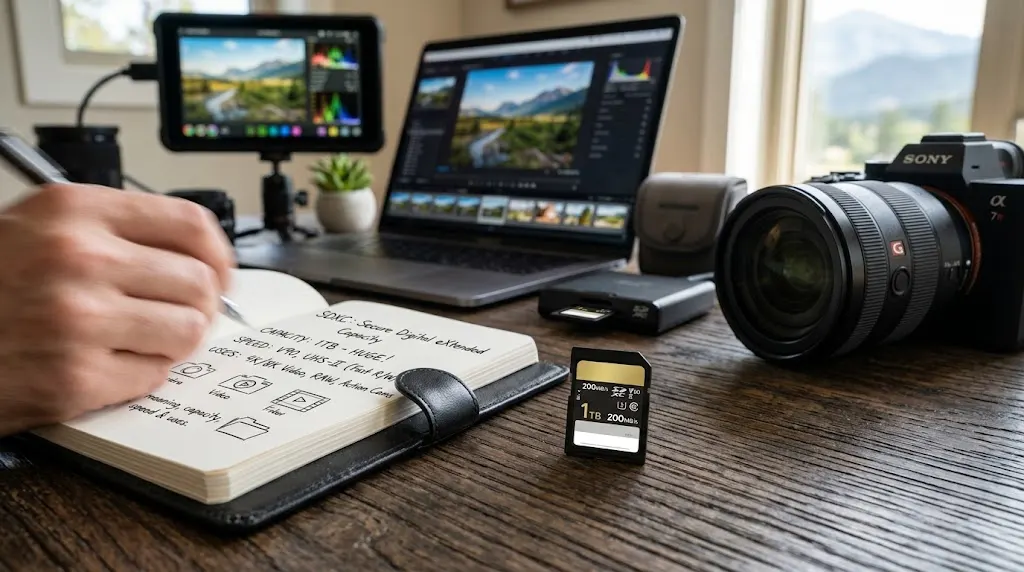

SDXC Card: Meaning, Capacity, Speed & Uses
An SDXC card is a type of Secure Digital memory card designed for devices that need higher storage capacities than standard SD or SDHC cards can provide. SDXC stands for Secure Digital eXtended Capacity, and the format is widely used in digital cameras, video cameras, laptops, drones, audio recorders, gaming devices, and other electronics. Its main advantage is the ability to store much larger amounts of data while remaining physically similar to traditional full-size SD cards. Depending on the card and device, SDXC storage can range from 64GB to capacities measured in terabytes. That makes the format especially useful for high-resolution photos, 4K or 8K video, RAW image files, and other data-intensive workloads.
SDXC cards may look nearly identical to older SD and SDHC cards, but their capacity and file-system specifications are different. Standard SD cards traditionally cover smaller capacities, while SDHC extends the range to 32GB. SDXC begins above that point, typically at 64GB, and supports a much larger theoretical maximum. Most SDXC cards are formatted with the exFAT file system, which can handle files larger than the 4GB limit associated with FAT32. That capability is particularly valuable for modern video recording because a single high-bitrate clip can quickly exceed several gigabytes. Device compatibility therefore depends on more than simply fitting the card into the slot.
Speed is another major factor when choosing an SDXC card. A card may advertise maximum transfer rates such as 100MB/s, 200MB/s, or even higher, but those numbers do not tell the whole story. Different speed classifications indicate minimum sustained performance, which is often more important for continuous video recording. Labels such as Class 10, U1, U3, V30, V60, V90, UHS-I, and UHS-II help users understand different aspects of performance. A professional camera recording high-bitrate video may require a much faster card than a basic point-and-shoot camera. Matching the card’s speed capabilities to the device prevents recording interruptions and unnecessary spending.
Capacity also needs to be chosen according to the type of content being created. A 64GB SDXC card may provide ample room for casual photography, while photographers shooting thousands of RAW images may prefer 128GB, 256GB, or larger cards. Video creators often need even more storage because high-resolution footage consumes space quickly. However, choosing the largest possible card is not always the best strategy. Some professionals prefer multiple moderate-capacity cards so a single card failure does not affect an entire project. Reliability, backup workflow, and device support should be considered alongside storage size.
This guide explains SDXC card meaning, capacity, speed classes, compatibility, uses, formatting, performance, and buying considerations in practical terms. It also compares SDXC with SDHC, explains UHS and Video Speed Class ratings, and discusses how to choose a card for photography, 4K video, drones, laptops, and other devices. The goal is to make the technical labels printed on memory cards easier to understand without turning the topic into unnecessary jargon. Once you know what the capacity and speed markings mean, selecting the right card becomes much simpler. A properly matched SDXC card can improve storage flexibility, recording reliability, and overall device performance.
What Is an SDXC Card?
An SDXC card is a high-capacity Secure Digital memory card designed to store substantially more data than earlier SD formats. The abbreviation SDXC means Secure Digital eXtended Capacity, reflecting the format’s expanded storage range. SDXC cards generally start at 64GB and can theoretically support capacities up to 2TB under the traditional SDXC specification. They use the same basic full-size card shape as standard SD and SDHC cards, which makes them easy to confuse visually. The important difference lies in capacity, file system, and device compatibility. Equipment must specifically support SDXC in order to use these cards reliably.
The SDXC format was developed as storage requirements increased beyond the limits of SDHC. Digital photography moved toward larger RAW files, while video recording advanced from standard definition to Full HD, 4K, and higher resolutions. These formats created demand for cards that could hold much more data without requiring constant card changes. SDXC expanded the available capacity while maintaining the familiar SD card form factor. This allowed manufacturers to continue using established card slots while supporting larger storage. Today, SDXC is common in cameras, camcorders, drones, laptops, audio equipment, and other devices that generate large files.
Most SDXC cards are formatted with exFAT, a file system designed to handle larger storage volumes and individual files above 4GB. This is an important difference from many SDHC cards, which have traditionally used FAT32. FAT32 has a maximum individual file size of approximately 4GB, which can become restrictive for long high-resolution video recordings. exFAT removes that practical limitation and is better suited to large media files. However, older devices may not support exFAT or the SDXC standard. This is why inserting an SDXC card into an older SD-only device may result in an error or unreadable card.
An SDXC card should not be confused with a microSDXC card, although both belong to the same capacity family. A full-size SDXC card is commonly used in cameras and laptops, while microSDXC cards are smaller and commonly used in smartphones, action cameras, drones, handheld consoles, and compact electronics. A microSDXC card can often be placed inside a full-size SD adapter for use in compatible SD slots. The adapter changes the physical size but does not change the actual storage technology. Device compatibility still depends on whether the host supports the card’s capacity, file system, and speed interface.
The SDXC label therefore tells you mainly about the card’s capacity category rather than its complete performance. Two SDXC cards can have identical capacities while delivering very different read and write speeds. One may be suitable for casual photo storage, while another is designed for sustained professional video recording. Additional markings such as U3, V30, V60, V90, UHS-I, or UHS-II help describe those performance differences. Understanding SDXC is the first step, but choosing the correct card requires looking at both storage capacity and speed specifications together.
SDXC Card Capacity Explained
The SDXC capacity range typically begins at 64GB, which is immediately above the maximum 32GB capacity associated with SDHC. Common SDXC capacities include 64GB, 128GB, 256GB, 512GB, and 1TB. Some manufacturers also produce cards at intermediate or larger capacities depending on market demand and technical standards. The traditional SDXC specification supports capacities up to 2TB, although the availability and price of very large cards can vary. For most users, capacities between 64GB and 512GB provide a practical balance between storage, cost, and compatibility. Professional workloads may justify 1TB or larger options.
How much data an SDXC card can hold depends heavily on the type of files being stored. JPEG photographs are relatively compact, so a 128GB card can hold many thousands of images depending on resolution and compression settings. RAW photos are much larger because they preserve substantially more image data from the camera sensor. A high-resolution mirrorless or DSLR camera can therefore fill the same card far more quickly when shooting RAW. Users who capture both RAW and JPEG simultaneously need even more space. Storage estimates should always be based on the actual camera settings rather than headline capacity alone.
Video consumes storage even more rapidly because capacity depends on bitrate, resolution, frame rate, codec, and compression. A 4K recording using a moderate bitrate may fit several hours of footage on a large SDXC card, while high-bitrate professional recording can fill it much faster. 6K and 8K workflows can require substantial storage, especially when using less compressed codecs. The number printed on the card therefore does not translate into a fixed number of recording hours. Camera manuals often provide approximate recording-time tables for supported formats. Those estimates are more useful than generic capacity calculations.
It is also normal for the usable capacity shown by a computer or camera to appear slightly lower than the number printed on the card. Manufacturers typically describe capacity using decimal units, while operating systems may display storage using different calculation conventions. File-system overhead also consumes a small amount of space. This does not necessarily mean the card is defective or missing storage. A 128GB card, for example, will usually show somewhat less usable capacity after formatting. Understanding this prevents unnecessary concern when the displayed number does not match the package exactly.
Choosing capacity should involve risk management as well as convenience. A single 1TB card may reduce card changes during a long shoot, but losing or damaging that card could affect a very large amount of work. Some photographers and videographers prefer several 128GB or 256GB cards so content is distributed across multiple pieces of media. Others prioritize uninterrupted recording and choose larger cards. The best strategy depends on workflow, backup frequency, travel conditions, and the importance of the captured material. Capacity should support the way you work rather than simply maximizing the number of gigabytes.
How Fast Is an SDXC Card?
The speed of an SDXC memory card varies widely because SDXC refers primarily to capacity rather than performance. Some cards are designed for ordinary photo storage, while others are optimized for high-speed burst photography and professional video recording. Manufacturers often advertise maximum read speeds because large numbers are attractive on packaging. Read speed affects how quickly files can be copied from the card to a computer. Write speed determines how quickly the camera or device can save new data. For recording applications, sustained write performance is usually more important than headline maximum read speed.
A card labeled at 200MB/s, for example, may not maintain anything close to that speed while continuously writing data. The advertised figure may represent the highest achievable read speed under ideal conditions using compatible hardware. Real-world performance depends on the host device, interface, card reader, file size, and workload. Small files may transfer more slowly than large sequential files. A camera that supports only a slower interface cannot take full advantage of a faster card. The storage system always operates within the limits of its slowest relevant component.
Write speed becomes particularly important when shooting continuous bursts of RAW photographs. Cameras often store images temporarily in an internal memory buffer before writing them to the card. A faster SDXC card clears that buffer more quickly, allowing the photographer to continue shooting at high speed for longer periods. A slower card may cause the camera to pause or reduce burst performance while data is being saved. Sports, wildlife, and event photographers often benefit from faster cards for this reason. Casual photographers taking individual photos may notice much less difference.
Video recording places a different type of demand on storage. Instead of occasional bursts, the card must maintain a consistent minimum write speed for the entire recording. If the card cannot keep up with the video’s data rate, the camera may stop recording, display an error, or restrict certain quality settings. This is why Video Speed Class ratings such as V30, V60, and V90 are particularly useful for video creators. They indicate minimum sustained write performance rather than only peak speed. Matching this requirement to the camera’s recording mode improves reliability.
Transfer performance matters after recording as well. A photographer returning from a large event may need to copy hundreds of gigabytes to a workstation. A faster SDXC card and compatible reader can significantly reduce import time. However, paying for extreme transfer speed provides little benefit if the computer, reader, or camera cannot support it. The best approach is to identify the speed required for recording first and then consider faster transfer performance as an additional convenience. This avoids paying for specifications that the rest of the workflow cannot use.
SDXC Speed Classes Explained
SD cards use several speed class systems, which can make card labels look confusing at first. The original Speed Class system includes ratings such as Class 2, Class 4, Class 6, and Class 10. These numbers indicate minimum sequential write speeds in megabytes per second. Class 10, for example, represents a minimum sustained write speed of 10MB/s. Most modern SDXC cards meet or exceed Class 10 because contemporary cameras and video devices require higher performance. The older class symbol remains visible on many cards, but newer UHS and Video Speed Class markings are usually more informative for demanding applications.
The UHS Speed Class system uses symbols such as U1 and U3. U1 represents a minimum sustained write speed of 10MB/s, while U3 indicates at least 30MB/s. U3 cards are commonly recommended for higher-bitrate 4K video and faster photography workflows. However, the U rating should not be confused with the UHS bus interface, even though both use similar terminology. A card may display U3 alongside UHS-I or UHS-II. The first describes a minimum write-performance level, while the second relates to the interface used for transferring data between the card and host device.
The Video Speed Class system was developed specifically to make sustained video performance easier to understand. Labels include V6, V10, V30, V60, and V90, with the number representing the minimum sustained write speed in megabytes per second. A V30 card therefore guarantees at least 30MB/s under the relevant specification, while V90 targets much higher-performance recording. Many consumer 4K cameras work well with V30 cards, while professional high-bitrate formats may require V60 or V90. Always check the camera’s recommended card specification because resolution alone does not determine the necessary speed.
These classifications are useful because video reliability depends on sustained performance rather than a brief maximum. A card could advertise a very high peak write speed yet still perform inconsistently during continuous recording. Speed-class certifications provide a standardized minimum that helps users match media to recording requirements. This is particularly important when cameras offer multiple codecs and bitrates. A low-compression 4K mode may demand a faster card than a highly compressed 4K mode on the same camera. Reading the camera manual remains the most reliable way to determine the required class.
When comparing SDXC cards, consider all speed markings together rather than focusing on one symbol. A card marked Class 10, U3, and V30 is telling you similar but slightly different things about its minimum performance. If it also says UHS-II, the card supports a faster bus interface when used with compatible hardware. Maximum read and write figures provide additional information but should be treated as best-case performance rather than guarantees. Understanding these labels helps prevent both underbuying and overspending. The right card is one whose sustained performance meets the device’s actual workload.
UHS-I vs UHS-II SDXC Cards
UHS-I and UHS-II refer to different bus interfaces used by SD cards to communicate with compatible devices. UHS stands for Ultra High Speed, and the interface affects how much data can potentially move between the card and camera or reader. UHS-I is extremely common and is supported by a wide range of consumer cameras, laptops, and card readers. UHS-II provides a faster interface and is often found on cards designed for professional photography or high-performance video. The card’s physical size remains the same, but the electrical contacts on the back differ.
A UHS-I SDXC card normally has a single row of contacts. A UHS-II card adds a second row of contacts that enables higher transfer bandwidth when used with a UHS-II-compatible device. This makes UHS-II particularly useful for clearing large camera buffers and transferring substantial amounts of data quickly. Professional sports and wildlife photographers may notice a significant workflow improvement when shooting long bursts of high-resolution RAW images. Video creators working with demanding formats can also benefit from cards that combine UHS-II with high Video Speed Class ratings.
Compatibility is designed to be relatively flexible. A UHS-II card can often work in a UHS-I device, but it will operate at the slower interface speed supported by the host. Similarly, a UHS-I card can usually be used in a UHS-II slot, although it cannot take advantage of the faster second-row interface. This backward compatibility is useful, but it also means that buying an expensive UHS-II card does not automatically make every camera faster. The host device must support UHS-II to benefit from the additional interface performance.
Card readers matter as well. A photographer may own a UHS-II camera and high-speed UHS-II cards but accidentally use an older UHS-I reader. File transfers to the computer will then be limited by the slower reader. To achieve the fastest offloading speeds, the card, reader, computer connection, and storage destination all need sufficient performance. USB interface versions and computer ports can become bottlenecks. A fast SDXC card therefore delivers its full value only when the rest of the workflow supports it.
UHS-II cards generally cost more than comparable UHS-I cards, so the upgrade should be based on actual need. Casual photography, general storage, and many 4K recording modes can work perfectly well with a quality UHS-I U3 or V30 card. High-speed burst shooting, professional video, and rapid file transfers may justify UHS-II. Check the device specifications before purchasing because paying for an interface the camera cannot use provides little benefit. Matching hardware capabilities is more important than simply choosing the fastest-looking card on the shelf.
SDXC vs SDHC: What Is the Difference?
The main difference between SDXC and SDHC is storage capacity. SDHC stands for Secure Digital High Capacity and generally covers cards from 4GB through 32GB. SDXC begins above that range, typically at 64GB, and extends to much higher capacities. This difference allows SDXC cards to store far more photos, videos, audio files, documents, or application data. The physical dimensions of full-size SDHC and SDXC cards are essentially the same. As a result, users sometimes assume that any device with an SD slot can accept either type, which is not always true.
File-system support is another important difference. SDHC cards are commonly associated with FAT32, while SDXC cards normally use exFAT. FAT32 works well across many older systems but limits individual files to approximately 4GB. exFAT supports much larger files and is therefore better suited to long high-resolution videos and other large datasets. A device designed before SDXC became common may understand FAT32 but not exFAT. Inserting an SDXC card into that device can therefore produce compatibility problems even though the card physically fits into the slot.
A device labeled as SDXC-compatible generally supports earlier SD and SDHC cards as well, making newer slots broadly backward compatible. The reverse is not guaranteed. An older device marked only for SD or SDHC may not recognize a 64GB or larger SDXC card. Some devices can gain support through firmware updates, but users should never assume this is possible. Camera manuals and manufacturer specifications usually list the maximum supported card type and capacity. Checking those details before buying prevents wasted money and potential formatting problems.
Speed is not inherently determined by whether the card is SDHC or SDXC. A high-performance 32GB SDHC card can be faster than a budget 64GB SDXC card. Capacity labels and speed ratings describe different characteristics. Users should therefore evaluate Class, UHS Speed Class, Video Speed Class, bus interface, and advertised transfer rates separately. This distinction becomes important when choosing a card for 4K video. A large-capacity SDXC card can still be too slow for a demanding recording mode if its sustained write speed is insufficient.
The practical choice between SDHC and SDXC usually depends on storage requirements and device compatibility. For older equipment or modest file sizes, a 16GB or 32GB SDHC card may still be entirely adequate. Modern cameras and video devices generally benefit from the higher capacity available with SDXC. As photo and video files continue growing, 64GB and larger cards have become increasingly common. Users should choose the capacity family first based on device support, then select the speed class that matches the intended workload. Both specifications matter, but they solve different problems.
Common Uses for SDXC Cards
Digital photography is one of the most common SDXC card uses. Modern cameras generate large image files, especially when shooting RAW or high-resolution JPEG formats. A 128GB or 256GB card can provide enough space for long photo sessions without constant media changes. Wedding, wildlife, sports, and travel photographers often value this additional capacity because missing a moment while changing cards can be costly. Fast SDXC cards can also improve burst-shooting performance by allowing the camera to clear its internal buffer more quickly. Reliability and write speed therefore matter alongside capacity.
Video recording places even greater demands on SDXC storage. Consumer and professional cameras may record Full HD, 4K, 6K, or even 8K video depending on the model. High-resolution footage can consume dozens or hundreds of gigabytes during a project. SDXC capacity makes long recording sessions more practical, while V30, V60, or V90 speed ratings help ensure sustained write performance. Filmmakers should pay close attention to the camera’s bitrate requirements because two 4K modes can demand very different card speeds. Choosing media based solely on resolution can therefore be misleading.
Drones and action cameras also commonly use SDXC technology, usually in the microSDXC format. These devices create high-resolution video while operating in demanding environments involving vibration, heat, cold, or moisture. Capacity is important because users may not have convenient access to a computer during outdoor activities. Speed is equally important because dropped frames or interrupted recording can ruin valuable footage. Some manufacturers publish lists of recommended cards for specific devices. Following those recommendations can reduce compatibility and performance problems.
Computers and laptops may use SDXC cards as removable storage for photos, documents, project files, or media libraries. Some users also use large cards for transferring data between systems. SDXC is convenient because the cards are small, inexpensive relative to certain storage devices, and widely supported. However, they should not generally be treated as the only copy of important data. Flash memory can fail, become corrupted, or be lost physically. Critical files should be backed up to another drive, cloud service, or storage system according to their importance.
Audio recorders, musical equipment, industrial devices, printers, gaming systems, and specialized electronics may also support SDXC cards. In these cases, performance requirements can differ substantially from camera workloads. A multitrack audio recorder may need consistent write speed, while a document-storage device may care primarily about capacity. Some equipment supports only specific card sizes or file systems despite having an SD slot. Users should therefore check the manufacturer’s compatibility information before assuming that a large SDXC card will work. The card format is versatile, but the host device ultimately determines what is supported.
How to Choose the Right SDXC Card
Start by checking the maximum supported capacity of the device. A camera may accept 64GB and 128GB SDXC cards but have limitations with larger capacities, particularly if it is an older model. Manufacturer specifications usually list supported card types and sometimes recommended brands or models. Choosing a capacity beyond the documented limit can cause formatting errors, recording problems, or complete incompatibility. Even when a large card appears to work initially, unsupported configurations may be less reliable. Device compatibility should therefore come before price, brand, or advertised speed.
Next, determine the required sustained write speed. For basic photography, a Class 10 or U1 card may be sufficient, but modern burst photography and high-resolution video often benefit from U3 or Video Speed Class ratings. Many 4K recording modes work well with V30, while more demanding professional formats may require V60 or V90. The camera manual usually specifies the minimum requirement for each recording mode. Buying a card below that specification can cause recording to stop unexpectedly. Buying well above it is safe but may provide little practical benefit if the camera cannot use the extra performance.
Consider the bus interface as well. If the device supports only UHS-I, a premium UHS-II card may function but will not deliver its full interface speed. If the camera supports UHS-II, using a compatible card can improve buffer clearing and data transfers significantly. Professional users who frequently shoot bursts or move large amounts of footage may benefit most from the faster interface. Casual users may see little difference during ordinary shooting. Matching UHS capability prevents spending extra money on performance that remains inaccessible.
Capacity should reflect both convenience and risk tolerance. A 512GB card may be useful for extended travel or video shoots, but storing everything on one card concentrates risk. Several smaller cards can provide natural separation between days, projects, or shooting locations. Professional photographers sometimes rotate cards so that one failure cannot affect the entire assignment. At the same time, changing cards frequently can create its own risk of loss or physical damage. The right balance depends on workflow and backup practices rather than a universal rule.
Finally, buy memory cards from reputable retailers and established manufacturers. Counterfeit storage cards are a genuine problem because fake products may report a large capacity while actually containing much less usable memory. Once the real storage fills, new data can overwrite or corrupt existing files. Suspiciously low pricing can be a warning sign, especially for high-capacity cards. Testing a new card before relying on it for important work is a sensible habit. Reliability is more valuable than saving a small amount on media that stores irreplaceable photos or recordings.
Formatting and Maintaining an SDXC Card
Formatting prepares an SDXC card for use with a particular device and file system. For cameras and recorders, it is usually best to format the card inside the device that will use it rather than relying only on a computer. The device can create the folder structure and configuration it expects. SDXC cards are normally formatted with exFAT, although specific equipment may use its own implementation. Formatting generally removes access to existing files, so important data should be copied elsewhere first. Users should never format a card containing the only copy of important work.
Regular formatting can be useful after data has been safely backed up and verified. Some photographers prefer to format cards before new assignments rather than repeatedly deleting individual files. This gives the camera a clean file structure and can reduce clutter. However, formatting should not be treated as a repair method for a card that repeatedly produces errors. Frequent corruption, disappearing files, or unexpected recording failures may indicate that the card is becoming unreliable. Replacing questionable media is generally safer than continuing to trust it with important content.
Proper removal matters when using SDXC cards with computers. Ejecting the card through the operating system before physically removing it helps ensure that pending write operations are complete. Pulling a card while data is still being written can lead to corruption. The same principle applies to cameras and other devices. Avoid removing the card while the activity indicator shows that files are being saved. Turning the device off before swapping cards is often a good practice when recommended by the manufacturer.
Physical care also affects reliability. SD cards are small and relatively durable, but the contacts can become dirty or damaged. Store unused cards in protective cases rather than loose in pockets or bags where they can collect debris. Avoid bending them or exposing them unnecessarily to extreme heat, moisture, or static electricity. The write-protect switch on full-size SD cards can also move accidentally, causing a device to report that the card is locked. Checking that simple switch can resolve what initially looks like a card failure.
Backups remain the most important maintenance practice. No SDXC card should be considered permanent archival storage for irreplaceable files. After an important shoot, copy the data to at least one other storage location as soon as practical. Professional workflows often use multiple copies stored on different devices or systems. Dual-card-slot cameras can create an additional copy during capture when configured appropriately, although that does not replace later backups. Memory cards are excellent recording media, but long-term data protection requires redundancy.
Conclusion
An SDXC card is a high-capacity Secure Digital storage format designed for modern devices that create or manage large amounts of data. SDXC stands for Secure Digital eXtended Capacity and generally covers capacities beginning at 64GB. The format is widely used in cameras, video recorders, laptops, drones, action cameras, audio equipment, and other electronics. Its use of exFAT allows individual files larger than the 4GB limit associated with FAT32. This makes SDXC particularly suitable for high-resolution photos and long video recordings. Capacity, however, is only one part of choosing the right card.
Speed ratings are equally important. Class 10, U1, U3, V30, V60, and V90 indicate different minimum sustained performance levels. Video creators should pay particular attention to Video Speed Class because continuous recording depends on consistent write performance. Photographers shooting rapid bursts may benefit from faster cards that clear the camera buffer more quickly. Advertised maximum speeds can be useful for comparing transfer performance, but they should not replace sustained-write requirements. A card should always meet or exceed the minimum specification recommended by the device manufacturer.
UHS-I and UHS-II describe the interface used to transfer data between the card and compatible hardware. UHS-II can provide substantially faster performance when both the card and device support it. However, putting a UHS-II card into a UHS-I-only camera will not suddenly provide UHS-II speeds. The same applies to card readers and computer connections. Every part of the workflow needs sufficient bandwidth to benefit from high-speed media. Understanding these limitations helps users spend money where faster performance actually matters.
Capacity should be selected according to file size, workload, and backup strategy. Casual photographers may find 64GB or 128GB sufficient, while professional video creators may prefer 256GB, 512GB, or larger cards. Bigger is convenient, but placing an entire project on one card can increase the impact of loss or failure. Multiple cards can distribute risk and make projects easier to organize. Regardless of capacity, important files should be backed up promptly. SDXC cards are recording and transfer media, not substitutes for a complete data-protection strategy.
The best SDXC card is therefore not necessarily the card with the largest capacity or highest advertised speed. It is the card that matches the device’s supported format, required sustained write performance, bus interface, and real-world workload. Checking compatibility before buying can prevent recording errors and wasted money. Choosing reputable products and maintaining proper backup habits improves reliability further. Once capacity, speed classes, UHS interfaces, and file systems are understood, the labels on an SDXC card become much easier to interpret. That knowledge allows users to select storage confidently for photography, video, computing, and everyday digital use.
Frequently Asked Questions About SDXC Cards
What does SDXC stand for?
SDXC stands for Secure Digital eXtended Capacity. It describes an SD memory-card format designed for higher capacities than standard SD and SDHC cards, generally beginning at 64GB.
What is the maximum capacity of an SDXC card?
The traditional SDXC specification supports capacities from above 32GB up to 2TB. Common consumer cards include 64GB, 128GB, 256GB, 512GB, and 1TB capacities, although device compatibility should always be checked.
Is SDXC better than SDHC?
SDXC is better when you need more than 32GB of storage or need the exFAT file system for large files. It is not automatically faster than SDHC because speed depends on separate classifications such as U3, V30, V60, V90, UHS-I, and UHS-II.
Is a V30 SDXC card good for 4K video?
A V30 SDXC card is suitable for many 4K recording modes because it guarantees a minimum sustained write speed of 30MB/s. Some high-bitrate professional formats require V60, V90, or another specific card standard, so always check the camera’s requirements.
Can I use an SDXC card in any SD card slot?
No. The card may physically fit into an older SD slot, but the device must support the SDXC standard and its file system to use it reliably. Check the device manual or specifications before purchasing a high-capacity SDXC card.