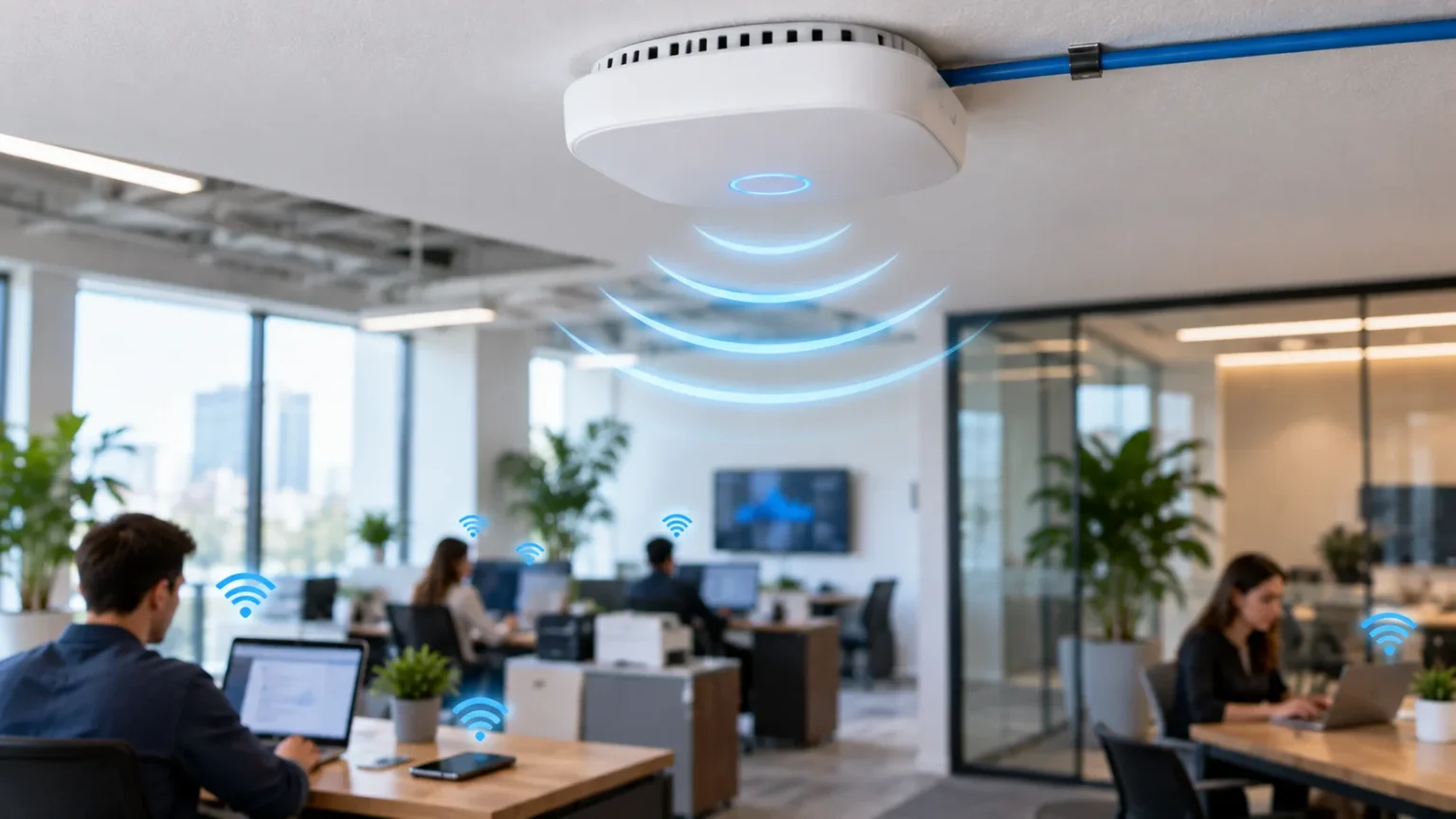

What Is an Access Point in Networking?
An access point in networking is a device that allows wireless devices to connect to a wired network. It creates a Wi-Fi connection for laptops, phones, tablets, smart TVs, and other devices. Instead of connecting directly with an Ethernet cable, users can connect wirelessly through the access point while still reaching the local network and internet.
Access points are commonly used in offices, schools, hotels, hospitals, warehouses, and larger homes where one wireless router may not provide enough coverage. Multiple access points can be installed in different locations throughout a building. This helps create stronger wireless coverage and gives users a more reliable connection as they move between different areas.
A wireless access point does not always replace a router. In many networks, the router handles internet traffic and network management, while the access point focuses on providing wireless connectivity. Understanding this difference makes it easier to design a network that delivers both stable internet access and good Wi-Fi coverage.
How Does a Wireless Access Point Work?
A wireless access point usually connects to a router, switch, or network infrastructure through an Ethernet cable. Once connected, it broadcasts a Wi-Fi signal that nearby wireless devices can discover. Users connect to the wireless network using the correct network name and security credentials, just as they would with a regular Wi-Fi router.
When a wireless device sends data, the access point receives that information and passes it into the wired network. Data coming from the network can then be transmitted wirelessly back to the connected device. In this way, the access point acts as a bridge between wireless users and the wired network.
Modern access points can support many devices at the same time, although actual performance depends on the model, network design, wireless standard, and surrounding interference. Business-grade access points often include advanced features such as multiple SSIDs, VLAN support, centralized management, and intelligent roaming between different wireless coverage areas.
Access Point vs Router: What Is the Difference?
A router connects different networks together and usually directs traffic between a local network and the internet. Many home routers also include built-in Wi-Fi, firewall features, DHCP services, and Ethernet ports. This combination makes a single router convenient for smaller homes and simple network environments.
An access point has a more focused role. Its main purpose is to provide wireless access to an existing network rather than independently managing the internet connection. It normally relies on a router or other network equipment for functions such as assigning IP addresses, routing traffic, and providing internet connectivity.
In smaller environments, a wireless router may be enough because it performs both routing and access-point functions. Larger environments often benefit from separating those roles. A dedicated router can manage traffic while several access points provide Wi-Fi coverage throughout different floors, rooms, or buildings.
Access Point vs Wi-Fi Extender
A Wi-Fi extender receives an existing wireless signal and rebroadcasts it to increase coverage. It can be useful when you have one weak area in a home and cannot easily run Ethernet cables. However, the extender depends on the quality of the wireless connection it receives from the main router.
An access point typically connects to the network through Ethernet. Because the connection back to the network is wired, it can often provide more consistent performance than a basic wireless extender. This makes access points particularly useful in offices or buildings where stable coverage is more important than simple installation.
The right choice depends on the situation. A Wi-Fi extender can be convenient for quickly improving a small dead zone, while access points are usually better suited to planned network coverage. If network cabling is already available, using a wired access point can provide a stronger foundation for wireless devices.
Why Are Access Points Used?
The most common reason to use an access point is to extend wireless coverage. A single router may provide excellent Wi-Fi near its location but weaker signals in distant rooms or on other floors. Installing additional access points brings the wireless signal closer to users rather than forcing every device to communicate with one distant router.
Access points are also useful when many people need to connect at the same time. Offices, schools, hotels, and public spaces may have dozens or hundreds of wireless devices. Multiple access points can distribute those connections across the network instead of placing all wireless demand on a single device.
Another advantage is better network control. Business access points can create separate wireless networks for employees, guests, and specific devices. Administrators may also use VLANs, security policies, and management tools to control who can connect and what network resources each group is allowed to access.
How Access Points Improve Wi-Fi Coverage
Wi-Fi signals become weaker as they travel through walls, floors, furniture, and other obstacles. The farther a user moves from the wireless source, the more likely signal quality and speed are to decrease. Access points help solve this problem by creating additional wireless coverage areas closer to where people actually use their devices.
For example, a large office may have one access point near reception, another in the meeting area, and additional units throughout workspaces. Each access point covers a particular area while remaining part of the same wider network. This creates more consistent connectivity than relying on one powerful router at one end of the building.
Good placement remains important. Access points should generally be positioned in open areas where wireless signals can travel effectively. Installing them behind thick concrete walls, inside metal cabinets, or too close together can reduce performance, so network planning should consider both coverage and interference.
What Is SSID on an Access Point?
SSID stands for Service Set Identifier, which is simply the name of a Wi-Fi network that users see when searching for available wireless connections. An access point broadcasts one or more SSIDs depending on how the network is configured. Examples might include separate names for employees, guests, or smart devices.
Business access points can often broadcast multiple SSIDs from a single physical device. Each wireless network can have its own password, security settings, and access rules. This makes it possible to serve different groups of users without installing a separate access point for every network.
Using multiple SSIDs should still be planned carefully. Broadcasting too many wireless networks can create unnecessary overhead and make management more complicated. Most organizations benefit from creating only the SSIDs they genuinely need and assigning each one a clear purpose within the wider network design.
What Is PoE for Wireless Access Points?
PoE stands for Power over Ethernet. It allows an Ethernet cable to carry both network data and electrical power to a compatible access point. This means the device may not need a separate electrical outlet near the installation location, which makes deployment much easier in ceilings, hallways, and other difficult-to-reach places.
A PoE-enabled network switch can send power directly through the Ethernet cable. Alternatively, a PoE injector can add electrical power to a network connection when the existing switch does not support PoE. The access point receives both its data connection and operating power through the same cable.
PoE is especially useful for professional network installations because access points are often mounted where normal power outlets are unavailable. It also makes central power management easier. However, the switch, injector, cable, and access point must support compatible PoE standards and provide enough power for the specific device.
How Many Access Points Do You Need?
The correct number of access points depends on the size, layout, construction, and usage of the building. A small office may need only one or two devices, while a large school, hotel, or warehouse could require dozens. Simply counting square footage is not always enough because walls and interference can significantly affect coverage.
Device density is another important factor. A conference room with 100 connected users may require more wireless capacity than a large storage area with only a few devices. Network designers therefore consider both physical coverage and the number of devices expected to connect in each area.
Adding more access points does not automatically create a better network. Units positioned too close together can create unnecessary interference if channels and power levels are poorly configured. A good installation balances coverage, capacity, channel planning, and expected user behavior instead of simply placing access points everywhere.
Where Should an Access Point Be Installed?
Access points should usually be installed in central, open locations where the wireless signal can travel in multiple directions. Ceiling mounting is common in offices because it places the device above many physical obstacles. Hallways and central rooms can also work well when they provide balanced coverage to nearby areas.
Avoid installing access points behind large metal objects, inside cupboards, or next to equipment that may cause radio interference. Thick concrete walls, elevators, and certain building materials can also reduce Wi-Fi signal strength. Placement should be based on the actual environment rather than assuming wireless signals will travel equally in every direction.
Testing coverage after installation is important because real-world performance may differ from expectations. Walking through the building with wireless devices can reveal weak areas, unstable roaming, or unexpected interference. Access-point placement can then be adjusted to improve coverage before adding more hardware unnecessarily.
How Access Points Affect Network Performance
Access points can improve performance by bringing wireless connectivity closer to users and reducing the number of devices competing for one radio. However, overall speed still depends on the wired network, internet connection, access-point hardware, wireless standard, and the capabilities of connected devices. A fast access point cannot fix a slow internet connection.
Wireless performance is also affected by signal quality and interference. Devices farther from the access point may use slower transmission rates, while crowded Wi-Fi channels can reduce efficiency. Careful channel selection, suitable transmit power, and good placement can help the wireless network use available capacity more effectively.
Performance issues may also relate to network latency, especially during gaming, video calls, cloud applications, or other real-time activities. Access-point quality is only one part of the connection, so administrators should consider the entire path between the device, local network, and internet service.
Access Points and Network Security
Wireless access points should use modern security standards and strong authentication to prevent unauthorized users from connecting. Weak passwords or outdated encryption can expose the network to unnecessary risk. Businesses may use stronger authentication methods that verify individual users rather than relying on one shared password for everyone.
Guest networks are another useful security feature. Visitors can be given internet access without allowing them to reach internal business systems, file servers, printers, or other sensitive resources. The access point can place guest traffic into a separate VLAN or restricted network depending on how the infrastructure is configured.
Firmware updates are important as well. Manufacturers may release updates that fix security vulnerabilities, improve stability, or add new features. Organizations should keep access points monitored and updated rather than treating them as devices that can be installed once and then ignored indefinitely.
Access Points in Business Networks
Business networks often use many access points managed from one central platform. Administrators can view connected devices, signal quality, traffic levels, and security settings across the entire wireless environment. This is much easier than configuring every access point individually, particularly when dozens or hundreds of units are deployed.
Centralized systems can also help manage roaming. When users walk through an office with a laptop or phone, the network can encourage the device to move from one access point to another as signal conditions change. Good roaming design is especially important for voice calls, video meetings, and mobile business applications.
Enterprise access points may also include features such as band steering, load balancing, captive portals, VLAN integration, and detailed traffic analytics. These tools provide more control than a typical consumer router. Businesses should choose access points based on their actual capacity, security, and management needs rather than only advertised maximum speeds.
How to Choose the Right Wireless Access Point
Start by considering how many users and devices the access point needs to support. A small office with ten employees has very different requirements from a school classroom, hotel conference room, or busy warehouse. Capacity should be evaluated alongside coverage because a strong signal alone does not guarantee good performance under heavy usage.
Check which Wi-Fi standards, frequency bands, Ethernet speeds, and PoE options the device supports. Newer wireless technologies can improve efficiency and capacity, particularly when many compatible devices are connected. You should also consider whether centralized management, multiple SSIDs, VLAN support, and advanced security features are important for your network.
Finally, consider how the access point will fit into your existing infrastructure. Compatibility with switches, cabling, network controllers, and security policies can make deployment easier. Choosing a suitable model is less about buying the most expensive access point and more about matching the hardware to the environment and expected workload.
Conclusion
An access point in networking provides wireless devices with a way to connect to an existing wired network. It acts as a bridge between Wi-Fi users and the network infrastructure, allowing laptops, phones, tablets, and other devices to connect without Ethernet cables. Access points are particularly valuable when wider or more reliable wireless coverage is required.
Unlike a router, an access point generally focuses on wireless connectivity rather than controlling traffic between different networks. Multiple access points can work together to provide coverage across larger homes, offices, schools, hotels, and other buildings. Proper placement, channel planning, security, and network capacity all influence how well the system performs.
Choosing the right access point starts with understanding the environment. Consider the number of users, building layout, wireless standards, PoE requirements, security features, and management needs before installing equipment. A well-planned access-point deployment can provide stronger coverage, better capacity, and a more reliable wireless experience.
FAQs
What does an access point do in a network?
An access point allows wireless devices to connect to a wired network. It broadcasts Wi-Fi and transfers data between connected wireless devices and the rest of the local network.
Is an access point the same as a router?
No. A router connects different networks and manages traffic, while an access point mainly provides wireless connectivity to an existing network. Many home routers include access-point functionality.
Does an access point need Ethernet?
Most dedicated access points connect to the network through Ethernet, which provides a stable connection. Some systems may support wireless uplinks, but wired connections are common in professional installations.
Can multiple access points use the same Wi-Fi name?
Yes. Multiple access points can broadcast the same SSID and security settings, allowing users to move throughout a building while remaining connected to the same wireless network.
Do access points make Wi-Fi faster?
Access points can improve performance where the original Wi-Fi signal is weak or overloaded. However, actual speed also depends on the internet connection, network hardware, interference, device capability, and access-point placement.