
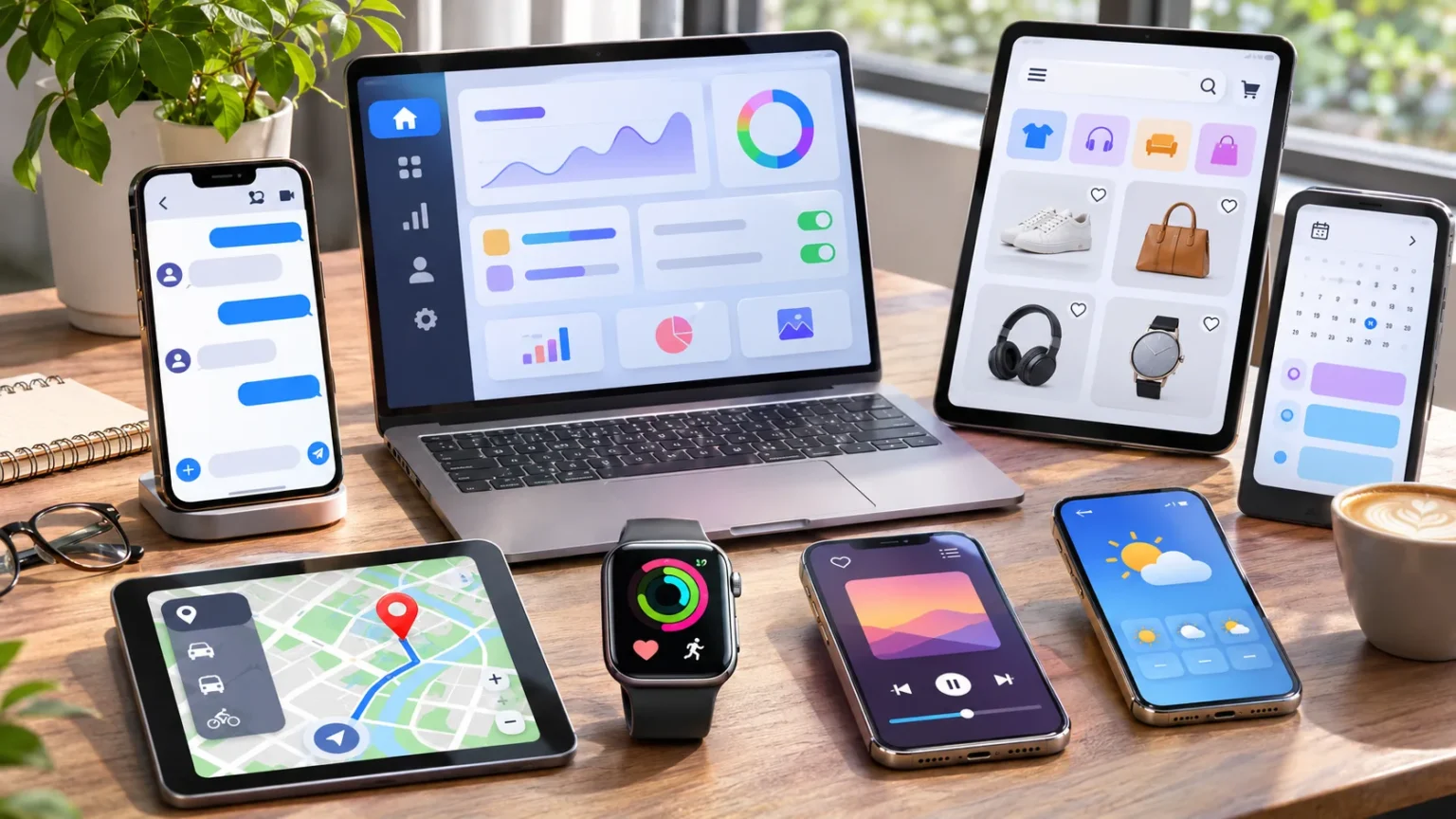

Every time you open an app, tap a button, or browse a website, you interact with something called a user interface. It helps you navigate digital products, access information, and complete everyday tasks. But what does UI stand for, and why is it so important in modern technology?
UI stands for User Interface, which refers to the elements people use to interact with digital devices and software. From smartphone screens to online shopping websites, user interfaces make technology easier to understand and operate. This guide explains the UI meaning, its main components, different types, and familiar examples from everyday applications.
What Does UI Stand For? Simple Meaning
UI stands for User Interface, the point where a person interacts with a digital product, application, or device. It includes buttons, menus, icons, text fields, screens, and other interactive elements. A user interface allows people to give commands, receive information, and complete tasks. Without an effective interface, even powerful software can become difficult to operate.
In simple terms, UI is everything you see and interact with when using an application. For example, the search bar on Google, the play button on YouTube, and the navigation menu in an online store are interface elements. They help users understand available actions without needing technical knowledge. A clear interface makes these interactions straightforward and predictable.
User interfaces are not limited to smartphones and computers. They also appear in ATMs, smart televisions, washing machines, and vehicle displays. Some interfaces use touchscreens, while others rely on physical controls, voice commands, or gestures. Regardless of the technology, their main purpose is to support effective communication between people and devices.
What Is the Purpose of a User Interface?
The main purpose of a user interface is to make technology accessible and easy to control. It connects human actions with the functions performed by software or hardware. When you select an option, enter information, or press a button, the interface communicates your request. The system then responds through visual, audio, or other forms of feedback.
A well-designed UI reduces confusion and helps users complete tasks efficiently. Clear labels explain what buttons do, while organized menus make important features easier to locate. Consistent layouts also help people learn how an application works. These design choices are especially valuable when users interact with unfamiliar technology for the first time.
User interfaces also influence how comfortable and confident people feel while using digital products. Complicated screens may cause mistakes, frustration, or unnecessary delays. Simple navigation and useful feedback can make applications more enjoyable and reliable. Businesses therefore invest in interface design to improve usability, accessibility, and overall customer satisfaction.
What Are the Main Elements of UI Design?
Buttons are among the most common user interface elements because they allow people to perform actions. Examples include submitting a form, saving a document, or adding a product to a shopping cart. Effective buttons use recognizable labels and clear visual states. Their placement should also make them easy to discover without interrupting the user’s workflow.
Navigation elements help people move between different parts of an application or website. Menus, tabs, links, and search fields provide ways to locate information quickly. Icons can communicate familiar actions, such as opening settings or returning to the home screen. However, unfamiliar icons often benefit from text labels to prevent confusion and improve accessibility.
Other important UI components include forms, notifications, progress indicators, and dialog boxes. Forms collect information, while notifications communicate updates or important changes. Progress indicators show whether a task is still running or has been completed. Together, these components create an interactive environment that supports communication between users and digital systems.
What Are the Different Types of User Interfaces?
A graphical user interface, commonly called a GUI, uses visual elements to support interaction. Buttons, windows, menus, and icons are typical examples of graphical interface components. Most smartphone applications, computer operating systems, and websites use graphical interfaces. Their visual structure helps users perform tasks without memorizing complicated commands or understanding the underlying programming.
A command-line interface, or CLI, allows users to interact with computers by entering text commands. Developers and system administrators often use command-line tools to manage files, configure systems, and automate technical tasks. These interfaces can be efficient for experienced users. However, they generally require more familiarity with commands than typical graphical interfaces.
Voice user interfaces allow people to control devices through spoken instructions. Smart speakers and voice assistants are familiar examples of this technology. Other interface types include touch-based, gesture-based, and menu-driven systems. Each approach serves different needs, and some devices combine multiple interaction methods to provide a more flexible user experience.
Examples of UI in Everyday Mobile Apps
Messaging applications provide some of the easiest examples of user interfaces. Apps such as WhatsApp display conversation lists, message fields, attachment buttons, and call icons. These elements help users communicate without navigating complicated technical settings. Their familiar arrangement also makes common activities, including sending photos and recording voice messages, relatively simple to complete.
Social media applications use visual interfaces to organize content and encourage interaction. Instagram includes profile pages, story controls, navigation icons, and buttons for engaging with posts. TikTok uses a video-centered interface with familiar controls for browsing and interacting with content. These design choices reflect how people commonly use each platform.
Mobile banking applications provide another practical example of UI design. Account balances, transaction histories, transfer forms, and confirmation screens help users manage financial activities. Clear labels and verification messages are particularly important because mistakes can have significant consequences. A dependable banking interface should make actions understandable while supporting security and accessibility.
How UI Works in Websites and Online Stores
Website interfaces help visitors find information, explore pages, and perform specific actions. A typical website includes navigation menus, headings, search tools, links, and interactive forms. These elements guide people through the available content. A well-organized interface makes it easier to locate useful information without excessive clicking or scrolling.
Online shopping platforms depend on effective UI design throughout the purchasing process. Product images, category filters, size selectors, and shopping carts help customers compare available items. Checkout screens then guide users through delivery information and payment choices. Clear instructions and transparent pricing reduce confusion and help shoppers make informed decisions.
Responsive design is another important part of modern website interfaces. A responsive layout adapts to different screen sizes, including smartphones, tablets, and desktop computers. Navigation menus, images, and interactive controls may change their arrangement to suit the available space. This flexibility supports consistent usability across devices without requiring completely separate websites.
What Is the Difference Between UI and UX?
UI and UX are closely related terms, but they describe different aspects of digital product design. UI stands for User Interface, while UX stands for User Experience. User interface design focuses on the controls and presentation through which people interact with a product. User experience considers the broader journey, including how useful, efficient, and satisfying that interaction feels.
Consider a food delivery application with attractive buttons, clear icons, and organized screens. These visual and interactive components are part of its UI. However, finding restaurants, selecting meals, placing orders, and tracking deliveries contribute to the overall UX. An attractive interface cannot fully compensate for a confusing ordering process or unreliable service.
Successful digital products require cooperation between UI and UX design. A user interface should make important actions visible and understandable. The surrounding experience should help users achieve their goals without unnecessary frustration. Designers therefore consider both appearance and functionality when improving applications, websites, and other interactive digital products.
Why Is Good UI Design Important for Users?
Good UI design helps users complete tasks without spending unnecessary time learning how an application works. Familiar patterns, logical navigation, and readable text reduce mental effort. For example, a clearly labeled search field makes finding information easier. When important controls are predictable, users can concentrate on their goals rather than understanding the interface.
Accessibility is another essential benefit of thoughtful user interface design. People have different visual, physical, and cognitive needs that influence how they interact with technology. Features such as readable text, sufficient color contrast, keyboard navigation, and screen reader support improve access. Designing for accessibility also makes many applications easier for everyone to use.
Effective interfaces can reduce errors by providing clear instructions and useful feedback. Confirmation messages help people understand whether an action succeeded. Warning messages can explain potential problems before users make irreversible changes. These features build confidence and make everyday digital interactions more reliable, particularly in applications involving sensitive information or important decisions.
What Makes a User Interface Easy to Use?
Simplicity is one of the most important qualities of an effective user interface. Screens should present relevant information without overwhelming users with unnecessary choices. Clear headings, familiar icons, and concise instructions make tasks easier to understand. However, simplicity does not always mean removing features; it means organizing them in ways that match user needs.
Consistency also improves usability by making interface behavior more predictable. Buttons with similar purposes should follow recognizable patterns throughout an application. Navigation elements should remain in expected locations whenever possible. When users learn how one section works, consistent design helps them understand other sections without repeatedly learning new interaction methods.
Useful feedback is equally important because it explains what happens after an action. A loading indicator shows that the system is processing a request, while a confirmation message signals completion. Error messages should explain problems and suggest helpful next steps. These small details make interfaces clearer and reduce uncertainty during everyday use.
Common UI Design Mistakes to Avoid
One common interface design mistake is placing too many elements on a single screen. Excessive buttons, distracting graphics, and crowded menus can overwhelm users. Important information becomes harder to notice when everything competes for attention. Designers can improve clarity by organizing content into logical groups and emphasizing actions that matter most.
Poor readability is another problem that can make digital products frustrating to use. Small text, weak color contrast, and unclear labels create unnecessary barriers. Some users may struggle to understand instructions or recognize interactive controls. Choosing readable typography, suitable spacing, and descriptive wording makes interfaces more accessible and comfortable across different devices.
Unexpected behavior can also damage the user experience. Buttons that produce unclear results, inconsistent navigation patterns, and confusing error messages create uncertainty. Users should understand the likely outcome of important actions before selecting them. Testing interface designs with real users helps identify these problems and improve usability before a product reaches a wider audience.
How UI Design Works on Different Devices
Smartphones rely heavily on touch-based interfaces because users interact directly with their screens. Buttons, swipe gestures, and navigation controls must accommodate smaller displays. Designers often prioritize frequently used functions to keep mobile applications manageable. Touch targets also need sufficient size and spacing so people can select them accurately.
Desktop interfaces usually offer more screen space and support interaction through keyboards, mice, and trackpads. Applications can display multiple panels, detailed menus, and advanced tools simultaneously. Software used for spreadsheets, photo editing, and programming often takes advantage of this flexibility. However, desktop interfaces still need clear organization to avoid becoming unnecessarily complicated.
Smartwatches, televisions, and vehicle displays introduce different interface requirements. Smartwatches use compact screens, while televisions may depend on remote controls and directional navigation. Vehicle interfaces should help drivers access essential information while minimizing distraction. Effective UI design considers the device, interaction method, environment, and user’s immediate needs rather than applying one layout everywhere.
How Do Designers Create a User Interface?
UI design usually begins with understanding the people who will use a product. Designers study user goals, common tasks, and potential challenges before selecting interface elements. This research helps identify which features need greater visibility. It also reduces the risk of creating attractive screens that fail to solve practical problems.
The next stage often involves wireframes, which are simplified layouts showing content placement and navigation structure. Designers then create more detailed visual mockups with colors, typography, icons, and interactive components. Prototypes can demonstrate how users move between screens and perform actions. These stages help teams evaluate ideas before investing in complete development.
Testing and refinement are essential parts of the design process. Usability tests reveal whether people can understand navigation, complete tasks, and recover from mistakes. Designers use this feedback to adjust layouts, labels, and interaction patterns. UI development is therefore an ongoing process that evolves as user expectations, technologies, and product requirements change.
Conclusion
Understanding what UI stands for makes it easier to recognize how people interact with modern technology. UI means User Interface and includes the controls, screens, and interaction methods that connect users with digital products. Buttons, menus, icons, and input fields are common examples. These elements make software functions accessible through familiar actions.
User interfaces appear in everyday applications, websites, banking platforms, smart devices, and computer systems. Their design influences how easily people navigate information and complete tasks. Effective interfaces use clear layouts, consistent behavior, accessible controls, and helpful feedback. These qualities reduce confusion and improve the overall usability of digital products.
As technology continues to develop, user interfaces will remain essential to creating accessible and practical digital experiences. Designers must balance appearance, functionality, accessibility, and user needs. Learning the basics of UI helps users understand common application features and make better design decisions. A successful interface makes technology easier to use without drawing unnecessary attention to itself.
Frequently Asked Questions (FAQs)
What Does UI Stand For in Technology?
UI stands for User Interface in technology. It refers to the visual, physical, or interactive elements that allow people to communicate with software, applications, websites, and electronic devices.
What Is an Example of UI in Everyday Life?
A smartphone messaging app is an everyday example of UI. Its chat screen, message field, call buttons, and navigation icons allow users to communicate and access different functions easily.
What Is the Difference Between UI and UX?
UI focuses on the interface elements people use to interact with a product. UX focuses on the overall user experience, including usability, efficiency, satisfaction, and how successfully people complete their goals.
What Are the Main Types of User Interfaces?
Common types include graphical user interfaces, command-line interfaces, voice user interfaces, and touch-based interfaces. Each provides a different way for people to interact with software or electronic devices.
Why Is UI Important in Mobile Applications?
UI helps mobile users navigate screens, understand features, and complete tasks efficiently. Clear buttons, readable text, consistent layouts, and accessible controls make applications easier and more comfortable to use.