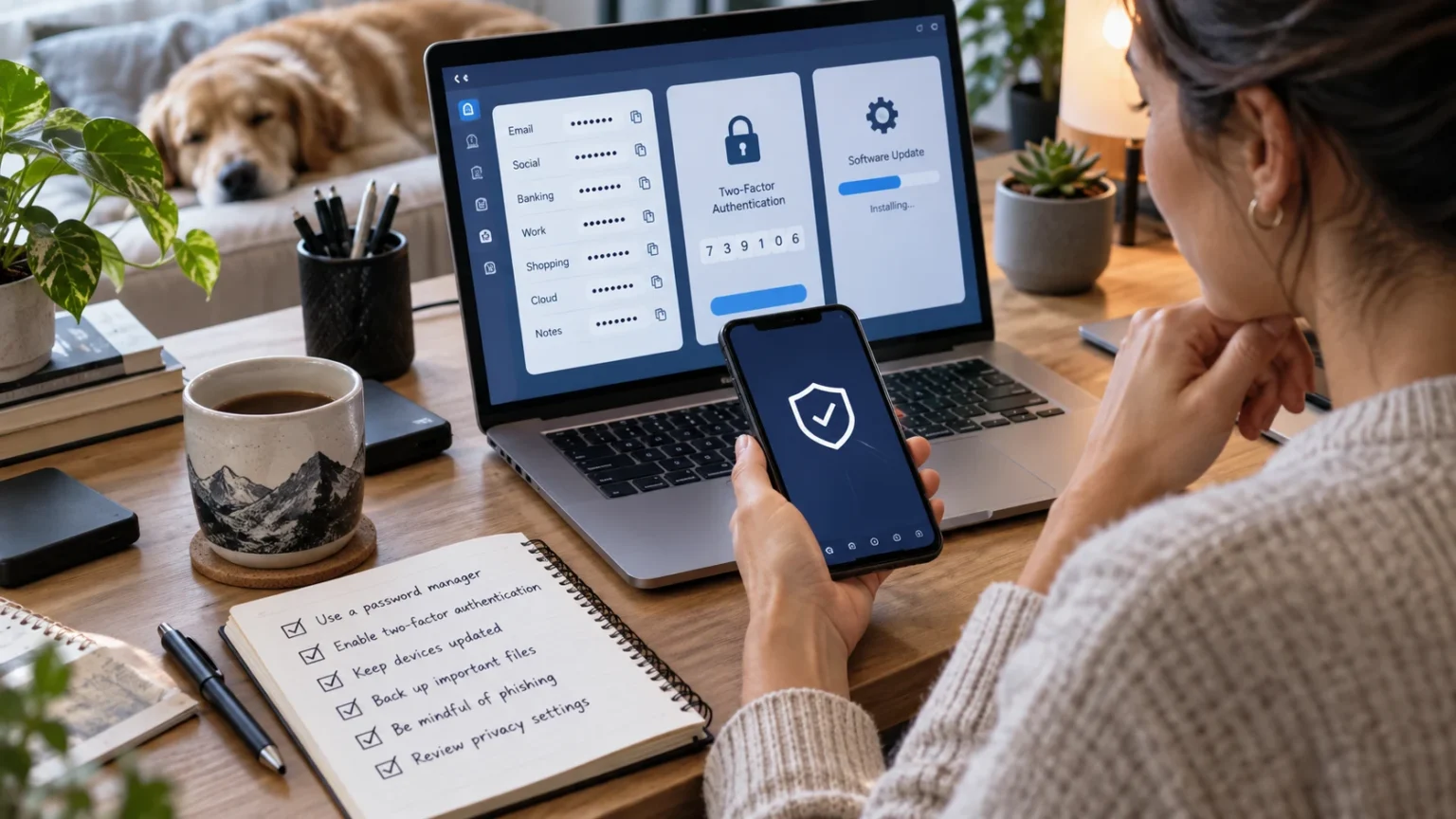

Digital security is not only about installing antivirus software or creating one strong password. The way you use devices, respond to messages, manage accounts, and handle personal information every day has a major effect on your online safety. Small habits repeated consistently can protect you from phishing, account theft, malware, data loss, and many other common cyber threats.
The strongest security habits are usually simple enough to maintain without disrupting your routine. Using unique passwords, enabling multi-factor authentication, updating software, checking suspicious messages, and reviewing account activity can become automatic with practice. Instead of trying to achieve perfect cybersecurity overnight, focus on building reliable behaviors that gradually make your digital life much harder to compromise.
Start With Strong and Unique Passwords
Using different passwords for important accounts is one of the most effective digital security habits you can develop. If you reuse the same password across email, shopping, social media, and other services, one data breach can expose several accounts. Unique credentials prevent attackers from easily using a stolen password everywhere else.
Create passwords that are long and difficult to guess rather than relying on names, birthdays, common phrases, or simple number patterns. A password manager can generate and store complex passwords without requiring you to memorize each one. This makes better password security realistic even if you regularly use dozens of online services.
Focus first on email, financial accounts, cloud storage, social media, and your password manager itself. These services can contain sensitive information or provide access to other accounts. Once your most important accounts have unique passwords, gradually replace reused credentials elsewhere until password reuse is no longer part of your routine.
Make Multi-Factor Authentication a Standard Habit
Multi-factor authentication adds another identity check after your password, making unauthorized access more difficult. You may need to enter a temporary code, approve a trusted-device notification, use an authenticator app, or connect a security key. This additional requirement can stop many attackers even after they obtain your password.
Enable stronger authentication on your most important accounts first. Email, banking, cloud storage, social platforms, work systems, and password managers should receive priority because compromise can create wider consequences. If several authentication options are available, choose the strongest method that you can use reliably without risking frequent account lockouts.
Never approve an authentication request you did not initiate. Repeated prompts can indicate that someone already knows your password and is hoping you will eventually approve access. Treat unexpected requests as security warnings, reject them, review recent account activity, and change the password when there is reason to suspect it has been exposed.
Slow Down Before Clicking Links
Many cyberattacks depend on speed and emotion rather than technical sophistication. Phishing messages may claim your account is locked, a payment failed, a delivery is waiting, or an urgent workplace request needs attention. Attackers want you to react immediately before checking whether the message is genuine.
Build the habit of pausing before clicking links in unexpected emails, text messages, and social media messages. If the message concerns an important account, open the official app or type the known website address directly into your browser. This prevents many fake login pages from collecting passwords and financial information.
Pay attention to unusual sender addresses, unexpected attachments, shortened links, and requests for verification codes or sensitive information. However, polished grammar and professional design do not prove legitimacy. Modern scams can look convincing, so independent verification is more reliable than judging a message only by how professional it appears.
Keep Your Devices and Software Updated
Software updates often contain security fixes for vulnerabilities discovered after a program was released. Delaying updates can leave known weaknesses available to attackers even when the problem has already been corrected by the developer. Keeping operating systems, browsers, applications, and security software current reduces exposure to many common threats.
Enable automatic updates whenever they fit your workflow so important patches do not depend entirely on memory. Phones, laptops, tablets, browsers, and frequently used applications should all receive regular updates. Old software that no longer receives security support should also be replaced when practical, especially if it handles sensitive information.
Updates cannot protect you from every cyberattack, but they remove unnecessary vulnerabilities. Combining updated software with strong passwords, multi-factor authentication, and cautious browsing creates several layers of defense. This layered approach is more effective than expecting one security product or habit to prevent every possible problem.
Review Your Phone Privacy Settings
Smartphones contain location history, photographs, contacts, email accounts, financial applications, messages, and other personal information. Apps may request access to your camera, microphone, contacts, photos, location, or nearby devices. Reviewing these permissions helps ensure that software only receives access necessary for features you actually use.
Checking your phone privacy settings regularly can help reduce unnecessary tracking and data exposure. Limit location access, remove unused permissions, hide sensitive lock-screen notifications, and review which applications can access personal information. These changes often take only a few minutes but can meaningfully improve privacy.
Delete apps you no longer use because old software may retain permissions long after you forget about it. A smaller collection of applications is easier to review and maintain securely. Repeat the privacy check every few months or whenever you install many new apps, replace your phone, or notice unexpected device behavior.
Back Up Important Data Regularly
Cybersecurity also means being able to recover when something goes wrong. Hardware failure, accidental deletion, ransomware, theft, or device damage can destroy valuable information even when nobody directly hacks your account. Regular backups protect photos, work files, documents, and other information you cannot easily replace.
Use more than one backup location for particularly important data. You might keep one copy on an external drive and another through a trusted cloud backup service. Keeping copies separate reduces the chance that one hardware failure, theft, or malware incident will destroy both the original files and every available backup.
Automation makes backup habits easier to maintain because you do not need to remember every session manually. Set a schedule that matches how frequently your important files change, then test restoration occasionally. A backup is useful only when the data is current and can actually be recovered during an emergency.
Reduce the Personal Information You Share Online
Attackers can create more convincing scams when they know details about your work, family, location, hobbies, and daily routines. Social media profiles often reveal more than users realize. Birthdays, job titles, travel plans, family relationships, and public contact information can all support targeted phishing or impersonation attempts.
Review what strangers can see on your social media profiles and remove information that does not need to be public. Avoid posting identity documents, home addresses, financial information, or real-time travel updates. Even small details can become useful when combined with information collected from several different online sources.
Think about privacy before posting rather than trying to remove sensitive content after it spreads. Once information is shared publicly, screenshots and copies can remain elsewhere even if the original post is deleted. Building a habit of sharing intentionally helps reduce your digital footprint without requiring you to stop using social platforms.
Check Account Activity Instead of Ignoring Alerts
Security alerts are useful only when you pay attention to them. Email providers, social platforms, banks, and cloud services may notify you about new logins, password changes, unfamiliar devices, or suspicious activity. Automatically dismissing these messages can allow unauthorized access to continue unnoticed.
When you receive a genuine security alert, open the official service directly instead of clicking links in the notification if you have doubts. Review recent activity and confirm whether the event was yours. Sign out unfamiliar devices and change your password when you cannot explain a login or account change.
Review active sessions and trusted devices even when you have not received an alert. Old phones, laptops, tablets, and browser sessions can remain connected for years. Removing devices you no longer use keeps your account cleaner and makes genuinely unusual access easier to identify in the future.
Be Selective About Apps and Browser Extensions
Apps and browser extensions can request powerful access to your device and online activity. Some need these permissions to provide legitimate features, while others request more access than necessary. Installing software only from trusted sources and reviewing permissions before approval reduces the number of unnecessary risks on your devices.
Do not install a tool simply because an advertisement claims it will speed up your computer, protect your privacy, or remove a virus immediately. Fake security tools can sometimes be more dangerous than the problem they claim to fix. Visit official developer sources and verify software before giving it broad access.
Remove browser extensions and apps that you no longer use. Every additional program requires updates, permissions, and trust in another developer or company. A simpler device setup is easier to secure because you have fewer applications to monitor and fewer places where vulnerabilities or excessive permissions can appear.
Use Public Wi-Fi With More Care
Public Wi-Fi is convenient when traveling, working remotely, or spending time in cafés and airports, but unfamiliar networks deserve caution. Attackers can create fake hotspots with names similar to legitimate networks. Connecting to the wrong one may expose you to deceptive login screens or attempts to redirect your browsing.
Confirm the network name when possible and avoid installing certificates, apps, or configuration profiles simply because a Wi-Fi page tells you to. For sensitive activities such as banking or major account changes, a trusted mobile connection may be more appropriate when the public network seems questionable.
Turn off automatic connection to unfamiliar networks if your device supports that setting. You should also forget temporary networks after you no longer need them. These habits reduce the chance that your phone or laptop connects automatically to an untrusted access point simply because its name resembles a network you used previously.
Create a Simple Response Plan for Security Problems
Good digital security habits also include knowing what to do when something goes wrong. If you click a phishing link, lose a device, discover malware, or notice unauthorized account access, quick action can reduce the damage. Waiting because you are unsure what to do gives attackers more time to misuse stolen information.
Start by securing the most important affected account from a trusted device. Change exposed passwords, sign out unfamiliar sessions, review recovery information, and enable stronger authentication where necessary. If financial information is involved, contact the relevant bank or payment provider quickly and explain the situation.
Keep basic recovery information organized before an emergency occurs. Know where backup codes are stored, which email address handles account recovery, and how to access your backups. A simple plan reduces panic and helps you respond logically rather than trying to remember every security step while dealing with an active problem.
Turn Security Into a Monthly Routine
Digital security becomes easier when maintenance is attached to a regular schedule. You do not need to check every setting every day. A short monthly review can cover important updates, unusual account activity, unused apps, backups, browser extensions, and any security alerts you may have postponed.
Every few months, perform a broader review of passwords, privacy settings, recovery information, trusted devices, and connected applications. Remove old access and update information that is no longer accurate. These regular checks prevent small security problems from accumulating unnoticed over several years of changing devices and online accounts.
The goal is to make security routine rather than something you think about only after an incident. Once these actions become familiar, they require very little effort. Consistent maintenance creates stronger protection because your security settings continue to match the devices, accounts, and services you actually use today.
Conclusion
Building better digital security habits does not require becoming a cybersecurity expert. Start with unique passwords, multi-factor authentication, software updates, cautious link checking, secure backups, and tighter privacy settings. These basic behaviors address many of the weaknesses that attackers regularly exploit when targeting ordinary internet users.
Consistency matters more than trying to make every device perfectly secure in one day. Review account activity, remove unused software, limit personal information, and respond quickly when something looks suspicious. Security improves when these actions become automatic parts of how you use technology rather than occasional tasks performed only after problems appear.
The safest digital routine is simple enough to maintain for years. Protect your most important accounts first, gradually improve weaker areas, and review your setup as devices and services change. A few thoughtful habits repeated consistently can significantly reduce your exposure to phishing, malware, account theft, data loss, and privacy problems.
FAQs
What is the most important digital security habit?
Using strong, unique passwords combined with multi-factor authentication provides a strong foundation. You should also keep devices updated and verify unexpected messages before clicking links or sharing sensitive information.
How often should I review my cybersecurity settings?
Perform a quick security review monthly and a broader account and privacy check every few months. Also review settings immediately after changing devices, losing equipment, or noticing suspicious account activity.
Is antivirus software enough to stay safe online?
No. Security software can help detect threats, but it cannot prevent every phishing scam, weak password, or privacy mistake. Strong online habits and account protection remain essential alongside technical security tools.
How can I improve security without making technology inconvenient?
Start with automatic updates, a password manager, multi-factor authentication, scheduled backups, and sensible privacy permissions. These protections can operate mostly in the background once they are configured properly.
What should I do first if I think an account was hacked?
Change the password from a trusted device, sign out unfamiliar sessions, review recovery information, and enable stronger authentication. Check related accounts as well if you reused the same password elsewhere.