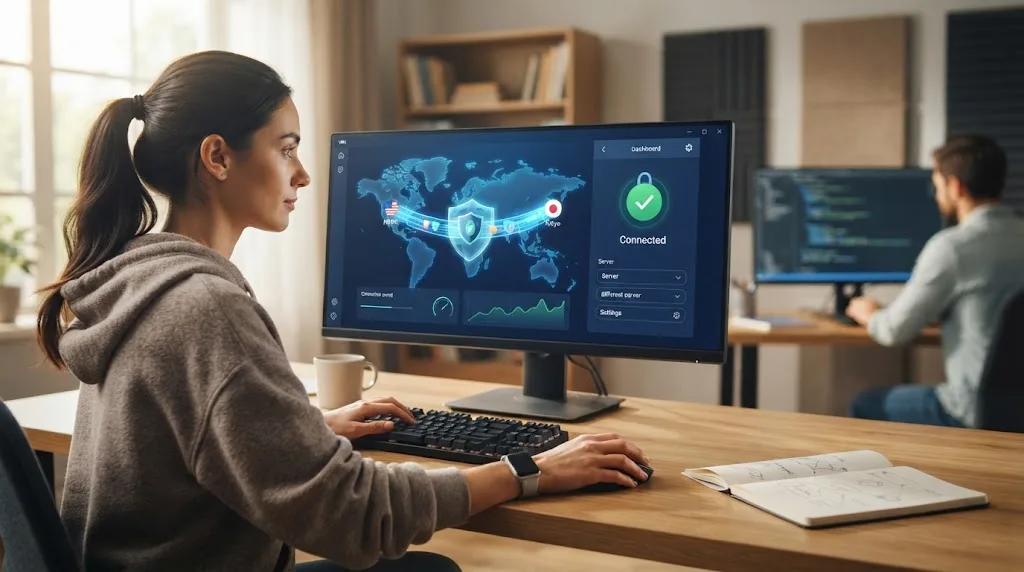

The internet makes everyday tasks easier, from banking and shopping to remote work and entertainment. However, every time you connect to a website or online service, information travels between your device and different servers across the internet. Without proper protection, some of that activity may be visible to internet providers, network administrators, advertisers, or cybercriminals.
A virtual private network, commonly called a VPN, adds an additional layer of privacy to your internet connection. It encrypts the data moving between your device and a VPN server while also changing the IP address websites normally see. Understanding how VPN technology works can help you decide when using one is genuinely useful and when other cybersecurity tools may be more important.
What Is a VPN?
A VPN, or virtual private network, is a service that creates a protected connection between your device and a remote server operated by the VPN provider. Instead of connecting directly to websites through your normal internet connection, your online traffic first travels through the VPN server. This process can make your browsing activity more private and your connection harder for outsiders to monitor.
When the VPN connection is active, websites generally see the IP address of the VPN server rather than your original public IP address. Your IP address can reveal general information about your location and internet provider, so replacing it provides an additional level of privacy. It does not make you completely anonymous, but it reduces how easily basic browsing activity can be connected to your normal connection.
VPN services are available for Windows computers, Macs, smartphones, tablets, routers, and other internet-connected devices. Most consumer VPN applications allow users to connect by choosing a server location and pressing a single button. Behind that simple interface, encryption protocols and secure tunneling technologies work together to protect data traveling across the network.
How Does a VPN Work?
Normally, your device connects to your internet service provider before reaching websites, apps, and online platforms. Your ISP helps route that traffic to its destination and can therefore see certain information about your internet activity. When you activate a VPN, your device establishes an encrypted connection with a VPN server before your traffic reaches the wider internet.
The VPN server becomes an intermediary between your device and the websites you visit. Your internet provider can usually tell that you are connected to a VPN server, but the encrypted tunnel prevents it from easily viewing the contents of the traffic passing through that connection. The VPN server then sends your request to the intended website and returns the response through the protected tunnel.
This process happens quickly enough that most users barely notice it during normal browsing. However, encrypting traffic and routing it through another server can sometimes reduce internet speed or slightly increase latency. The performance difference depends on factors such as server distance, VPN protocol, network congestion, internet speed, and the quality of the VPN provider’s infrastructure.
VPN Encryption and Tunneling Explained
Encryption converts readable internet traffic into protected data that cannot easily be understood without the correct encryption keys. When a VPN is connected, information traveling between your device and the VPN server is encrypted before being transmitted. This protection is especially important when you are using networks you do not fully control, such as public Wi-Fi in airports, hotels, or cafés.
A VPN tunnel is the secure pathway through which encrypted traffic travels. Different VPN services may support protocols such as WireGuard, OpenVPN, IKEv2, or their own customized technologies. These protocols determine how the secure connection is created, how encryption is handled, and how efficiently information travels between your device and the VPN infrastructure.
Modern VPN protocols are designed to balance security, connection stability, and speed. WireGuard is often valued for efficiency and performance, while OpenVPN remains widely recognized for its flexibility and established security design. Most everyday users do not need to manually configure protocols because reputable VPN applications automatically select settings suitable for their device and network conditions.
What Does a VPN Hide?
One of the most noticeable things a VPN hides is your original public IP address. Websites you visit normally receive the IP address associated with your internet connection, which may reveal your approximate geographic area. With a VPN enabled, those websites generally receive the address of the VPN server instead, making your direct internet connection less visible.
A VPN can also prevent people on the same local network from easily observing the contents of encrypted traffic traveling through the VPN tunnel. This protection can be useful when connecting through public or shared networks. Your internet service provider may also have less visibility into which individual websites you are accessing because your connection is primarily communicating with the VPN server.
However, a VPN does not automatically hide everything you do online. Websites can still recognize you when you sign into personal accounts, while browser cookies, tracking pixels, device fingerprints, and account information may continue identifying your activity. VPN privacy therefore works best as one part of a broader approach that includes secure browsers, privacy settings, strong passwords, and careful online behavior.
When Should You Use a VPN?
A VPN can be particularly useful whenever you connect to a network that you do not own or completely trust. Public Wi-Fi networks in airports, restaurants, hotels, shopping centers, and shared offices may have weaker security controls than your home network. Connecting through a VPN provides additional encryption between your device and the VPN server during these situations.
People who regularly travel may also benefit from keeping a VPN installed on their phones and laptops. Hotel and airport connections often involve shared infrastructure used by hundreds or thousands of people. Using an encrypted VPN connection can reduce exposure when checking email, accessing work accounts, browsing websites, or performing other everyday activities while away from home.
Remote workers frequently use VPN technology when accessing company systems from outside the office. Businesses may operate private corporate VPNs that allow authorized employees to securely reach internal applications, servers, databases, or documents. Consumer VPN services work differently, but the basic concept of creating an encrypted connection across an untrusted public network remains similar.
Why VPNs Matter on Public Wi-Fi
Public Wi-Fi is convenient because it allows people to stay connected without using mobile data. Unfortunately, users usually have little information about how the network is configured, maintained, or monitored. A badly secured hotspot may increase exposure to network-based attacks, particularly when users access services that do not properly encrypt their communications.
Modern HTTPS encryption already protects the contents of most legitimate websites, making today’s web significantly safer than it once was. A VPN adds another encrypted layer around network traffic between your device and the VPN server. This can provide useful defense in depth when using unfamiliar hotspots where you cannot verify the security of the router or other network infrastructure.
Users should still avoid assuming that activating a VPN makes risky Wi-Fi completely safe. Fake login pages, phishing websites, malicious downloads, and compromised accounts can still cause problems. Confirming the correct network name, keeping software updated, enabling multifactor authentication, and avoiding suspicious links remain important even when your VPN connection shows that it is successfully protected.
Can a VPN Improve Online Privacy?
A VPN can improve privacy by reducing the amount of browsing information directly visible to your internet service provider and by masking your original IP address from websites. This makes it harder for certain organizations to build activity profiles based entirely on your normal connection. For privacy-conscious users, that additional separation can make a meaningful difference during everyday internet use.
The level of privacy you actually receive depends heavily on the VPN company you choose. Your internet traffic is being routed through the provider’s infrastructure, which means trust shifts partially from your ISP to the VPN service. A strong provider should clearly explain its logging practices, privacy policy, ownership, security measures, and how it responds to requests for customer information.
A VPN should therefore not be described as an invisibility tool. Signing into Google, Facebook, Microsoft, Amazon, or another personal account still tells that platform who you are regardless of the IP address being used. Combining a VPN with privacy-conscious browser settings, tracker protection, limited app permissions, and careful account management provides much stronger privacy than relying on the VPN alone.
Using a VPN for Travel, Streaming, and Remote Work
Travelers sometimes use VPN servers located in their home country to access familiar online services while overseas. Some websites display different content, pricing, language settings, or regional versions depending on the visitor’s IP location. Connecting through another region can change the location websites detect, although platforms may restrict VPN usage or independently determine location through other methods.
Streaming is another common reason people become interested in VPN services because entertainment libraries can vary between countries. However, access depends on each streaming platform’s licensing agreements, terms, and VPN detection systems. A VPN server that works with a particular service today may not necessarily work consistently, so streaming access should not be treated as a guaranteed VPN feature.
VPNs are also valuable for remote business environments where employees need protected access to company resources. Corporate VPN systems can authenticate users before allowing them to connect to internal networks that are unavailable publicly. Organizations increasingly combine VPN access with multifactor authentication, identity management, endpoint security, and zero-trust controls to reduce the risk of unauthorized access.
What a VPN Cannot Protect You From
A VPN protects network traffic, but it cannot stop you from voluntarily entering your password into a convincing phishing website. Cybercriminals often rely on social engineering rather than attempting to break encrypted internet connections. If you click a fraudulent email link, download malicious software, or share sensitive information with an attacker, the VPN cannot automatically reverse that action.
VPN software also does not function as traditional malware protection. Viruses, spyware, ransomware, keyloggers, and malicious attachments require dedicated endpoint security measures and safe browsing habits. Keeping your operating system updated and using reputable antivirus software can provide protection against threats that a VPN was never designed to detect or remove.
Similarly, a VPN cannot prevent websites from tracking you through every available method. Cookies, advertising identifiers, browser fingerprinting, logged-in accounts, and embedded tracking technologies may continue collecting information. Strong online security usually requires several layers working together, including VPN encryption, antivirus protection, password management, multifactor authentication, browser security, software updates, backups, and good judgment.
How to Choose a Good VPN Service
Start by reviewing the provider’s privacy practices instead of choosing a VPN only because it advertises extremely fast speeds or thousands of servers. Look for clear information about activity logging, connection records, ownership, jurisdiction, encryption, and security audits. Providers that explain their technology and policies transparently are generally easier to evaluate than services making vague promises of complete anonymity.
Performance also matters because all your VPN traffic passes through the provider’s servers. A good service should offer enough server locations to provide reliable connections without forcing users onto overcrowded infrastructure. Support for modern protocols, automatic server selection, unlimited or generous bandwidth, and applications for your preferred operating systems can make everyday usage significantly more convenient.
Security features worth considering include a kill switch, DNS leak protection, automatic connection options, multifactor authentication, and protection against accidental traffic exposure. A kill switch can block internet access temporarily if the VPN connection unexpectedly drops. Users should also consider customer support, simultaneous device limits, subscription pricing, refund policies, independent security reviews, and whether the provider has a trustworthy long-term reputation.
VPN and Antivirus: Do You Need Both?
VPN software and antivirus software solve different cybersecurity problems, so using one does not make the other unnecessary. A VPN primarily protects data moving across the network and masks your public IP address. Antivirus software focuses on identifying potentially harmful files, suspicious programs, malware behavior, ransomware, and other threats that may already be reaching or running on your device.
For example, a VPN may encrypt your connection while you are downloading a file, but it cannot guarantee that the file itself is harmless. An antivirus program may scan that download and identify malicious code, but it does not normally hide your IP address from websites. Using both technologies therefore provides broader protection because each addresses a different part of online security.
Neither tool can eliminate every cyber risk, which is why secure habits remain essential. Strong unique passwords, password managers, multifactor authentication, regular software updates, secure backups, and careful link checking provide protection that VPNs and antivirus applications cannot replace. Think of cybersecurity as a layered system where several defensive measures work together rather than depending entirely on one application.
Conclusion
A VPN creates an encrypted connection between your device and a remote server, helping protect network traffic while masking your normal public IP address. It can be particularly useful on public Wi-Fi, during travel, for privacy-conscious browsing, and when employees need secure remote access. Modern VPN applications make this technology accessible without requiring advanced networking knowledge.
However, VPNs have clear limitations. They cannot stop phishing, remove malware, guarantee complete anonymity, or prevent every form of online tracking. Understanding these limitations is important because exaggerated privacy claims can encourage users to take unnecessary risks simply because a VPN icon appears connected on their device.
For stronger online security, use a VPN as one layer within a broader cybersecurity strategy. Combine it with secure passwords, multifactor authentication, updated software, endpoint protection, backups, privacy-conscious browsing, and careful online behavior. When used for the right purposes, a trustworthy VPN can be a valuable and practical addition to your everyday digital security setup.
FAQs
Does a VPN make you completely anonymous online?
No. A VPN hides your original IP address and encrypts traffic to the VPN server, but websites can still identify you through accounts, cookies, browser fingerprinting, and other tracking methods.
Should I keep my VPN on all the time?
You can keep a VPN connected continuously if privacy and network protection are priorities. However, some users disable it when they need maximum connection speed or when certain websites and applications have compatibility problems.
Does a VPN slow down internet speed?
A VPN can slightly reduce internet speed because traffic is encrypted and routed through an additional server. The difference depends on your provider, server distance, VPN protocol, network congestion, and normal internet connection speed.
Is a free VPN safe to use?
Some free VPNs are legitimate, but others may have limited security, restricted bandwidth, aggressive advertising, or questionable data practices. Carefully review the provider’s reputation, privacy policy, ownership, and security practices before installing one.
Do I need a VPN at home?
A VPN is not essential for every home user, but it can improve privacy and mask your public IP address. It is particularly useful for people who want additional privacy or regularly access sensitive services.