
`What Is PAN? Personal Area Network Explained
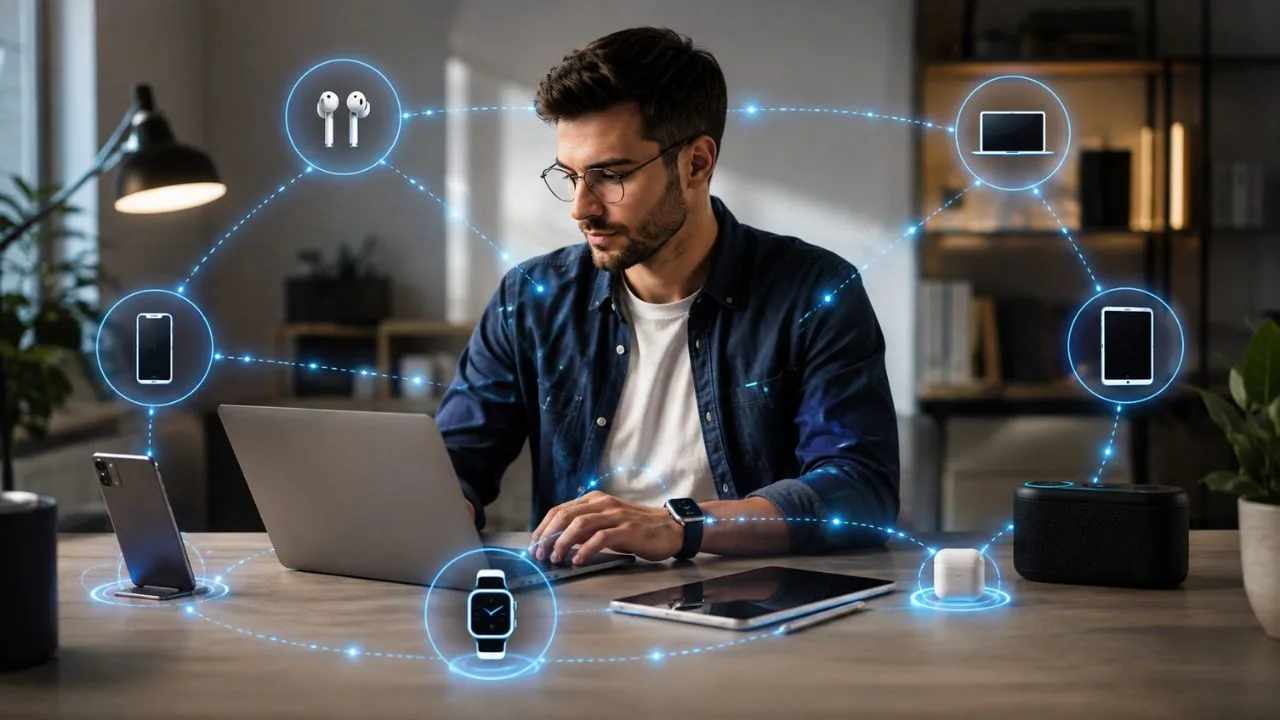
PAN stands for Personal Area Network, a small network that connects electronic devices located close to one person. It commonly links smartphones, laptops, tablets, wireless earbuds, smartwatches, printers, and other personal devices. A PAN allows these devices to exchange information, share an internet connection, or work together without requiring a large network infrastructure.
Most people use a Personal Area Network every day without realizing it. Connecting wireless headphones to a phone, pairing a smartwatch, transferring a file between nearby devices, or tethering a laptop to mobile data can all involve PAN technology. These connections are designed for convenience and generally cover a much smaller area than a home or office network.
A PAN can use wireless technologies such as Bluetooth, Near Field Communication, Zigbee, or Wi-Fi Direct. It can also use physical cables, including USB connections between a phone and computer. The technology selected depends on the required range, connection speed, power consumption, security, and type of information being transferred between the connected devices.
Understanding what PAN means can make networking terms easier to recognize and help you manage connected devices more safely. This guide explains how Personal Area Networks work, their main types, real-world examples, benefits, limitations, and security risks. It also compares PAN with LAN, WLAN, and WAN so you can clearly understand the differences between these networks.
What Is a Personal Area Network?
A Personal Area Network is a short-range network created around an individual and their electronic devices. Its purpose is to allow nearby devices to communicate directly or through one central device. Unlike a business network serving hundreds of employees, a PAN normally supports a small collection of devices belonging to one person or operating within one immediate area.
The exact physical range of a PAN depends on the communication technology being used. An NFC connection may work only when two devices are almost touching, while Bluetooth and Wi-Fi-based connections may operate across a room or nearby space. Therefore, a PAN is defined more by its personal scope and purpose than by one fixed distance.
A PAN may connect devices only to one another, or it may provide access to a larger network. For example, a smartphone can share its cellular internet connection with a laptop through Bluetooth or USB tethering. In this situation, the phone acts as the connecting point between the personal network and the wider internet.
The devices within a PAN may include computers, mobile phones, fitness trackers, medical sensors, game controllers, cameras, speakers, keyboards, and smart-home equipment. These devices can exchange files, synchronize information, transmit audio, share controls, or access online services. The network is usually temporary, easy to create, and managed directly by the device owner.
How Does a PAN Work?
A PAN works by establishing a communication link between two or more nearby devices. One device may search for compatible equipment, while another becomes visible or available for connection. Depending on the technology, the devices may require pairing, a password, physical contact, a confirmation code, or approval from the user before they begin exchanging information.
After the connection is approved, the devices follow a shared communication standard. This standard determines how information is divided, transmitted, received, and understood. Bluetooth headphones and smartphones, for example, must support compatible Bluetooth profiles so that audio and controls work correctly. Without compatible standards, two nearby wireless devices may be unable to communicate.
Some PAN connections use one device as the central controller. A smartphone may connect to a watch, earbuds, keyboard, and fitness sensor while managing each connection separately. Other personal networks allow devices to communicate more directly with one another. The network design depends on whether the connection uses Bluetooth, Wi-Fi Direct, Zigbee, NFC, USB, or another technology.
Information transmitted through a PAN may include audio, photographs, documents, sensor readings, control commands, internet traffic, or account synchronization data. The amount and speed of data vary considerably between technologies. A simple fitness sensor requires very little bandwidth, while transferring a large video file between devices demands a faster and more stable connection.
Main Components of a PAN Network
The first component of a PAN is the collection of endpoint devices that need to communicate. These may include a phone, laptop, smartwatch, wireless mouse, speaker, printer, or smart sensor. Each endpoint must contain compatible hardware and software for the chosen connection method. A device without Bluetooth hardware, for example, cannot join a Bluetooth PAN without an external adapter.
A PAN also requires a communication medium through which the data can travel. Wireless PANs send information through radio waves or electromagnetic fields, while wired PANs use physical cables. The medium affects the network’s range, speed, power requirements, reliability, and vulnerability to interference. Users often choose wireless connections for mobility and cables for consistency or faster transfer.
Network protocols form another important component. Protocols are agreed rules that help devices discover one another, establish connections, exchange information, and end sessions properly. Bluetooth profiles, Wi-Fi peer-to-peer standards, and USB communication protocols are examples. These rules allow products from different manufacturers to work together when they follow the same technical specifications.
Security controls complete the basic PAN structure. They may include pairing codes, encryption, authentication, trusted-device lists, passwords, and permission settings. These controls help ensure that an unknown device cannot join the network or access personal information without approval. The strength of the protection depends on the technology, device configuration, software version, and behavior of the user.
Wired Personal Area Network Explained
A wired PAN connects personal devices using cables rather than wireless signals. A common example is connecting a smartphone to a laptop through a USB cable. This link can be used to transfer photographs, synchronize files, charge the phone, access device storage, or share the phone’s cellular internet connection. The physical cable creates a direct communication path.
Wired Personal Area Networks usually provide a stable connection because they are less affected by radio interference, walls, or nearby wireless equipment. They may also offer faster file transfers than some low-power wireless options. Since physical access is normally required, a cable connection can reduce certain risks associated with unknown devices attempting to connect from a distance.
However, a wired PAN limits movement because connected devices must remain close enough for the cable to reach. Different ports and cable standards may also create compatibility problems. A device may require USB-C, USB-A, Lightning, or a specialized adapter. Damaged, low-quality, or charge-only cables may prevent reliable data communication even when the devices appear physically connected.
A wired connection is useful when transferring large files, configuring equipment, creating a dependable internet link, or connecting a device without wireless support. It can also conserve battery power compared with continuously running certain wireless features. Users should still approve connection prompts carefully because a malicious computer or USB device may attempt to access information after being trusted.
Wireless Personal Area Network Explained
A Wireless Personal Area Network, commonly shortened to WPAN, connects nearby devices without cables. It requires little or no fixed infrastructure and normally operates within a limited area surrounding the user. Wireless PANs are popular because they allow people to carry, wear, and move their devices while maintaining communication between them.
Bluetooth is one of the most familiar WPAN technologies. It is used for headphones, speakers, keyboards, watches, game controllers, car systems, and file sharing. Bluetooth can also create an ad hoc personal network between multiple compatible devices. Its relatively low power consumption makes it suitable for battery-operated accessories that need to remain connected for extended periods.
Other wireless PAN technologies include NFC, Zigbee, infrared, ultra-wideband, and direct Wi-Fi connections. Each option is designed for different needs. NFC supports very close interactions, Zigbee is useful for low-power smart devices, and Wi-Fi Direct supports higher-speed peer-to-peer communication. Ultra-wideband can provide precise distance and positioning capabilities on compatible equipment.
A WPAN offers convenience, mobility, and fewer cables, but it requires careful security management. Wireless signals may extend beyond the immediate area and become visible to other devices. Users should turn off unnecessary discovery, reject unknown pairing requests, keep software updated, and remove old connections. These steps reduce the chance of accidental access or unauthorized communication.
Technologies Commonly Used in a PAN
Bluetooth is widely used for short-range device connectivity because it supports many types of personal accessories. Standard Bluetooth can handle audio, input devices, networking, and file exchange, while Bluetooth Low Energy is designed for equipment requiring reduced power consumption. Smartwatches, fitness trackers, sensors, and health devices frequently use low-energy connections to preserve battery life.
Near Field Communication, or NFC, works across an extremely short distance and generally requires devices to be placed close together. It is used for contactless payments, access cards, device pairing, identity checks, and reading information from NFC tags. Its short operating range makes it convenient for intentional tap-based interactions, although safe application design remains important.
Wi-Fi Direct enables nearby devices to connect without joining a conventional wireless router or internet hotspot. It can support file transfers, wireless printing, screen sharing, cameras, and peer-to-peer applications. Wi-Fi Direct generally provides more bandwidth than low-power PAN technologies, but it may use more energy. The actual speed and range depend on the devices and surrounding conditions.
Zigbee is commonly associated with connected lights, switches, sensors, locks, and other Internet of Things equipment. It is designed for low-power communication and can support mesh networking, where devices help pass information across the network. Although a large Zigbee installation may extend beyond one person, small groups of nearby personal smart devices can form part of a WPAN environment.
Common Examples of Personal Area Networks
One of the simplest PAN examples is a smartphone connected to wireless earbuds. The phone sends audio through Bluetooth, while the earbuds may return battery information and control commands. The connection remains centered around one user and follows them as they move. No home router or fixed network infrastructure is needed for the devices to work together.
A smartwatch connected to a smartphone is another common Personal Area Network example. The watch may receive notifications, record health activity, control music, and synchronize fitness information. Bluetooth Low Energy helps maintain the connection while reducing battery use. The smartphone may also connect simultaneously to other accessories, creating a small network of personal devices.
Mobile tethering can create a PAN when a phone shares internet access with a laptop or tablet. The connection may use Bluetooth or a USB cable, while Wi-Fi hotspot tethering can create a closely related small wireless network. The smartphone routes the connected device’s traffic through its cellular data service, allowing online access when ordinary Wi-Fi is unavailable.
A personal healthcare setup may connect wearable sensors, a glucose monitor, heart-rate equipment, or another medical device to a smartphone. The phone can display readings, store measurements, or send information to an approved healthcare platform. Because this data may be sensitive, users should choose trusted equipment, protect their phones, and follow the manufacturer’s security instructions carefully.
PAN vs LAN: What Is the Difference?
A PAN is centered around one person and connects a limited number of nearby devices. A Local Area Network, or LAN, covers a larger location such as a house, office, school, shop, or building. The LAN may support many users and devices through switches, routers, access points, Ethernet cables, and other shared network infrastructure.
PAN connections are often created automatically or temporarily as personal devices move with their owner. A Bluetooth headset may disconnect when the user leaves and reconnect when they return. A LAN is normally more permanent and continues operating even when individual users leave. Its purpose is to provide shared connectivity across a defined property or working environment.
LANs usually offer higher capacity and support more demanding activities, including network storage, business software, shared printers, video meetings, and internet access for multiple people. PANs focus on direct personal tasks such as accessory connections, sensor synchronization, audio streaming, and basic file transfer. The technologies may overlap, but their scale and intended users are different.
A Personal Area Network can connect to a LAN. For example, a smartwatch may communicate with a phone through Bluetooth while the phone connects to a home router through Wi-Fi. The Bluetooth link forms the PAN, while the Wi-Fi connection places the phone on the LAN. Both networks work together to provide a complete connected experience.
PAN vs WLAN and WAN
A WLAN is a Wireless Local Area Network that normally uses Wi-Fi to connect devices across a home, office, campus, or similar limited area. It usually relies on a wireless router or access point and can serve multiple users. A WPAN covers a more personal space and is often designed around accessories, wearables, sensors, and direct nearby connections.
A Wide Area Network, or WAN, extends across a much larger geographical region. It can connect offices, cities, countries, or continents through telecommunications infrastructure. The internet is the most familiar example of a massive interconnected network. A PAN may provide access to a WAN when a phone shares its mobile connection or another connected device reaches the internet.
The key differences involve area, ownership, infrastructure, number of users, and purpose. A PAN belongs mainly to one person, a LAN or WLAN serves a location, and a WAN connects networks across long distances. These categories are useful for understanding scale, although modern devices may participate in several network types at the same time.
Consider a laptop connected to a wireless mouse through Bluetooth, a home router through Wi-Fi, and an online cloud service through the internet. The mouse connection is part of a PAN, the Wi-Fi connection belongs to a WLAN, and the cloud connection travels across a WAN. One device can therefore use all three networking levels simultaneously.
Advantages of a Personal Area Network
Convenience is one of the greatest advantages of a PAN. Personal devices can connect quickly without requiring complex cables, network equipment, or technical configuration. A user can pair headphones, synchronize a watch, connect a keyboard, or transfer a file with only a few steps. Once trusted, many devices reconnect automatically whenever they return within range.
A PAN can also be inexpensive because most modern smartphones, laptops, and accessories already include the required networking hardware. Bluetooth and USB support are widely available, while no separate router is needed for many connections. This makes a personal network practical for students, remote workers, travelers, gamers, fitness users, and ordinary households.
Mobility is another important benefit of wireless personal networking. Wearable devices and accessories can stay connected while a person walks, exercises, commutes, or works. The network moves with the user instead of remaining tied to one room. Low-power technologies allow small battery-operated devices to communicate without requiring frequent charging or large power supplies.
PANs can also make information sharing and internet access easier. A phone can send files to a laptop, provide mobile data, control a speaker, or collect readings from a sensor. These connections reduce manual work and allow devices to operate as one coordinated personal system. The benefits are strongest when devices use compatible, reliable, and secure standards.
Limitations of a PAN Network
The limited operating range of a PAN can be both an advantage and a restriction. Devices may disconnect when they move too far apart or when walls, people, furniture, and electronic equipment weaken the signal. A wireless accessory that works reliably beside a laptop may become unstable across another room. The practical range varies by technology and environment.
Wireless interference can affect connection quality. Bluetooth, Wi-Fi, Zigbee, and other technologies may operate in crowded radio-frequency bands alongside routers, appliances, and neighboring equipment. Interference can cause slower transfers, delayed controls, broken audio, or temporary disconnections. Moving devices closer together or reducing nearby wireless congestion may improve performance.
PAN technologies also have different speed and power limitations. A low-energy sensor connection is designed for small amounts of data rather than transferring large video files. Wi-Fi Direct may offer higher speeds but can consume more battery power. Selecting the wrong technology for a particular task can create poor performance, short battery life, or an unreliable user experience.
Compatibility may present another challenge. Devices may support different Bluetooth versions, profiles, operating systems, ports, or manufacturer-specific features. Two products can advertise the same general technology while lacking the particular function required to work together. Checking compatibility before purchasing accessories helps prevent connection problems and unnecessary replacements.
Security Risks of Personal Area Networks
Unauthorized pairing is a common PAN security concern. When a device remains discoverable, nearby users may attempt to connect or send pairing requests. Accepting an unknown request can expose information or grant control over certain functions. Users should verify the device name and any displayed code before approving a new Bluetooth or wireless connection.
Weak or outdated protocols may contain vulnerabilities that attackers can exploit. Older devices may no longer receive security updates, leaving known weaknesses uncorrected. A compromised accessory could potentially provide a path toward a connected phone or computer. Replacing unsupported equipment and installing firmware updates can reduce these risks.
Data interception is another concern when a connection lacks effective encryption or authentication. Information transmitted wirelessly may travel beyond the user’s immediate physical space. Modern secure configurations can protect the data, but poor implementation, outdated standards, or incorrect settings may weaken that protection. Sensitive information should be shared only through trusted devices and secure applications.
Lost or stolen equipment can also affect PAN security. A trusted laptop, phone, smartwatch, or accessory may reconnect automatically and expose notifications, files, or controls. Strong screen locks, account passwords, remote-location tools, encryption, and device-removal options help limit the damage. Users should immediately remove lost equipment from trusted-device lists and connected accounts.
How to Secure a Personal Area Network
Begin by keeping every connected device updated. Operating-system, application, driver, and firmware updates often correct security flaws and improve connection stability. This includes smaller accessories such as watches, speakers, routers, medical sensors, and smart-home controllers. Devices that no longer receive support should not handle sensitive information or remain permanently connected to important equipment.
Pair devices in a private or controlled environment whenever possible. Confirm that the displayed codes match and reject requests that appear unexpectedly. Turn off discoverable mode after pairing and disable Bluetooth, NFC, tethering, or Wi-Fi Direct when they are not needed. Reducing unnecessary availability gives unknown devices fewer opportunities to attempt a connection.
Use strong passwords for mobile hotspots, device accounts, and management applications. Avoid default passwords and simple combinations that other people can easily guess. Enable multifactor authentication for cloud accounts connected to personal devices. A secure local connection may still expose information if the online account controlling the device has weak login protection.
Review saved devices regularly and remove equipment that you no longer own or use. Many phones and computers keep a long list of old Bluetooth accessories and trusted connections. Clearing outdated entries reduces confusion and limits automatic reconnection. Sensitive users should also review application permissions for nearby devices, location, files, contacts, microphones, and other protected resources.
PAN and the Internet of Things
The Internet of Things, or IoT, includes physical objects that collect information, receive commands, and communicate through networks. Many IoT devices begin with short-range personal connectivity. A fitness tracker, smart lock, temperature sensor, or connected light may communicate with a smartphone or hub through Bluetooth, Zigbee, NFC, or another WPAN technology.
Low power consumption is important for IoT devices because many operate on small batteries for months or years. Technologies based on low-rate wireless standards are designed to exchange limited information efficiently. A door sensor does not need the bandwidth required for video streaming; it may only need to report whether the door is open or closed.
Mesh networking can extend communication by allowing compatible devices to pass messages through one another. This design is common in certain smart-home and sensor systems. Although a large mesh may grow beyond a traditional personal range, individual users still interact with it through nearby phones, controllers, and hubs. The boundary between PAN and larger IoT networks can therefore overlap.
IoT security should be treated seriously because connected objects may collect information about routines, locations, health, and household activity. Users should change default passwords, install updates, isolate untrusted equipment where possible, and choose manufacturers with clear support policies. A convenient personal network should not require users to sacrifice control over sensitive data.
Is a Mobile Hotspot a Personal Area Network?
A mobile hotspot creates a small network that allows nearby devices to use a smartphone’s cellular internet connection. When the connection uses Bluetooth or USB, it is a clear example of personal area networking. The phone acts as a network access point, while the laptop or tablet becomes a connected personal device using the phone’s internet service.
A Wi-Fi mobile hotspot is sometimes described as a PAN because it is small, temporary, and centered around one user. Technically, however, the Wi-Fi network may operate more like a miniature WLAN because it uses wireless local-area networking technology. The classification depends on whether the discussion focuses on the technology, geographic scale, or personal purpose.
Regardless of the label, mobile hotspots should be protected with a strong password and modern wireless security. Users should avoid leaving the hotspot active after they finish using it. An open or weakly protected hotspot may allow strangers to consume mobile data, observe network activity, or attempt to reach connected devices.
USB tethering can provide a more direct and stable alternative when only one computer needs internet access. Bluetooth tethering may use less power but generally offers lower speeds. Wi-Fi hotspots are convenient for connecting several devices but may consume more battery. The best method depends on speed requirements, available cables, battery level, and the number of devices.
How to Set Up a Basic PAN
To create a Bluetooth PAN connection, turn on Bluetooth on both compatible devices and place them close together. Make the accessory available for pairing, then select it from the nearby-device list on the phone or computer. Confirm any matching code and approve the connection. The exact steps vary according to the device, operating system, and type of accessory.
For a wired PAN, connect the devices using a suitable USB cable. Unlock the device and respond to any request asking whether the connected computer should be trusted. Select the required mode, such as file transfer, synchronization, audio, or USB tethering. Use a reliable data cable because some inexpensive cables support charging without transmitting information.
Wi-Fi Direct connections are normally created through a device’s sharing, printing, display, or nearby-connection settings. One device discovers another and establishes a direct wireless link without relying on a conventional router. Applications may guide the user through discovery and approval. Both devices must support compatible Wi-Fi Direct features for the connection to work correctly.
After creating any PAN, test the required function and review the security settings. Confirm that only intended devices appear in the connection list and disable open discovery. Give accessories recognizable names to prevent mistakes when several similar products are nearby. Remove the connection when it is temporary or when another person will take ownership of the device.
Why Personal Area Networks Still Matter
Personal Area Networks remain important because the number of devices surrounding each person continues to grow. Smartphones now interact with watches, earbuds, health sensors, cars, cameras, payment terminals, smart-home products, and computers. PAN technologies allow these products to exchange information without requiring every interaction to pass through a traditional router or cable.
Modern personal networking is also becoming more intelligent and automatic. Devices can detect nearby trusted equipment, synchronize settings, transfer an activity between screens, or unlock features based on proximity. These experiences depend on secure short-range communication working quietly in the background. The user may see one seamless ecosystem rather than several separate network connections.
Newer technologies are expanding the capabilities of PANs. Improved Bluetooth standards support better efficiency and device functions, while ultra-wideband enables precise ranging and spatial awareness. NFC continues to support tap-based interactions, and low-power IoT standards connect a growing variety of sensors. The basic PAN concept remains relevant even as the technologies evolve.
The greatest challenge is balancing convenience with privacy and security. Automatic connections can save time, but they may also create risks when users do not review permissions, updates, and trusted devices. A well-managed PAN gives people greater control over their personal technology. It connects the devices they need while limiting access from equipment they do not recognize.
Final Thoughts on Personal Area Networks
PAN stands for Personal Area Network, a small network connecting devices within an individual’s immediate surroundings. It can include smartphones, laptops, watches, headphones, sensors, printers, and other personal electronics. The network may use Bluetooth, NFC, Wi-Fi Direct, Zigbee, USB, or another short-range communication technology depending on the task.
Personal Area Networks can be wired or wireless. Wired PANs provide direct and stable connections through cables, while WPANs offer movement and convenience without physical links. Both types can transfer information, synchronize devices, share controls, or provide internet access. The best option depends on speed, range, power use, compatibility, and security requirements.
A PAN is smaller and more personal than a LAN, WLAN, or WAN. It generally supports fewer devices and operates within a limited space around one user. However, it can connect with larger networks through a smartphone, computer, router, or internet gateway. This combination allows personal accessories to access broader digital services when necessary.
Secure use requires updated software, careful pairing, strong hotspot passwords, limited discoverability, and regular review of trusted devices. PAN technology is designed to make connected equipment easier to use, but convenience should not replace good security habits. Understanding how the network works helps users enjoy its benefits while protecting their devices and personal information.
Frequently Asked Questions
What is PAN in simple words?
PAN stands for Personal Area Network. It is a small network that connects nearby personal devices such as a phone, laptop, smartwatch, wireless earbuds, or keyboard.
What is an example of a PAN?
A phone connected to Bluetooth earbuds and a smartwatch is a common PAN example. USB tethering between a smartphone and laptop can also form a Personal Area Network.
Is Bluetooth a PAN?
Bluetooth is a communication technology frequently used to create a wireless Personal Area Network. It connects nearby accessories and devices without requiring a traditional Wi-Fi router.
What is the difference between PAN and LAN?
A PAN connects devices around one person, while a LAN connects devices across a larger location such as a home, office, school, or building.
Is a personal hotspot a PAN?
Bluetooth and USB tethering are examples of PAN connections. A Wi-Fi hotspot serves a similar personal purpose, although technically it may operate like a small wireless LAN.