
Software Definition: Types, Examples & Uses
Software is the invisible part of modern technology that tells computers, phones, servers, machines, and other digital devices what to do. While hardware refers to physical components such as processors, memory chips, screens, and keyboards, software consists of instructions and data that make those components useful. Every time you open a web browser, edit a document, send a message, play a game, or use an artificial intelligence tool, you are interacting with software. It can range from a small mobile application to a complex operating system managing millions of processes. Software has become essential to communication, education, healthcare, finance, entertainment, manufacturing, and nearly every modern industry. Understanding the software definition therefore helps explain how today’s digital world actually works.
Modern software has also changed significantly from the programs people once installed from disks or CDs. Many applications now run through web browsers, cloud infrastructure, subscription platforms, smartphones, connected devices, and artificial intelligence systems. Businesses increasingly rely on Software as a Service, commonly called SaaS, because it allows employees to access applications over the internet without maintaining every program locally. Developers use programming languages and development tools to build new software, while operating systems coordinate applications with computer hardware. Some software runs visibly through graphical interfaces, while other programs work quietly in the background. This guide explains the main types of software, common examples, how software works, and the many ways it is used in everyday life and business.
What Is Software?
Software is a collection of programs, instructions, procedures, and related data that enables a computer or digital device to perform specific tasks. It tells hardware how to process information, respond to user input, communicate with other systems, and produce useful results. Unlike hardware, software cannot usually be touched physically because it exists as digital instructions stored on storage devices or delivered through networks. Examples include operating systems, web browsers, accounting programs, games, mobile applications, and database systems. Software can be designed for a single purpose or provide thousands of functions within one platform. Its role is essentially to transform physical computing hardware into a system capable of solving problems and serving users.
At the lowest level, software ultimately consists of instructions that a processor can execute. Humans normally do not write these instructions directly in machine code because doing so would be extremely difficult and time-consuming. Instead, developers use programming languages such as Python, Java, JavaScript, C++, C#, Rust, and many others to create software in a more understandable form. Compilers, interpreters, and other development tools then help translate or execute this code in ways computers can process. The written instructions are often referred to as source code. Large software products may contain millions of lines of code created and maintained by teams of developers, designers, testers, security specialists, and product managers.
Software can operate locally on a device, remotely on a server, or across both environments at the same time. A desktop calculator application may run almost entirely on a personal computer, while a cloud-based customer relationship management platform may perform most processing on remote servers. Mobile applications commonly combine local software with cloud services for account information, synchronization, payments, notifications, and data storage. Modern web applications can feel similar to traditional desktop programs even though much of their functionality is delivered through a browser. This flexibility allows developers to design software around different performance, security, accessibility, and business requirements. The way software is delivered has therefore become almost as important as what the program does.
Software is usually updated throughout its useful life because programs need improvements, security fixes, compatibility changes, and new features. Developers may release small patches to correct bugs or larger versions that introduce significant changes. Cloud software can often be updated centrally without requiring users to manually install every new version. Traditional desktop applications may still download updates directly to individual computers. Mobile app stores also distribute updated versions of installed applications. Regular maintenance is important because software interacts with changing operating systems, hardware, security threats, networks, and user expectations.
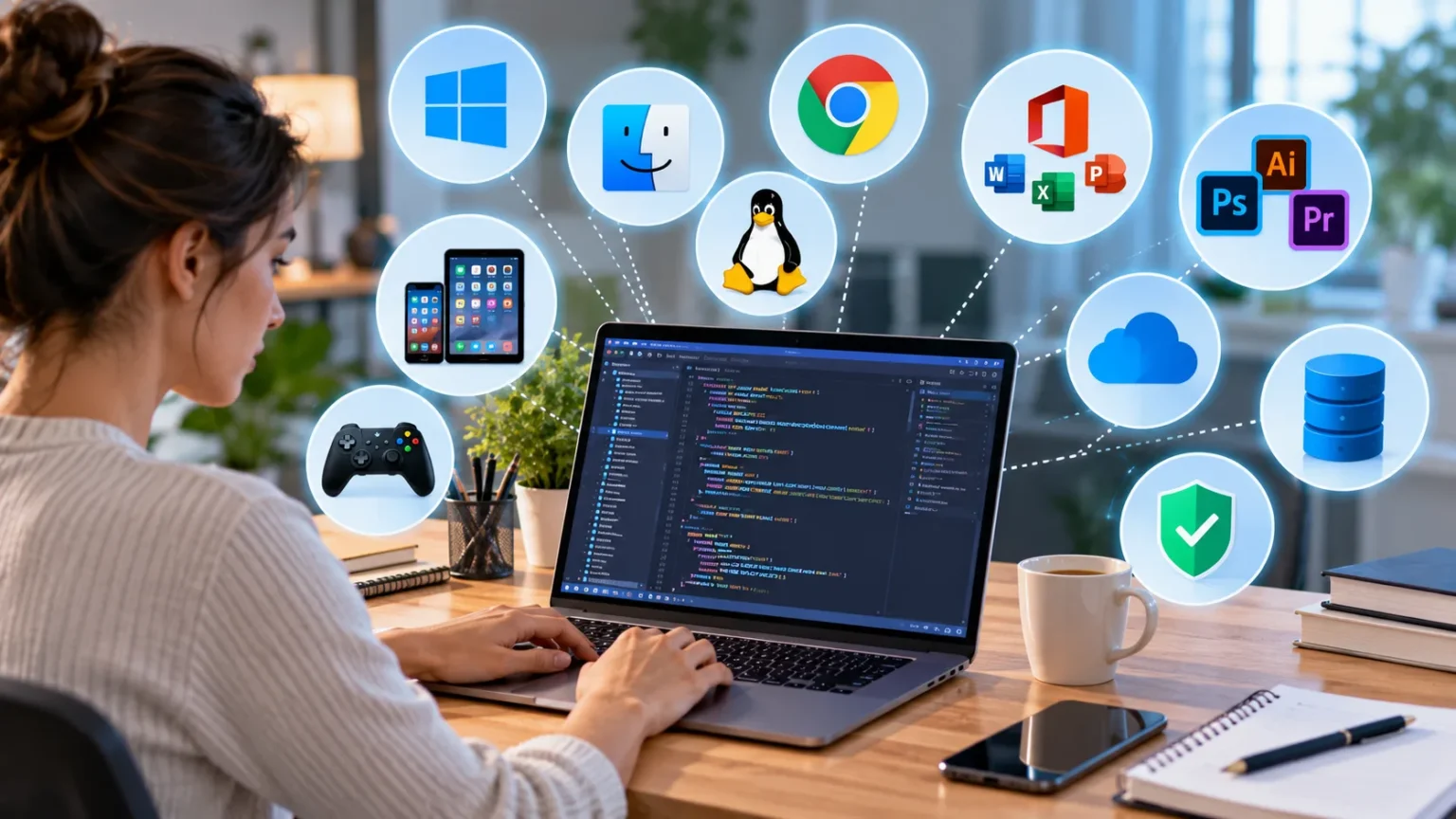
The term software covers an enormous range of technologies, which is why understanding its categories is useful. System software helps manage hardware and provides the foundation on which other applications run. Application software helps users perform specific tasks, while programming software provides tools developers use to create other programs. Utility software focuses on maintenance, security, backup, or performance tasks. Firmware operates closely with hardware, while cloud applications and AI systems introduce additional ways software can function. These categories can overlap, but they provide a practical framework for understanding the software ecosystem.
Software vs Hardware: What Is the Difference?
Hardware refers to the physical components of a computing system, while software refers to the digital instructions that control those components. A laptop’s processor, motherboard, keyboard, screen, memory, and storage drive are all examples of hardware. The operating system, browser, word processor, and other programs installed on that laptop are examples of software. Hardware provides the physical ability to calculate, store, display, and transmit information. Software determines how those abilities are used. A modern computer therefore depends on both working together because hardware without software has very limited usefulness, while software cannot run without physical computing resources.
A simple analogy is to think of hardware as a kitchen and software as the recipes and instructions used inside it. The kitchen contains physical tools such as ovens, pans, knives, and refrigerators, but those tools need instructions and decisions before they can produce a meal. Similarly, a processor can perform calculations and memory can hold information, but software determines which calculations should happen and what information should be stored. Different software can make the same hardware perform completely different tasks. A computer can become a video editing workstation, gaming machine, accounting tool, or communication system simply by changing the programs being used.
Hardware and software also fail in different ways. A damaged storage drive, overheating processor, broken screen, or faulty memory module represents a hardware problem. A crashing application, corrupted operating system, programming bug, or incompatible driver represents a software problem. However, the symptoms can sometimes look similar, which makes troubleshooting difficult. A computer that freezes repeatedly could have faulty hardware, poorly written software, insufficient memory, overheating, or several problems at once. Diagnostic tools help technicians determine whether the underlying issue is physical or digital.
Software can usually be copied, downloaded, updated, or reinstalled without physically replacing a device. Hardware upgrades require installing or replacing physical components. For example, upgrading an application may involve downloading a new version, while increasing computer memory requires installing additional RAM or buying a device with greater capacity. Software changes are often easier and faster to distribute across thousands of systems. This is one reason cloud services can release features to users very quickly. Hardware changes normally require manufacturing, shipping, installation, and physical access.
Despite these differences, modern computing increasingly blurs the boundary between hardware and software. Smartphones, cars, smart appliances, medical devices, industrial machinery, and networking equipment all rely on tightly integrated software controlling specialized hardware. A car may contain dozens of computers running programs that manage braking, navigation, entertainment, battery performance, and safety systems. Smartwatches combine sensors with software that interprets movement and health-related data. Artificial intelligence accelerators depend on specialized software frameworks to perform useful calculations. The most powerful technology therefore often comes from designing hardware and software to work efficiently together.
Main Types of Software
System software is one of the most important software categories because it manages the computer itself. Operating systems such as Windows, macOS, Linux, Android, and iOS are well-known examples. They coordinate processors, memory, storage, input devices, network connections, displays, and other hardware resources. System software also provides common services that application programs can use instead of communicating directly with hardware. This creates a more stable and manageable computing environment. Without an operating system or similar system-level software, most modern applications would have no convenient foundation on which to run.
Application software is designed primarily to help users perform specific activities. Word processors, spreadsheets, web browsers, video editors, accounting systems, messaging applications, games, and customer relationship management platforms all fit broadly within this category. Applications may be created for individual consumers, employees, professionals, students, businesses, or entire industries. Some applications perform one narrow function, while large enterprise platforms can manage sales, finance, inventory, employees, and other operations. Application software can run on desktops, smartphones, tablets, web browsers, or cloud infrastructure. This is the category most people interact with directly every day.
Programming software includes the tools used by developers to create, test, debug, and maintain other software. Code editors, integrated development environments, compilers, interpreters, debuggers, version control tools, and software development kits are common examples. These tools help programmers write source code, identify problems, manage changes, and turn code into working applications. Modern development platforms may also include automated testing, collaboration, cloud deployment, and AI-assisted coding features. The exact tools used depend on the programming language, application type, and development environment. Without programming software, creating large and reliable software systems would be considerably more difficult.
Utility software performs maintenance, optimization, protection, or management tasks that support a computer system. Antivirus tools, backup programs, disk management utilities, compression software, password managers, file recovery programs, and system monitoring tools are common examples. Some utilities are built directly into operating systems, while others are installed separately. Their role is often less visible than that of application software, but they can be critical for reliability and security. Businesses may use enterprise utilities to monitor thousands of devices or automate backups across entire networks. Utility software therefore supports the health and operation of other software and hardware.
Firmware is another important software category that operates very closely with hardware. It is commonly stored in non-volatile memory inside devices and provides low-level instructions needed for hardware to function correctly. Routers, printers, cameras, storage devices, smart appliances, keyboards, and many other electronic products contain firmware. A computer’s BIOS or UEFI is a familiar example because it helps initialize hardware before the operating system starts. Firmware can sometimes be updated to fix security issues, improve compatibility, or add functionality. Because firmware sits close to hardware, faulty or interrupted updates can sometimes create serious problems, making careful installation important.
System Software and Operating Systems
An operating system is the central piece of system software that manages a computer’s resources and provides an environment for applications. When a device starts, the operating system loads important services, recognizes hardware, manages memory, organizes files, and prepares the user interface. It also decides how processor time is shared among running programs. Multiple applications may appear to run simultaneously because the operating system schedules their tasks efficiently. Modern operating systems also manage user accounts, permissions, security controls, network connections, updates, and peripheral devices. These responsibilities make operating systems essential to nearly every general-purpose computer.
Device drivers are another form of system software that helps the operating system communicate with specific hardware. A printer, graphics card, audio interface, network adapter, and other device may require a driver that understands how to control that hardware. The operating system sends requests through the driver rather than needing detailed knowledge about every device model. Updated drivers can improve performance, fix compatibility issues, or resolve security vulnerabilities. Incorrect or outdated drivers can sometimes cause crashes, missing functionality, or poor performance. This is why device manufacturers and operating system vendors regularly distribute driver updates.
System software also manages computer memory and storage. When applications request memory, the operating system assigns available RAM and tracks which programs are using it. If physical memory becomes limited, the system may use storage-based virtual memory to help maintain operation. File systems organize data on SSDs, hard drives, and removable storage so applications can save and retrieve information. The operating system also controls permissions that determine which users and applications can access specific files. These functions happen largely in the background but are essential for stability and security.
Security is another major responsibility of modern system software. Operating systems include account authentication, access controls, encryption support, firewalls, malware protections, application permissions, and secure update mechanisms. Security features have become increasingly important as computers connect continuously to networks and cloud services. A vulnerability in system software can potentially affect every application running on the device. This is why operating system updates often contain security fixes even when users do not notice visible changes. Keeping system software supported and updated is therefore a basic cybersecurity practice.
Operating systems are not limited to laptops and desktop computers. Smartphones use mobile operating systems, servers run specialized operating systems, and embedded devices may use lightweight systems designed for very specific purposes. Industrial machines, vehicles, networking equipment, and Internet of Things devices can all contain system software. Some environments prioritize graphical interfaces, while others focus on reliability, real-time response, power efficiency, or security. The operating system chosen for a device depends on its hardware and intended use. This diversity shows how system software adapts to nearly every form of modern computing.
Application Software and Everyday Examples
Application software helps people complete tasks that matter directly to them. Productivity applications include word processors, spreadsheet programs, presentation tools, note-taking software, email clients, and project management platforms. These programs are widely used in schools, offices, homes, and professional environments. Many modern productivity applications also support real-time collaboration, allowing several users to work on the same document through the internet. Cloud synchronization makes files accessible across multiple devices. Artificial intelligence features are increasingly being integrated to help users summarize information, draft content, analyze data, and automate repetitive work.
Web browsers are another major example of application software. Browsers allow users to access websites and web applications by interpreting web technologies and communicating with internet servers. Modern browsers do much more than display simple pages because many business and consumer applications now run almost entirely inside them. Email, accounting, design, video conferencing, document editing, and customer support systems can all operate through browser-based software. Extensions can add additional functionality, while built-in security features help manage permissions and malicious websites. The browser has therefore become one of the most important software platforms in everyday computing.
Creative application software includes photo editors, video editing programs, music production tools, illustration software, animation platforms, and three-dimensional design applications. These programs can require significant processing power, memory, storage, and graphics performance because they work with large and complex files. Professionals in film, advertising, architecture, engineering, photography, and entertainment rely heavily on specialized creative software. Cloud collaboration has also made it easier for creative teams to share projects across locations. AI-powered tools can now assist with background removal, image generation, transcription, editing, and other tasks. Creative software continues evolving rapidly as computing capabilities improve.
Business application software is designed to support organizational processes such as sales, accounting, inventory, payroll, marketing, customer service, and human resources. Customer relationship management software helps businesses track prospects and customers, while enterprise resource planning systems can connect multiple departments within one platform. Accounting software manages financial transactions, and e-commerce platforms support online stores, payments, products, and customer orders. Businesses often integrate several applications so data can move automatically between them. These integrations reduce repetitive work and help employees access more consistent information. Software has therefore become central to how companies operate and scale.
Entertainment software includes video games, streaming applications, music players, digital reading platforms, and social media applications. Games are particularly complex because they can combine graphics engines, physics simulations, artificial intelligence, networking, audio systems, and user interfaces. Streaming applications use software to deliver video and audio from remote servers to millions of devices. Social platforms rely on software for communication, recommendations, content creation, advertising, and moderation. These consumer applications demonstrate that software is not limited to productivity or business. It also shapes how people relax, communicate, learn, and experience entertainment.
Cloud Software, SaaS and Mobile Apps
Cloud software refers to applications or services that rely partly or primarily on computing resources delivered through remote data centers. Instead of storing and processing everything on a user’s local computer, cloud applications can use internet-connected servers for databases, processing, storage, authentication, and collaboration. This approach allows people to access the same software and information from different devices. Businesses can also scale cloud resources more easily when demand changes. Cloud computing has transformed software delivery because organizations no longer need to install and maintain every application entirely on local infrastructure.
Software as a Service is one of the most familiar cloud software models. With SaaS, users generally access an application through a browser or dedicated app while the provider manages infrastructure, updates, and much of the technical maintenance. Businesses often pay monthly or annual subscription fees instead of purchasing a permanent license. Common SaaS categories include CRM platforms, accounting systems, project management tools, email services, design applications, and productivity suites. The model can simplify deployment because employees can start using software without complicated installations. However, companies must still consider security, privacy, data ownership, availability, and vendor dependence.
Mobile applications are software programs designed primarily for smartphones and tablets. They can provide messaging, banking, navigation, shopping, fitness tracking, entertainment, education, transportation, and thousands of other functions. Mobile apps interact with hardware features such as cameras, microphones, GPS sensors, biometric systems, and accelerometers to create experiences that traditional desktop software may not provide. Some apps perform most operations directly on the device, while others rely heavily on cloud services. App stores provide centralized distribution and update mechanisms. Mobile software has become one of the most common ways people interact with digital services.
Many modern applications use a hybrid approach that combines local and cloud computing. A photo editing app may perform basic adjustments on the user’s device while sending complex AI tasks to powerful remote servers. A note-taking application may store temporary copies locally but synchronize data across devices through the cloud. Business applications may allow offline work and upload changes once an internet connection becomes available. Hybrid architectures can provide a balance between speed, availability, privacy, and scalability. Developers choose where processing happens based on the needs of the software and the capabilities of user devices.
Cloud and mobile software have also changed how users think about ownership. Traditional software was often purchased once and installed from physical media, while modern applications increasingly use subscriptions, accounts, and continuous online services. This model allows developers to provide regular improvements and technical support, but it can also create recurring costs. Users may lose access when subscriptions end or when a provider closes a service. Businesses therefore need to evaluate long-term costs, data portability, and vendor reliability before depending heavily on a platform. Software delivery models are now an important part of selecting technology, not merely a technical detail.
Programming Software and How Software Is Created
Software development usually begins with identifying a problem or need that technology can address. Developers, designers, product managers, and stakeholders may define requirements describing what the program should do and who will use it. Teams then design the software architecture, user experience, data structures, security controls, and technical components. Small applications may be created by one person, while enterprise systems can involve hundreds or thousands of contributors. Clear planning helps reduce expensive changes later in development. However, modern software projects often remain flexible because user needs and technical requirements can change over time.
Programmers create source code using programming languages suited to the software they are building. Web developers may use HTML, CSS, JavaScript, TypeScript, Python, PHP, Java, or other technologies. Mobile developers work with languages and frameworks designed for smartphone platforms, while systems programmers may use C, C++, Rust, or similar lower-level languages. Data scientists and AI developers frequently use Python because of its large ecosystem of libraries. No single programming language is best for every project. Developers choose tools based on performance, compatibility, team skills, security, available libraries, and long-term maintenance needs.
Integrated development environments and code editors help programmers write and manage software. These tools can highlight syntax, suggest code, identify errors, organize project files, and integrate with testing and debugging systems. Version control software records changes so teams can collaborate without constantly overwriting one another’s work. Developers can create branches for new features and later combine approved changes into the main project. Automated testing tools check whether software behaves as expected after updates. Modern development environments increasingly include AI assistants that can suggest code, explain functions, generate tests, and help diagnose programming problems.
Testing is essential because even carefully written software can contain defects. Developers may perform unit testing on individual components, integration testing between connected systems, performance testing under heavy workloads, and security testing for vulnerabilities. Quality assurance teams can also test complete user workflows to identify unexpected behavior. Bugs are documented and fixed before or after release depending on their seriousness. Software development does not end when the first version launches because real users often reveal problems that internal testing did not detect. Continuous monitoring and feedback therefore become part of the development cycle.
Once software is ready, developers deploy it to the environment where users can access it. Desktop software may be packaged for download, mobile apps may be submitted to app stores, and cloud applications may be deployed to internet servers. DevOps practices combine development and operations to make releases faster and more reliable through automation. Continuous integration and continuous delivery pipelines can automatically test and deploy approved code changes. Monitoring systems then track application performance, errors, security events, and availability. Modern software development is therefore an ongoing process of building, testing, releasing, measuring, and improving.
Common Uses of Software in Business and Daily Life
Businesses use software to improve efficiency, organize information, automate processes, and make better decisions. Accounting programs can calculate financial records, while inventory systems track products across warehouses and stores. Customer relationship management software helps sales teams manage leads, communication, and customer history. Project management applications organize tasks, deadlines, files, and team responsibilities. Analytics platforms transform raw data into dashboards and reports that support decision-making. These tools allow organizations to handle larger workloads without increasing manual effort at the same rate.
Communication is another major use of software in both personal and professional life. Email, messaging, video conferencing, social networks, and collaboration platforms allow people to communicate instantly across different locations. Remote and hybrid work depend heavily on these technologies because employees need ways to share documents, attend meetings, manage projects, and stay connected. Cloud software can create shared workspaces where teams collaborate in real time. Translation and transcription tools can also reduce communication barriers. Software has therefore transformed communication from a location-dependent activity into something that can happen almost anywhere.
Education relies increasingly on software for teaching, learning, assessment, and administration. Learning management systems allow schools and organizations to distribute lessons, quizzes, assignments, and training materials online. Students use research platforms, educational apps, simulations, video courses, and collaborative documents. Teachers can track progress and provide digital feedback more efficiently. AI-powered tutoring and learning tools are creating new ways to explain concepts and personalize study activities. Educational software can expand access, although effective learning still depends on teaching quality, motivation, and appropriate use of technology.
Healthcare software supports patient records, medical imaging, appointments, billing, laboratory systems, prescription management, and clinical decision support. Hospitals and clinics use specialized applications to coordinate complex information across departments. Telehealth platforms allow patients and healthcare professionals to communicate remotely when appropriate. Medical devices can also use embedded software to monitor or control important functions. Because healthcare information is highly sensitive, these systems require strong security, privacy, reliability, and access controls. Software errors in medical environments can have serious consequences, which makes careful testing and regulation particularly important.
Software also supports transportation, manufacturing, agriculture, finance, government, and scientific research. Factories use software to automate machines and monitor production, while logistics systems help companies track shipments and plan routes. Banks rely on software for payments, fraud detection, customer accounts, and financial analysis. Scientists use specialized programs to simulate complex systems and analyze large datasets. Farmers increasingly use software with sensors, mapping, and machinery to improve agricultural decisions. The wide range of examples shows that software is no longer a separate technology industry; it is infrastructure supporting almost every major sector of the economy.
AI Software and the Future of Software Development
Artificial intelligence software is designed to perform tasks that involve capabilities such as language processing, pattern recognition, prediction, recommendation, image analysis, or content generation. AI applications can summarize documents, generate text, recognize speech, analyze images, recommend products, detect fraud, and assist with programming. These systems are increasingly being added to existing software rather than operating only as separate applications. A customer service platform might use AI to draft responses, while a spreadsheet application may help users analyze data through natural language. This integration is making AI functionality a normal software feature rather than a specialized technology used only by researchers.
Generative AI has particularly changed how users interact with software. Traditional applications usually require users to navigate menus, forms, and commands, while AI interfaces can allow people to describe what they want using natural language. A user might ask an application to summarize a report, create an image, write code, or reorganize information without knowing the exact technical steps. This can lower the barrier to using complex software. However, AI-generated results can contain mistakes, so human review remains important. Software developers must therefore balance convenience with accuracy, transparency, privacy, and appropriate safeguards.
AI is also changing software development itself. Coding assistants can suggest functions, generate boilerplate code, explain unfamiliar programs, create tests, and help identify errors. These tools can improve developer productivity when used carefully, but they do not eliminate the need for programming knowledge. Generated code may contain bugs, security problems, inefficient logic, or incorrect assumptions. Skilled developers still need to review architecture, requirements, performance, maintainability, and security. AI is therefore becoming another development tool rather than a complete replacement for software engineering.
Software is also becoming more connected through application programming interfaces, commonly called APIs. APIs allow different programs to exchange information and use one another’s capabilities. A shopping application might connect to payment software, shipping services, analytics platforms, and customer support systems through several APIs. AI applications can also use APIs to access external tools and data when permissions allow. This modular approach lets companies build sophisticated services without creating every technical component from the beginning. At the same time, each connection introduces security and reliability considerations that developers must manage.
The future of software will likely involve greater automation, personalization, cloud integration, AI assistance, and interaction across many device types. Software will continue moving beyond computers and phones into vehicles, wearable devices, homes, factories, robots, and physical infrastructure. Users may increasingly interact with applications through voice, natural language, cameras, and intelligent agents rather than traditional menus alone. Security and privacy will become even more important as software gains access to more personal and business information. Despite these changes, the basic definition remains the same: software is the set of digital instructions and systems that make computing hardware perform useful work.
Frequently Asked Questions About Software
What is software in simple words?
Software is a collection of digital instructions that tells a computer or other device what to do. Examples include operating systems, browsers, games, mobile apps, and business programs.
What are the main types of software?
The main categories include system software, application software, programming software, utility software, and firmware. Cloud software and AI applications can also be discussed as important modern software categories.
What are five examples of software?
Examples include Microsoft Windows, a web browser, a word processor, a video editing application, and an accounting program. Mobile apps and cloud platforms are also forms of software.
What is system software?
System software manages hardware and provides services that other programs need. Operating systems, device drivers, and certain system utilities are common examples.
What is application software?
Application software is designed to help users perform particular tasks. Examples include spreadsheets, browsers, messaging apps, games, design tools, and customer management systems.
What is the difference between software and hardware?
Hardware consists of physical computer components, while software consists of the instructions and programs that control those components. A computer usually requires both to perform useful tasks.
Is an operating system software?
Yes. An operating system is system software that manages computer hardware, memory, files, applications, users, and other essential resources.
Is a mobile app considered software?
Yes. Mobile apps are application software designed primarily for smartphones, tablets, and similar portable devices.
What is SaaS?
SaaS stands for Software as a Service. It refers to software that is typically delivered over the internet while the provider manages much of the infrastructure and maintenance.
What is cloud software?
Cloud software uses remote computing infrastructure for some or most of its storage, processing, or application functions. Users usually access it through an internet connection.
What is programming software?
Programming software includes tools developers use to create and maintain programs. Examples include code editors, compilers, debuggers, integrated development environments, and version control tools.
What is firmware?
Firmware is software stored closely with hardware that provides low-level instructions required for a device to operate. Routers, printers, storage devices, and many electronic products contain firmware.
Why does software need updates?
Updates can fix bugs, improve security, add features, improve performance, and maintain compatibility with changing hardware and systems. Keeping important software updated can reduce security and reliability problems.
Is AI a type of software?
Artificial intelligence systems operate through software that uses algorithms and trained models to perform tasks such as language processing, prediction, recommendation, and image analysis. AI functionality can also be built into traditional applications.
Why is software important?
Software makes computer hardware useful by enabling communication, calculations, automation, entertainment, business operations, education, healthcare, and many other activities. Modern society depends heavily on software across nearly every industry.