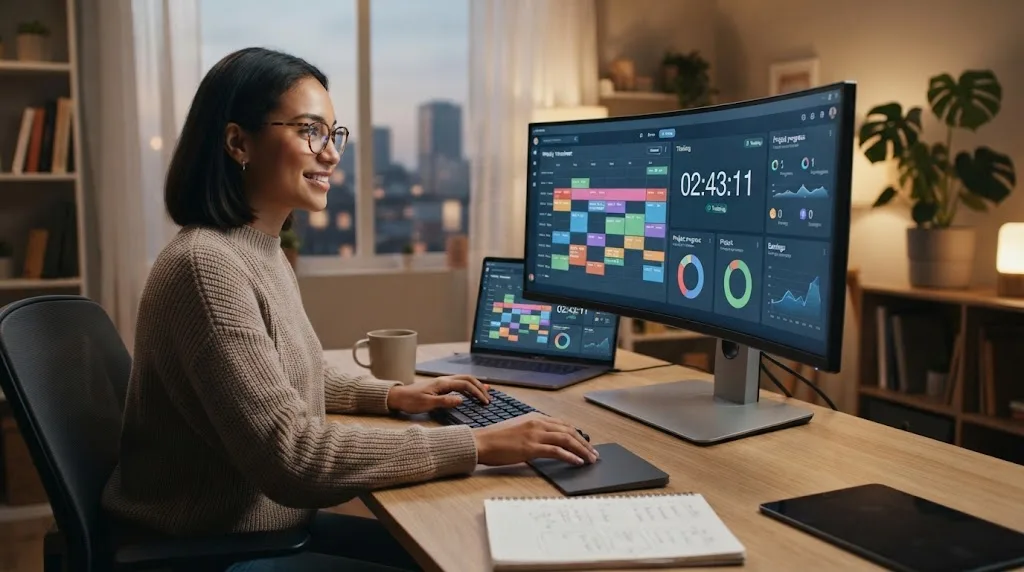

Freelancers often juggle several clients, projects, deadlines, and administrative tasks at the same time. Without accurate time tracking, it becomes difficult to know how long work actually takes or whether an hourly project is profitable. A reliable time tracking app can turn scattered working hours into useful information for billing, planning, and improving productivity.
The best time tracking apps for freelancers make recording work simple enough that tracking does not become another burden. Useful features may include timers, manual entries, project organization, reports, invoicing, billable rates, reminders, and integrations with other work tools. Some platforms also help freelancers understand where their time disappears during a busy week.
Different freelancers need different levels of complexity. A solo writer may only need a simple timer, while a consultant managing contractors may require budgets, timesheets, and detailed reporting. The options below cover several working styles so you can choose software that matches the way you actually manage freelance work.
Toggl Track — Best Overall for Simple Time Tracking
Toggl Track is a popular choice for freelancers because starting and stopping a timer takes very little effort. You can organize tracked time by client, project, task, or description, making it easier to understand where your working hours go. This straightforward setup is useful when you want detailed records without spending too much time maintaining the system.
Reports can help separate billable from non-billable work and show how much time different projects require. Freelancers can use this information when preparing invoices, estimating future jobs, or deciding whether a fixed-price project was actually profitable. Visual summaries also make it easier to recognize clients or activities that consistently consume more time than expected.
Toggl Track works particularly well for freelancers who want flexibility without a complicated learning curve. It can fit writing, design, development, consulting, marketing, and other professional services. The biggest advantage is that time tracking remains quick, which increases the likelihood that you will actually record your hours consistently instead of trying to reconstruct them later.
Clockify — Best Free Time Tracking App for Freelancers
Clockify is attractive to freelancers who want useful time tracking capabilities without immediately paying for another business tool. You can track time with a timer, add hours manually, organize entries by projects, and review how your work is distributed. This makes it suitable for freelancers who are still building their client base or keeping operating expenses low.
The reporting features can help you compare projects, clients, dates, and billable activity. If you charge by the hour, accurate records provide a clearer basis for invoicing and client communication. Even freelancers working on fixed-price projects can use the data to calculate an effective hourly rate and determine whether their pricing needs adjustment.
Clockify can also support freelancers who later begin working with small teams or contractors. However, you do not need to use every feature when working alone. Starting with basic timers, clients, projects, and reports keeps the workflow simple while still providing enough information to understand how your working hours are being spent.
Harvest — Best for Time Tracking and Invoicing
Harvest combines time tracking with features designed around client work, budgeting, and invoicing. Freelancers can record billable hours and associate them with specific clients and projects. This creates a smoother connection between the work you complete and the money you eventually need to collect, which is especially useful for hourly professional services.
Project budgets can help you see whether a job is approaching the amount of time originally planned. This visibility matters when clients request additional revisions or when a project begins expanding beyond its original scope. Instead of discovering the problem after completion, you can identify budget pressure earlier and discuss additional work before unpaid hours accumulate.
Harvest is a strong option for freelancers who want billing and time tracking to work closely together. It may offer more structure than someone needs for casual personal productivity tracking, but client-focused professionals can benefit from the connection between projects, hours, expenses, and invoices. Keeping these activities together can reduce administrative work at the end of each month.
RescueTime — Best for Understanding Where Your Time Goes
RescueTime takes a different approach by focusing heavily on understanding digital activity rather than requiring you to manually start a timer for every task. It can help reveal how much time is spent in different applications, websites, and categories. This is useful for freelancers who frequently reach the end of the day wondering why certain projects took so long.
Automatic activity tracking can reveal distractions that traditional timesheets may miss. You may discover that email, messaging, research, social media, or administrative tasks consume a much larger portion of the day than expected. Seeing those patterns can help you redesign your schedule and protect longer periods for focused client work.
RescueTime is better suited to productivity awareness than detailed client billing in some workflows. Freelancers who need precise billable records may prefer pairing automatic insights with a more project-focused timer. However, if your primary goal is understanding habits, distractions, and concentration patterns, it can provide useful visibility into how your working day actually unfolds.
Everhour — Best for Project-Based Freelance Work
Everhour is useful for freelancers who manage work through project management platforms and want time tracking connected directly to those tasks. Rather than separating project planning from recorded hours, you can link time with specific assignments. This can make tracking more natural when your daily workflow already revolves around task lists, deadlines, and client projects.
Budget and estimate features can help freelancers compare planned hours with actual time spent. This matters when managing fixed-price contracts because a project that appears profitable initially can become less attractive after repeated revisions. Monitoring progress against expected hours helps you recognize scope problems before they significantly reduce your effective hourly earnings.
Everhour is particularly useful for organized freelancers who already structure work inside project management tools. Someone who simply wants a basic standalone stopwatch may find it more than necessary. For consultants, designers, developers, and other professionals managing multiple structured projects, however, integrated time tracking can reduce duplicate data entry and improve overall project visibility.
Timely — Best for Automatic Time Tracking
Timely is designed to reduce the amount of manual effort involved in remembering what you worked on throughout the day. Automatic activity tracking can help create a timeline of work that you can later organize into appropriate projects. This is valuable for freelancers who frequently forget to start timers or move rapidly between several different tasks.
Automatic tracking can also make timesheets more accurate because you are not relying entirely on memory at the end of the day. Small tasks such as research, revisions, client communication, and file preparation can easily be overlooked. Capturing those activities gives you a clearer picture of how much time a project truly requires.
Freelancers should still review automatically captured information before using it for billing. Not every activity belongs on a client invoice, and software cannot always understand the purpose behind each application or website visit. Timely works best when automation reduces manual effort while you retain control over how recorded activities are categorized and reported.
Hubstaff — Best for Freelancers Working With Contractors
Hubstaff offers time tracking alongside features designed for distributed work, productivity monitoring, project management, and workforce coordination. A solo freelancer may not need every capability, but the platform becomes more useful when you begin subcontracting work. It can help track hours across multiple people while keeping projects and client work more organized.
For freelancers building small agencies, visibility into project hours can make pricing and resource planning more reliable. You can compare how long assignments take across different contributors and identify projects that consistently exceed expectations. This information can help when setting client rates, estimating future jobs, and determining whether outsourcing certain tasks remains profitable.
Some monitoring features may be unnecessary for freelancers who simply want to record their own hours. Choose only the functions that fit your working arrangement, particularly when collaborating with independent contractors. Clear communication about any tracking system is also important so everyone understands what information is being recorded and how it will be used.
TimeCamp — Best for Detailed Productivity Reports
TimeCamp combines project time tracking with productivity analysis and reporting. Freelancers can organize work by clients and tasks while reviewing how hours are distributed over different periods. This can be helpful when you want more than a basic timer and need detailed information for billing, planning, or reviewing your business performance.
Automatic tracking features may reduce the need to remember every small activity manually. Reports can then help separate productive project work from other parts of the day. For freelancers trying to improve efficiency, these insights can show whether administrative tasks, communication, or repeated low-value activities are consuming too much of their available working time.
Detailed reporting is useful only when the information leads to better decisions. Avoid creating so many categories that maintaining your timesheet becomes another time-consuming responsibility. A small set of clients, projects, and useful activity categories usually provides enough detail to improve pricing, scheduling, and productivity without making your tracking system unnecessarily complicated.
Paymo — Best for Freelancers Managing Projects and Billing
Paymo combines time tracking with project management and financial features that can support client-based freelance work. You can organize tasks, track the time spent completing them, and maintain clearer visibility into how individual projects are progressing. This combination can reduce the need to manage separate tools for every stage of the freelance workflow.
Having tasks and tracked hours inside the same system is especially useful when projects contain multiple deliverables. You can see which parts of a job consume the most effort and compare actual work with your original expectations. This information can improve future proposals because estimates become based on previous project data rather than guesswork.
Paymo may be particularly useful for freelancers who have outgrown simple timer applications but are not ready for complex enterprise software. The ability to connect project organization with billable time creates a more complete workflow. Keep your setup focused on the features you actually need so project administration does not begin competing with paid client work.
How to Choose the Best Time Tracking App
Start by deciding why you need to track time. If your clients pay by the hour, accurate billable records and reports should be priorities. If you charge fixed project fees, time tracking may be more useful for understanding profitability, improving estimates, and identifying assignments that repeatedly require more effort than the price justifies.
Consider how the app fits with the rest of your freelance workflow. You may already use invoicing tools, project management platforms, calendars, or team chat apps when collaborating with clients or contractors. Useful integrations can reduce duplicate data entry and make tracking feel like part of your existing process instead of an additional administrative task.
Finally, choose something simple enough to use consistently. Advanced reports and automation have little value if you regularly forget to record your work because the application feels complicated. Test a tool with real projects and see whether starting timers, correcting entries, creating reports, and finding client information can be done without interrupting your concentration.
Best Practices for Freelance Time Tracking
Track your time as close to the actual work as possible. Reconstructing an entire day from memory usually leads to missed tasks and inaccurate estimates. Starting a timer when you begin working or adding an entry immediately after completing a task creates more reliable data for both billing and business analysis.
Separate billable work from non-billable business activities such as marketing, proposals, bookkeeping, and administration. These activities still consume your working hours even when no client directly pays for them. Understanding the balance between paid and unpaid work can help you calculate realistic rates that cover the complete cost of running your freelance business.
Review your time reports regularly instead of collecting data and never using it. Compare estimated hours with actual hours, identify repeated bottlenecks, and notice which clients produce the healthiest effective rates. Time tracking becomes valuable when the information influences your pricing, scheduling, project selection, and decisions about where your energy should be spent.
Conclusion
The best time tracking app for freelancers depends on how you charge clients and how complex your workflow has become. Toggl Track and Clockify are strong choices for straightforward tracking, while Harvest connects hours closely with invoicing. Everhour, Timely, Hubstaff, TimeCamp, RescueTime, and Paymo serve more specialized productivity and project-management needs.
Avoid choosing an application simply because it offers the largest number of features. Freelancers benefit most from tools that make accurate tracking easy and provide information they can actually use. A simple timer that you use every day is more valuable than an advanced platform that makes recording each task feel like extra work.
Once you have several weeks of accurate data, use it to improve your freelance business. Look for projects that take longer than expected, clients that require excessive unpaid communication, and activities that reduce your billable time. Better time awareness can help you price more confidently, plan realistically, and build a more sustainable workload.
FAQs About Time Tracking Apps for Freelancers
What is the best time tracking app for freelancers?
Toggl Track and Clockify are strong choices for simple time tracking, while Harvest is useful for billing-focused workflows. The best option depends on your invoicing, reporting, automation, and project-management needs.
Are there free time tracking apps for freelancers?
Yes. Several time tracking platforms provide free plans suitable for individual freelancers. Check current limits on projects, reports, integrations, invoicing, and advanced features before deciding whether a free plan meets your needs.
Should freelancers track non-billable hours?
Yes. Tracking administrative work, marketing, proposals, meetings, and bookkeeping shows the true amount of time required to run your business and can help you set more sustainable rates.
Can time tracking help freelancers charge better rates?
Yes. Time records reveal how long projects actually take, helping you calculate effective hourly earnings. This makes it easier to improve fixed-price estimates and identify projects that may be underpriced.
Is automatic or manual time tracking better?
Manual tracking offers more direct control, while automatic tracking reduces forgotten hours. Many freelancers benefit from combining automation with manual review so their records remain convenient, accurate, and appropriate for client billing.