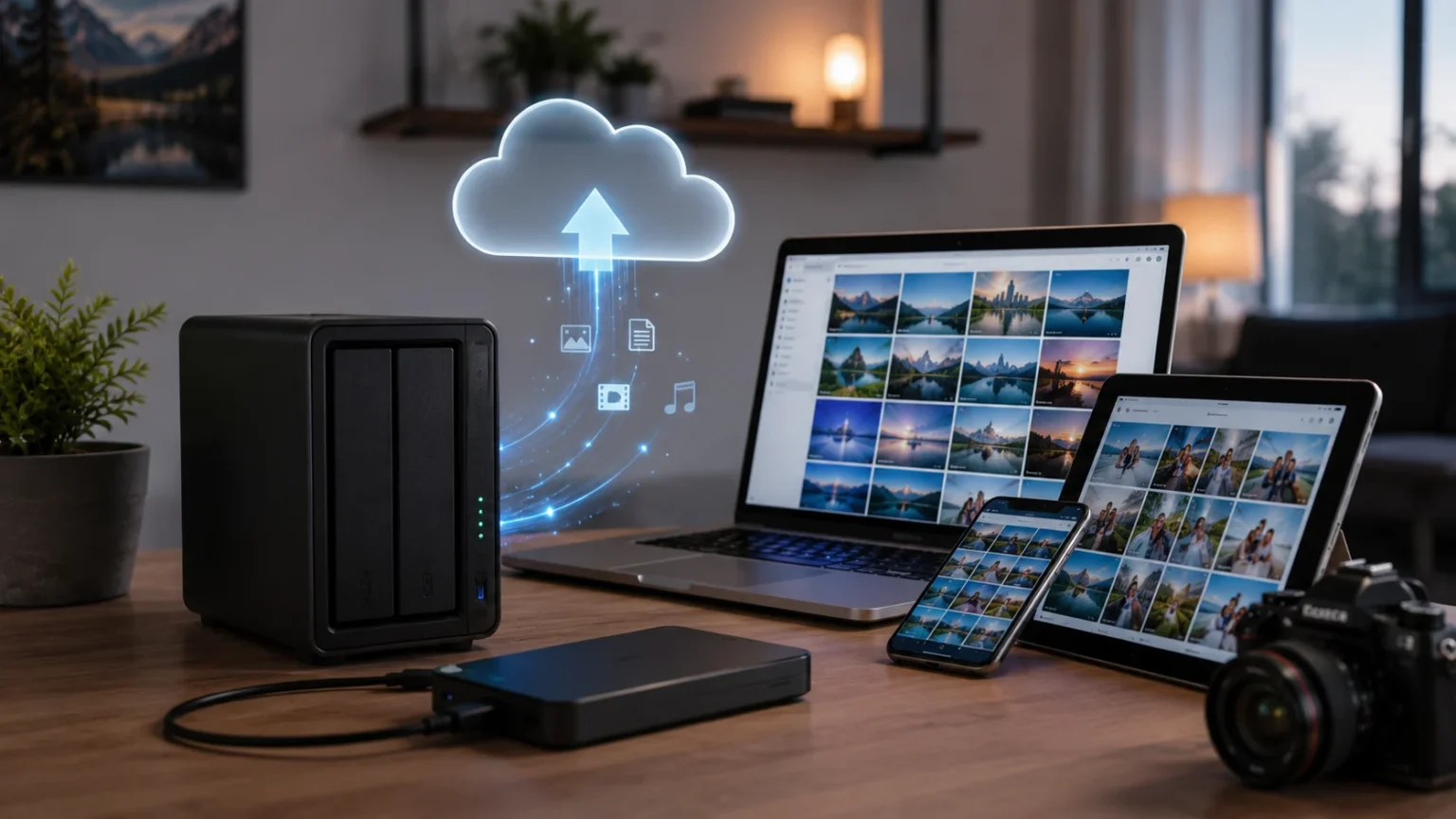

Personal Cloud Storage Device: Benefits & How It Works
What Is a Personal Cloud Storage Device?
A personal cloud storage device is a physical storage system that lets you save, organize, access, and share your files through your own network instead of depending entirely on a third-party cloud provider. In many homes and small offices, this type of system is built around a network attached storage device, commonly called a NAS. The device usually contains one or more hard drives or solid-state drives connected to a home router or local network. Once configured, computers, smartphones, tablets, and other devices can connect to it. Some systems also allow secure remote access over the internet. This gives you a private cloud environment that remains under your control.
The easiest way to think about personal cloud storage is to imagine having your own version of an online file-storage service inside your home or office. Instead of uploading photos and documents to servers owned by another company, you store them on hardware you physically control. Software running on the storage device manages user accounts, folders, backups, syncing, and remote connections. Many systems provide mobile and desktop applications that make the experience feel similar to using mainstream cloud platforms. You can often browse files, automatically upload phone photos, share folders, and stream media. The major difference is that the underlying storage belongs to you.
Personal cloud storage devices are available in several forms, ranging from simple single-drive systems to powerful multi-bay NAS servers. A basic device may be designed primarily for file backup and remote access, while a more advanced system can run applications, host media libraries, manage surveillance footage, or support multiple users. Some users even build their own home servers using standard computer hardware and self-hosted cloud software. The right approach depends on how much storage, performance, flexibility, and technical control you need. A family backing up photos has different requirements from a creative professional working with large video files. Understanding your use case makes choosing the right device much easier.
The term personal cloud does not necessarily mean that files remain only inside your local network. Many devices provide secure internet access, allowing you to reach your files while traveling or working away from home. Remote access can be provided through the manufacturer’s software, a secure web portal, a VPN, or another protected connection method. This gives users much of the convenience associated with public cloud storage while maintaining greater ownership over the hardware. However, remote access also introduces security responsibilities that need to be taken seriously. Strong passwords, software updates, encryption, and careful account management become important parts of operating a personal cloud safely.
A personal cloud storage device can therefore sit somewhere between an external hard drive and a traditional cloud service. Like an external drive, it gives you direct ownership of your storage hardware and avoids relying entirely on monthly storage subscriptions. Like a cloud platform, it can make files available across multiple devices and locations. Unlike a basic USB drive, it normally stays connected to the network so several authorized devices can reach it without physically plugging it in. This combination of local ownership and network accessibility is what makes personal cloud storage attractive. It provides flexibility for users who want convenient file access without giving up control of their data.
How Does Personal Cloud Storage Work?
A personal cloud storage device normally connects directly to your router or network switch through an Ethernet connection. Once the device is on the local network, computers and mobile devices can communicate with it using standard networking technologies. The storage system receives files, organizes them into folders, and writes the data to its internal drives. Users can access those files through desktop applications, web interfaces, mobile apps, or shared network folders. The device essentially operates as a small server that remains available whenever it is powered on. This means your personal files can be stored centrally instead of being scattered across several computers and external drives.
When you upload a file from a laptop, for example, the data travels through your home network to the personal cloud device. The system saves the file on its internal storage and makes it available to authorized users or devices. If synchronization is enabled, the same file can automatically appear on another computer connected to your account. Changes may also be synchronized so that the newest version remains available across devices. This is useful for documents, photos, work files, and other information you need in several places. File synchronization turns a personal storage server into something that behaves more like a familiar cloud platform.
Remote access works by allowing devices outside the home network to establish a secure connection to the personal cloud. Some manufacturers provide account-based remote access services that simplify this process for everyday users. More technically experienced users may prefer a virtual private network, secure tunnel, or carefully configured self-hosted connection. Once authenticated, a remote user can often browse folders, download documents, upload photos, or stream supported media. Internet upload speed at the location where the device is installed can affect remote performance significantly. Large transfers may feel slower than commercial cloud services if the home internet connection has limited upload bandwidth.
Storage management is handled by the device’s operating system and installed software. Multi-drive systems may support technologies such as RAID, which can combine drives in different ways for performance or redundancy. Depending on the configuration, data may be mirrored across drives so that the failure of one disk does not immediately cause data loss. However, RAID should not be confused with a complete backup because accidental deletion, malware, theft, fire, and other events can still affect multiple drives. Good personal cloud systems therefore combine storage redundancy with separate backups. This layered approach provides better protection than relying on a single device.
Most modern personal cloud devices also provide administrative controls that determine who can access specific data. You can create separate user accounts, assign folder permissions, set storage limits, and sometimes require two-factor authentication. Families might give each person a private folder while maintaining shared areas for photos or household documents. Small businesses can create different permissions for employees or teams. These controls help prevent every connected user from automatically seeing every stored file. The combination of centralized storage, account management, synchronization, and secure networking is what allows a personal cloud device to function as a private file-management platform.
Key Benefits of a Personal Cloud Storage Device
One of the biggest benefits of personal cloud storage is greater control over your data. When files are stored on hardware you own, you decide how much capacity is available, who can access the information, and how long it remains stored. You are not completely dependent on a cloud company’s storage limits, account policies, or pricing changes. This level of control can be especially appealing for users who store large photo libraries, business documents, creative projects, or family records. It does not eliminate every privacy risk, because poor configuration can still create vulnerabilities. However, it gives you more direct responsibility for how and where your information is stored.
Another advantage is the ability to expand storage as your needs increase. Many multi-bay NAS devices allow users to replace existing drives with larger ones or add additional disks when empty bays are available. This can be more flexible than repeatedly upgrading to larger cloud subscription plans. A photographer might begin with several terabytes and expand as a photo archive grows over the years. Families can do the same as smartphone videos and high-resolution media consume more space. Expansion options vary between devices, so planning ahead is important. Buying a system with extra drive bays can provide more room for future growth than choosing the smallest configuration available.
Personal cloud storage can also reduce dependence on recurring cloud-storage fees. The upfront cost of a NAS, hard drives, backup drives, and possibly additional networking equipment can be significant, so a personal cloud is not automatically cheaper on day one. Over several years, however, users with large storage requirements may find ownership more economical than paying continuously for multiple terabytes of online storage. Electricity, drive replacement, and backup costs still need to be considered. The financial benefit depends heavily on how much capacity you need and how long you keep the system. For some users, the value comes more from control and flexibility than from pure cost savings.
Centralized storage is another major benefit because it reduces the problem of files being scattered across many devices. Instead of keeping some photos on a phone, other files on a laptop, and older documents on several external drives, you can organize everything in one primary location. Authorized computers and mobile devices can then access the same file library through the network. This simplifies household sharing and can make backup routines easier to manage. A central storage location is particularly useful when multiple people need access to the same media, documents, or project files. Good folder organization becomes much easier when information is managed from one system.
A personal cloud can also support much faster local file transfers than internet-based cloud storage when the network is properly configured. Large files transferred between a computer and a NAS on a gigabit or faster local network may move significantly faster than uploading them to the internet and downloading them again. This matters for video editing, photography, backups, and other data-heavy activities. Performance still depends on drive speed, network equipment, Wi-Fi conditions, and the capabilities of the storage device. Users working with extremely large files may benefit from faster Ethernet connections or SSD storage. For everyday documents and photos, a standard home network is often sufficient.
Personal Cloud Storage vs Public Cloud Storage
The biggest difference between personal cloud storage and public cloud storage is who owns and manages the underlying infrastructure. With services such as mainstream online cloud platforms, your files are stored in data centers operated by the provider. The provider is responsible for physical hardware maintenance, large-scale redundancy, platform availability, and much of the security infrastructure. With a personal cloud, you typically own the storage device and keep it at home or in an office. You are therefore responsible for maintaining the hardware and configuring it correctly. This creates more control, but it also creates more responsibility than simply opening an account with an online provider.
Public cloud storage is usually easier for beginners because very little setup is required. Users can create an account, install an application, and start synchronizing files without thinking about hard drives, network settings, backups, or hardware failures. Personal cloud storage requires additional planning because someone must choose drives, configure users, install updates, and monitor storage health. Modern NAS systems have made this process much easier than it once was, but they still require some management. People who want a completely hands-off experience may prefer public cloud services. Users who enjoy greater control may find the additional administration worthwhile.
Availability is another important difference between the two approaches. Major public cloud providers operate large networks of data centers designed to keep services available despite individual hardware failures. A personal cloud device may depend on one home internet connection, one router, one electrical supply, and one physical location. If the power goes out or your home internet connection fails, remote access may temporarily disappear. Equipment such as an uninterruptible power supply can reduce some risks, but it does not provide the same infrastructure scale as a global cloud provider. Local access may still work during an internet outage if the home network remains operational.
Privacy and control often favor a personal cloud, although the comparison is more complicated than simply saying local storage is always more secure. A well-managed personal server can give you strong control over accounts, permissions, encryption, and data location. A poorly secured device exposed directly to the internet can create serious risks. Public cloud providers typically invest heavily in security infrastructure, but users must trust the provider’s systems and account protection. In both cases, weak passwords, phishing, compromised devices, or poor sharing practices can expose data. Security ultimately depends on both the platform and the way the user manages it.
Many people benefit most from a hybrid approach rather than choosing only one type of storage. A personal NAS can provide fast local access, large capacity, media storage, and centralized backups, while an encrypted cloud backup protects important files from disasters affecting the home. Users may keep everyday documents synchronized through a public cloud while storing large archives on their private server. This combination reduces dependence on a single system. It also follows the broader principle that important data should exist in multiple independent locations. Personal and public cloud storage are therefore not necessarily competitors because they can complement each other effectively.
Personal Cloud Storage for Backup and File Protection
Backup is one of the most popular reasons people purchase a personal cloud storage device. Computers, smartphones, and laptops contain years of photos, financial records, work documents, and personal files that can disappear after hardware failure, theft, malware, or accidental deletion. A NAS can automatically receive scheduled backups from multiple devices without requiring you to connect an external hard drive manually each time. Once configured, backup software can copy new or changed files in the background. This automation reduces the chance that people will forget to create backups for months. A backup system works best when it requires as little ongoing effort as possible.
Many personal cloud platforms can also store multiple versions of files rather than keeping only the newest copy. Version history can be useful when you accidentally overwrite a document and later realize that an older version contained information you still need. Some storage systems also provide snapshots, which capture the state of selected folders or storage volumes at particular times. Snapshots can help recover files after accidental changes or certain types of data corruption. Their exact capabilities vary between devices and file systems. They are valuable recovery tools, but they should still be combined with independent backups rather than being treated as the only protection.
Drive redundancy can provide another layer of protection when a personal cloud contains multiple disks. A mirrored configuration, for example, may store the same data across more than one drive so that one drive can fail without immediately making the entire storage pool unavailable. Other RAID configurations distribute data and parity information across several disks. The appropriate setup depends on the number of drives, desired capacity, performance needs, and tolerance for hardware failure. Redundancy can improve availability, but it does not protect against every type of data loss. Deleting a file accidentally can still remove it from the redundant storage system.
For genuinely important information, it is wise to keep another backup outside the personal cloud device itself. This can be an external drive stored separately, another NAS in a different location, or a secure online backup service. Off-site backup protects against events such as theft, fire, flooding, electrical damage, or other disasters that could affect the entire home or office. Some NAS platforms can automatically encrypt and send selected folders to compatible cloud services. Others can replicate data to another storage server. The goal is to ensure that losing the physical personal cloud device does not mean losing the only remaining copy of your files.
A useful backup strategy is often summarized by the idea of keeping several copies of important data on different types of storage, with at least one copy stored elsewhere. A personal cloud device can become an important part of that strategy, but it should not be the entire strategy by itself. Think of the NAS as a central backup destination rather than an indestructible vault. Drives eventually fail, hardware can break, and software errors can happen. Regularly checking backup status and occasionally testing file restoration are therefore essential. A backup that has never been tested may fail exactly when you need it most.
How Personal Cloud Storage Supports Photos, Videos, and Media
Photo storage is one of the most practical uses for a personal cloud because modern smartphones can generate enormous photo and video libraries over time. Many NAS platforms provide mobile applications that automatically upload new photos whenever the phone connects to Wi-Fi or another approved network. This creates a centralized family photo library without manually transferring images through cables. Depending on the software, users may be able to organize pictures by date, album, location, or recognized subjects. Automatic backup is particularly valuable because phones are frequently lost, broken, or replaced. A personal cloud provides a second home for memories that would otherwise exist only on one mobile device.
Video files benefit even more from large local storage because high-resolution footage consumes space quickly. Families recording 4K smartphone video, drone footage, or home movies can fill small cloud plans surprisingly fast. Content creators working with video projects may require several terabytes of storage that would be expensive to maintain entirely in the public cloud. A properly configured NAS can store original footage, project files, exports, and archives in one location. Faster network connections can also allow editors to work directly with media stored on the server in certain workflows. Performance requirements become much higher when editing large professional files compared with simply archiving them.
Personal cloud devices can also act as media servers for movies, music, and television collections. Compatible software can organize media libraries and stream content to smart TVs, phones, tablets, streaming boxes, and computers around the home. Some systems can convert media into formats that match the capabilities of the viewing device, although transcoding performance depends heavily on processor power. Users planning to run a media server should therefore consider hardware performance as well as raw storage capacity. A low-powered entry-level device may be excellent for backups but struggle with demanding video conversion. Choosing the right processor becomes important when media streaming is a major use case.
Music collections can also be centralized on a personal cloud so that several devices access the same library. Instead of storing duplicate copies of thousands of songs on multiple computers, the files can remain on the NAS while compatible applications stream them across the network. The same approach works for audiobooks, podcasts, family recordings, and other audio archives. Some users appreciate maintaining personal media libraries without depending entirely on streaming subscriptions. This can be particularly useful for rare recordings or files that are not available through mainstream platforms. Good organization and metadata management make large media libraries significantly easier to browse.
Personal cloud storage also makes family sharing easier because each person can maintain a private account while contributing to shared albums or media folders. Parents might create a common folder for family photos while keeping personal documents inaccessible to other users. Vacation pictures can be uploaded from several phones into one shared location. Access permissions can determine who is allowed to view, upload, modify, or delete files. This is much more organized than passing around USB drives or sending large attachments through messaging apps. With careful permissions and reliable backups, a personal cloud can become a long-term digital archive for the entire household.
Security and Privacy Tips for Personal Cloud Storage
Security begins with strong user accounts because a personal cloud often contains some of the most valuable information in a household or small business. Use unique passwords for administrator and user accounts rather than reusing passwords from email, social media, or other services. Enable two-factor authentication whenever the platform supports it, particularly for accounts that can be accessed remotely. Avoid giving everyday users full administrative privileges because administrator accounts can change security settings and delete important data. Create separate accounts for different people instead of sharing one password across the household. Good account separation makes access easier to control and problems easier to investigate.
Software updates are equally important because personal cloud devices run operating systems, applications, networking services, and web interfaces that can develop security vulnerabilities over time. Manufacturers regularly release updates that fix known weaknesses and improve stability. Enable automatic updates when appropriate or establish a routine for checking them manually. Old unsupported devices deserve particular attention because they may eventually stop receiving security patches. Running outdated internet-connected storage indefinitely can create unnecessary risk. When choosing a device, consider the manufacturer’s history of providing long-term software support rather than looking only at the initial hardware specifications.
Remote access should be configured carefully because exposing storage services unnecessarily to the public internet increases the potential attack surface. Manufacturer-provided secure access systems can simplify configuration for many users, while more advanced users may prefer VPN-based access. Avoid opening network ports without understanding why they are needed. Disable services you do not use and review the device’s security dashboard when one is available. Some systems can automatically block addresses after repeated failed login attempts or alert you when unusual activity occurs. Remote convenience should always be balanced against the principle of exposing only what actually needs to be accessible.
Encryption can protect sensitive information both during transmission and, depending on the device, while it is stored on disk. Secure web connections and encrypted remote access help prevent data from being read while traveling across networks. Some systems also support encrypted folders or volumes for information stored on the device. Encryption adds valuable protection, but it introduces responsibility for passwords and recovery keys. Losing the only encryption key can make perfectly healthy data permanently inaccessible. Store recovery information securely somewhere separate from the device. Encryption works best as one layer within a larger security strategy rather than as a substitute for passwords, updates, and backups.
Monitoring and backups complete the security picture because even a well-protected device can still experience failure or attack. Check storage health, failed login alerts, update status, and backup results periodically. If the personal cloud contains irreplaceable information, keep at least one independent backup that is not continuously exposed to the same accounts and network. This can reduce the impact of ransomware or accidental mass deletion. Some systems offer snapshots that make recovery from certain attacks easier, but separate backups remain important. Strong personal cloud security is therefore built from several layers working together: authentication, updates, limited access, encryption, monitoring, redundancy, and tested backups.
How to Choose the Right Personal Cloud Storage Device
Start by estimating how much storage you need today and how quickly that requirement is likely to grow. A household storing mainly documents may need relatively little space, while a family with years of phone videos can consume several terabytes quickly. Photographers and video creators may need far more capacity because RAW images and high-resolution footage are extremely large. Buying only enough capacity for current data can force an early upgrade. Allowing reasonable room for growth usually makes the investment more practical. Remember that certain redundant drive configurations provide less usable capacity than the combined raw size printed on the drives.
The number of drive bays is another important consideration because it affects expansion and redundancy options. A one-bay device can be simple and affordable, but it cannot mirror data across internal drives. Two-bay systems are popular for home users because they can support mirrored configurations while remaining compact. Four-bay and larger systems provide more flexibility for storage expansion and RAID choices. They are generally more expensive and may consume more power, but they can suit growing libraries or small businesses better. Think about where your storage needs may be in three or five years rather than selecting a device only for the files you have today.
Processor power and memory matter when you plan to do more than basic file storage. A lightweight NAS can handle backups and document sharing perfectly well, but media transcoding, photo recognition, virtualization, containers, surveillance software, and multiple simultaneous users can demand considerably more resources. Some systems allow memory upgrades, which can extend their useful life for advanced workloads. Network speed matters too, especially when transferring large video projects or backing up multiple computers. Standard gigabit Ethernet is sufficient for many households, while creative professionals may benefit from faster networking. Matching performance to the intended workload prevents paying for power you do not need or buying hardware that becomes frustratingly slow.
Software quality is just as important as hardware specifications because the operating system determines how pleasant the device is to use every day. Look for straightforward backup tools, reliable mobile applications, clear user-permission controls, automatic photo uploading, useful security settings, and good storage monitoring. Some ecosystems offer large application libraries that allow the NAS to become a media server, private cloud, surveillance recorder, or lightweight home server. Others focus primarily on simple storage. Beginners may value an intuitive interface more than extensive customization. Advanced users may prefer platforms that support containers, self-hosted applications, command-line access, and deeper networking controls.
Finally, calculate the full cost rather than looking only at the enclosure price. Many NAS devices are sold without drives, so hard disks or SSDs must be purchased separately. You may also need an external backup drive, uninterruptible power supply, upgraded network equipment, or cloud backup subscription. Drives should eventually be replaced when they fail, and the system uses electricity continuously when left running. Despite these expenses, a personal cloud can deliver excellent long-term value for users who need significant storage and control. The best device is not necessarily the most powerful one, but the system that meets your capacity, security, performance, and maintenance needs without unnecessary complexity.
Is a Personal Cloud Storage Device Worth It?
A personal cloud storage device is often worth considering when you have several computers, phones, or tablets that need centralized backup. Instead of managing separate external drives for every device, one network storage system can become the main destination for household data. Automatic backup software can reduce manual effort and make protection more consistent. The same device can also provide shared folders, mobile photo uploads, and remote access. For families generating increasing amounts of digital content every year, these conveniences can justify the initial investment. The value becomes even greater when several household members would otherwise pay for separate cloud storage plans.
Creative professionals can benefit when large files make traditional online storage inconvenient or expensive. Photographers, videographers, designers, and audio professionals may generate hundreds of gigabytes or several terabytes during active projects. Moving this amount of data repeatedly through an internet connection can be slow, especially when upload bandwidth is limited. A fast local network provides much more efficient access to large archives. A NAS can also centralize finished projects and historical work that no longer needs to remain on a laptop’s internal drive. However, professionals should still maintain off-site backups because local storage alone cannot provide complete protection against disaster.
Small businesses may also find personal or private cloud storage valuable when employees need centralized file access without deploying a complicated enterprise server. User accounts and folder permissions allow different teams to access only the information relevant to their work. Automatic computer backups can protect laptops, while shared folders make collaboration easier inside the office. Remote access can support employees who occasionally work from home or travel. Businesses should place even greater emphasis on security, backups, access logs, and device support because company data may be especially sensitive. A poorly managed NAS should never be treated as a substitute for a proper business continuity strategy.
A personal cloud may be less suitable for someone who has modest storage needs and wants zero hardware maintenance. If you store only a few gigabytes of documents and photos, a mainstream cloud service may be simpler and more economical. Public cloud storage does not require you to replace failed drives, maintain network equipment, or troubleshoot remote connections. It also provides convenient access without depending on your home internet connection remaining available. People who dislike managing technology may find these advantages more valuable than physical ownership of storage. The decision should therefore be based on your priorities rather than assuming self-hosted storage is automatically superior.
For many users, the strongest solution is a combination of personal and public storage rather than an all-or-nothing decision. Keep large archives and local backups on the personal cloud while maintaining an off-site copy of irreplaceable files somewhere else. This gives you fast local access, greater storage control, and protection against the loss of the physical device. The personal cloud becomes the center of your storage strategy instead of the only place your information exists. With appropriate hardware, security, and backup planning, a personal cloud storage device can remain useful for many years. Its real value lies in combining ownership, convenience, capacity, and flexibility in one system.
Frequently Asked Questions
What is a personal cloud storage device?
A personal cloud storage device is network-connected hardware that stores your files and allows authorized devices to access them locally or remotely. Many personal cloud systems are built using a NAS, or network attached storage device.
Is a NAS the same as personal cloud storage?
A NAS is hardware that provides network storage, while personal cloud refers more broadly to the experience of accessing privately controlled files across devices and locations. Many NAS devices include software that turns them into personal cloud platforms.
Can I access my personal cloud from anywhere?
Yes, many personal cloud systems support remote access through secure apps, web portals, or VPN connections. Your home internet connection and security configuration can affect performance and availability.
Do I have to pay a monthly fee for personal cloud storage?
Not necessarily. You normally purchase the hardware and drives upfront, although optional cloud backup, remote services, or software features may involve recurring costs depending on the platform.
Is personal cloud storage safer than public cloud storage?
It can provide greater control over your data, but safety depends heavily on configuration. Strong passwords, two-factor authentication, software updates, encryption, restricted remote access, and separate backups are essential.
Can a personal cloud back up my phone photos automatically?
Many modern personal cloud and NAS platforms offer mobile applications that automatically upload photos and videos. The exact features depend on the device and software you choose.
What happens if a drive in my personal cloud fails?
The result depends on how the storage is configured. A redundant multi-drive setup may continue operating after a single drive failure, but a separate backup is still necessary because RAID does not protect against every type of data loss.
How much storage do I need for a personal cloud?
The right amount depends on your current files and expected growth. Families storing large photo and video libraries may need several terabytes, while creative professionals can require considerably more.
Can I use a personal cloud for streaming movies?
Yes, many NAS systems can run media-server software and stream compatible content to televisions, phones, computers, and streaming devices. More powerful hardware may be required when real-time video transcoding is needed.
Do I still need backups if I own a personal cloud device?
Yes. A personal cloud is storage, not a complete backup strategy by itself, so important files should also exist on another independent device or in a secure off-site location.