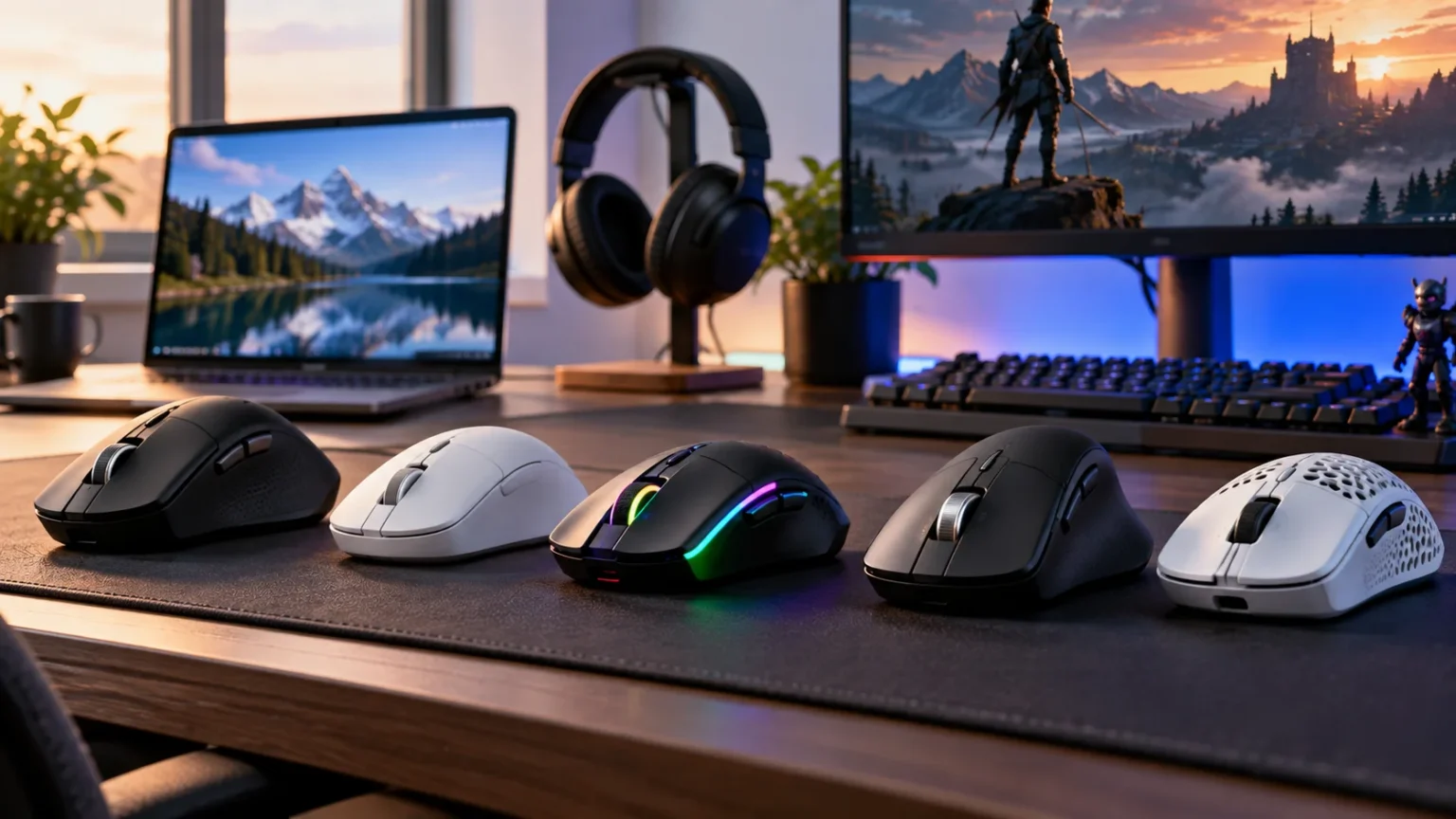

Finding the best wireless mice for work and gaming means balancing comfort, precision, responsiveness, battery life, and useful controls. A productivity mouse may offer excellent scrolling and ergonomics but feel heavy during competitive games, while an ultralight gaming mouse may lack the shortcuts and multi-device features needed for office work.
Modern wireless technology has narrowed the performance gap between wired and cordless mice considerably. Reliable 2.4GHz receivers can provide responsive gaming performance, while Bluetooth makes switching between laptops, tablets, and other devices convenient. The right mouse can therefore serve as both a dependable work accessory and an accurate gaming tool.
Options such as the Logitech MX Master 4, Razer Viper V4 Pro, Logitech G502 X Plus, and Keychron M6 approach this balance differently. Some emphasize productivity, while others prioritize low weight and fast response. Understanding your grip style, workload, game preferences, and connectivity needs will make choosing the right model much easier.
Logitech MX Master 4 for Productivity and Everyday Use
The Logitech MX Master 4 is designed primarily for productivity users who spend long hours working with documents, spreadsheets, creative software, and web browsers. Its sculpted shape supports a comfortable right-handed grip, while multiple buttons provide shortcuts for frequently used commands. It is particularly appealing to professionals who value workflow efficiency more than ultra-low gaming weight.
Scrolling is one of the biggest reasons to consider an MX Master-series mouse. Fast scrolling makes navigating long spreadsheets, documents, timelines, and web pages considerably easier than using a basic scroll wheel. A separate horizontal control can also be useful for video-editing timelines, wide spreadsheets, design tools, and other applications requiring frequent sideways navigation.
The MX Master 4 is better suited to casual gaming than highly competitive shooters because its productivity-focused construction makes it heavier than specialized esports mice. For strategy games, simulation titles, casual games, and general PC use, however, the added weight may not be a major issue. It remains an excellent choice when professional work is your first priority.
Razer Viper V4 Pro for Competitive Gaming
The Razer Viper V4 Pro takes almost the opposite approach by focusing heavily on speed, low weight, and precise movement. A lightweight gaming mouse requires less effort to accelerate and stop, making quick flicks and repeated aiming adjustments easier. This characteristic is especially useful in competitive first-person shooters where precise mouse movement can directly affect performance.
The shape is designed to accommodate common gaming grip styles without adding unnecessary bulk. Responsive wireless connectivity and a gaming-grade sensor make it suitable for fast-paced titles where input consistency matters. Players can also adjust sensitivity through software so that cursor movement matches their preferred aiming style and available desk space.
For ordinary work, the Viper remains perfectly usable, particularly for users who enjoy a lightweight mouse throughout the day. However, it lacks some of the productivity-focused controls and specialized scrolling features found on larger office models. Choose it when gaming performance matters more than advanced document navigation or extensive workflow shortcuts.
Logitech G502 X Plus for Work and Gaming Balance
The Logitech G502 X Plus provides a different kind of balance by combining gaming-oriented performance with a generous selection of programmable controls. Its additional buttons can be assigned to game actions, productivity shortcuts, media controls, or application commands. That flexibility makes it useful for users who frequently move between work tasks and different styles of PC games.
Its larger ergonomic shape suits people who prefer a more substantial mouse rather than extremely light esports designs. The additional controls can be especially convenient in strategy games, RPGs, productivity software, and games that require several frequently used commands. Users working with editing applications can also assign repetitive actions to buttons instead of repeatedly reaching for keyboard shortcuts.
The tradeoff is weight and simplicity. Competitive FPS players who want the lightest possible mouse may prefer a streamlined model with fewer buttons. For someone who values versatility and wants one wireless mouse for professional software, everyday browsing, and a broad gaming library, however, the G502 X Plus is a compelling all-purpose option.
Keychron M6 for Versatile Multi-Device Use
The Keychron M6 is worth considering if you want productivity features without moving fully into the heavier premium-office-mouse category. Its ergonomic shape, additional scrolling controls, and flexible connectivity make it useful for office tasks while retaining characteristics that suit occasional gaming. This middle ground can be appealing when one mouse needs to serve several devices and purposes.
Multi-device connectivity is especially useful for hybrid workers. You might use a wireless receiver with your main PC while keeping Bluetooth available for a laptop or another compatible device. Switching connections can reduce desktop clutter and eliminates the need to keep separate mice beside every computer you regularly use.
The M6 can also complement a streamlined work-and-gaming desk setup. Pairing a versatile mouse with quality mechanical keyboards can provide responsive controls for both typing and gaming without requiring separate peripherals for each activity. The goal is to build a setup that remains comfortable through long work sessions while still performing well after hours.
Lightweight Gaming Mice vs. Ergonomic Work Mice
Weight significantly changes how a mouse feels. Lightweight gaming mice can move quickly across a mousepad and require less force during repeated movements, which is particularly useful for competitive gaming. They also reduce resistance when using low sensitivity settings that require large arm movements across a wide desk surface.
Work-focused ergonomic mice tend to be heavier because they include larger batteries, additional controls, specialized scroll wheels, and more substantial shells. The added weight is less important when movements are slower and more deliberate. In return, users often gain comfortable palm support and features designed to reduce repetitive navigation during office tasks.
Neither design philosophy is automatically better. A competitive gamer who works mainly in simple browser applications may prefer an ultralight mouse all day, while a designer or spreadsheet-heavy professional may value ergonomic controls more. Consider which activity occupies most of your time before deciding whether weight or productivity features deserve priority.
Bluetooth vs. 2.4GHz Wireless Connections
Many wireless mice support Bluetooth, a dedicated 2.4GHz receiver, or both. Bluetooth is convenient because compatible laptops and tablets can connect without occupying a USB port. It is especially useful for travel, office environments, or multi-device setups where portability and minimal accessories matter more than maximum responsiveness.
A dedicated wireless receiver is usually the preferred connection for gaming. Gaming-focused wireless systems are designed to provide faster, more consistent communication with the computer and lower latency than typical Bluetooth connections. This can matter during competitive games where even small delays between physical movement and on-screen response become more noticeable.
Hybrid users benefit most from mice offering both options. You can keep the receiver connected to your gaming desktop for responsive play while pairing the mouse through Bluetooth with a work laptop. This arrangement makes one peripheral more useful without constantly unplugging receivers or repeating the pairing process between devices.
Sensor Accuracy and DPI Explained
A mouse sensor tracks movement across the desk and translates it into cursor movement on the screen. Modern gaming sensors can be extremely accurate, but a huge maximum DPI number does not automatically make one mouse better than another. Tracking consistency, low latency, and predictable movement are generally more important than simply choosing the highest advertised sensitivity.
DPI determines how far the cursor moves relative to physical mouse movement. Higher settings create faster cursor movement, while lower settings require larger hand or arm movements. Competitive players frequently use moderate or lower sensitivities for precise aiming, while productivity users may prefer higher sensitivity when moving across multiple large or high-resolution monitors.
Software-adjustable sensitivity makes it easier to create settings for different situations. You might prefer faster movement when browsing or editing large documents and slower movement during precise gaming. Instead of selecting a mouse based solely on maximum DPI, focus on whether the sensor feels consistent and whether sensitivity can be adjusted to match your workflow.
Battery Life and Charging Matter More Than You Think
Battery performance becomes particularly important when a wireless mouse is used throughout both the workday and evening gaming sessions. Constantly stopping to recharge can undermine the convenience of going wireless. Models designed for long endurance reduce interruptions and make it easier to travel without carrying an additional charging cable everywhere.
Rechargeable mice are convenient because there are no disposable batteries to replace. USB-C charging has also become increasingly common, allowing one cable to work with several modern devices. Some mice can continue operating while charging through a cable, which means an unexpectedly low battery does not necessarily have to interrupt work or gaming.
Replaceable-battery models have their own advantage because a depleted battery can be swapped immediately. The best approach depends on personal preference rather than one system being universally superior. Pay attention to real-world charging habits, lighting features, polling settings, and connectivity modes because these factors can influence how frequently charging is required.
Mouse Shape and Grip Style Should Guide Your Choice
Comfort depends heavily on how well a mouse shape fits your hand. Palm-grip users typically rest most of their hand on the mouse and may prefer larger ergonomic designs. Claw-grip users arch their fingers and often benefit from medium-sized shapes, while fingertip users tend to prefer smaller, lighter mice that are easy to reposition.
Hand size matters alongside grip style. A highly rated mouse can still feel uncomfortable if it is too wide, tall, long, or narrow for your hand. This is why choosing purely from specifications or popularity can lead to disappointment, especially when you use the mouse for several hours every day.
Right-handed ergonomic mice can provide excellent support, but symmetrical designs offer greater flexibility for different grips. Left-handed users should confirm button placement and software support before purchasing. Whenever possible, consider the dimensions of a mouse you already find comfortable and compare them with the model you are considering.
Programmable Buttons and Scrolling for Productivity
Additional buttons can save significant time when they are assigned thoughtfully. Back and forward controls are useful while browsing, while extra buttons can trigger copy, paste, undo, screenshots, microphone controls, or application-specific commands. Creative professionals may assign functions from editing software, reducing repeated movement between the mouse and keyboard.
Scroll-wheel design also influences everyday productivity. Free-spinning wheels make long documents easier to navigate, while precise stepped scrolling works better when moving through shorter lists. Horizontal scrolling is particularly useful for spreadsheets, editing timelines, large design canvases, and other workflows that extend well beyond a standard vertical page.
Gaming users can repurpose the same programmable buttons for reloads, inventory controls, abilities, push-to-talk, or other commands. The key is avoiding more buttons than you can comfortably distinguish. A smaller number of well-positioned controls is often more useful than an overcrowded mouse that makes accidental clicks difficult to avoid.
How to Choose the Best Wireless Mouse for Work and Gaming
Start by identifying which activity matters most. If productivity dominates your day, prioritize ergonomic shape, scrolling, programmable controls, and multi-device connectivity. If competitive gaming matters more, prioritize low weight, accurate tracking, responsive wireless performance, and a shape that suits rapid repeated movements.
For a true hybrid setup, look for a mouse that avoids extremes. You probably do not need the heaviest productivity mouse or the lightest competitive model if work and gaming are equally important. A moderately light mouse with several useful buttons, reliable 2.4GHz connectivity, Bluetooth support, and comfortable ergonomics can serve both roles effectively.
Budget should be considered after deciding which features you genuinely need. Premium wireless mice can offer better materials, specialized switches, advanced sensors, and sophisticated software, but not every user benefits from those additions. Spending more makes sense when the extra features improve your specific workflow or gaming experience rather than merely making the specifications look impressive.
Tips for Getting Better Performance From a Wireless Mouse
Place the wireless receiver reasonably close to the mouse when possible, especially during gaming. Large metal objects, crowded wireless environments, and poorly positioned receivers can sometimes affect connection quality. Many gaming mice include extension adapters that allow the receiver to sit closer to the mousepad rather than being hidden behind a desktop computer.
Keep the sensor area clean and use a consistent surface. Dust and debris around the sensor can occasionally interfere with tracking, while reflective or unusual desk materials may affect some mice. A good mousepad provides predictable friction and makes movement more consistent during both precision office tasks and fast gaming sessions.
Software settings also deserve attention. Configure DPI, button assignments, polling behavior, scrolling preferences, and power-saving settings according to your actual usage rather than leaving everything untouched. Once the mouse feels comfortable and predictable, avoid constantly changing sensitivity because muscle memory develops more easily when your core settings remain consistent.
Conclusion
The best wireless mice for work and gaming depend on how you balance productivity, comfort, and performance. The Logitech MX Master 4 is strongly focused on professional workflows, while the Razer Viper V4 Pro prioritizes lightweight competitive gaming. Models such as the Logitech G502 X Plus and Keychron M6 provide more flexible middle-ground approaches.
Look beyond maximum DPI and marketing numbers when comparing your options. Shape, weight, grip style, scrolling, programmable buttons, battery life, connectivity, and sensor consistency all influence how enjoyable a mouse feels over time. The best model should remain comfortable during long work sessions while providing enough responsiveness for the games you actually play.
There is no need to maintain separate work and gaming mice unless your requirements are highly specialized. A carefully chosen wireless model can perform both roles effectively and help simplify your desk. Prioritize the features you use every day, choose a shape suited to your hand, and select connectivity that matches your devices.
FAQs
Are wireless mice good enough for gaming?
Yes. Modern gaming-focused wireless mice can provide highly responsive and reliable performance. For competitive gaming, use the dedicated 2.4GHz receiver rather than Bluetooth when the mouse supports both connection methods.
Is Bluetooth or a USB receiver better for a wireless mouse?
Bluetooth is convenient for productivity and portable devices, while a dedicated wireless receiver is usually preferable for gaming because it generally provides lower latency and more consistent responsiveness.
What DPI is best for work and gaming?
There is no universal ideal DPI. Work users may prefer faster cursor movement, while gamers often select moderate sensitivity for better aiming control. Choose a setting that feels accurate and comfortable rather than chasing maximum numbers.
Is a lightweight mouse better for gaming?
Lightweight mice can make rapid movements and repeated aiming adjustments easier, particularly in competitive shooters. However, strategy, MMO, and casual gamers may prefer heavier ergonomic mice with additional buttons and stronger palm support.
Can one wireless mouse work well for both office work and gaming?
Yes. Look for a comfortable shape, accurate sensor, 2.4GHz gaming connection, useful programmable buttons, and good battery life. Bluetooth or multi-device support adds additional convenience for users switching between work computers and gaming systems.